CM assistant, an AI assistant for Callmaker
v 1.46 2026-10-08
Administrators can now ask CM assistant, a chat assistant opened from a new button in the top bar, questions about Callmaker. It answers from the product documentation in the language you asked in, cites the page and menu path the answer is based on, and says so instead of guessing when something isn’t documented. Answers start in about 4 seconds. The assistant is off by default and is turned on with a setting when your organisation is ready.
Build autopilots by chatting with AI
v 1.46 2026-10-08
Describe the autopilot you want, and the AI asks clarifying questions – up to five at a time in one form – proposes a plan and only builds it when you press Create. Options such as users, workflows, DNC lists and webhook integrations are picked by name, so you never have to look up an ID. The build keeps running in the background while you carry on working and takes about half the time it used to. An existing action flow can also be turned back into a plain-language description that you can edit and rebuild from.
More powerful action flows
v 1.46 2026-10-08
Action flows gain list variables with APPEND and LENGTH and steps for confirming, cancelling and setting the outcome of meetings, and autopilots can call outside systems with GET, POST, PUT, PATCH or DELETE. Running a flow on a search result now happens in the background, with a notification when it finishes. An event-triggered flow can run at most 10 times per minute and 100 times per hour per record, so flows that trigger themselves no longer loop. Passwords and secrets for FTP, webhooks and OAuth are masked, and sys-admins get an overview of every webhook integration with an activity log.
Skill-based call routing
v 1.46 2026-10-08
Outbound calls can now be routed to the agent most likely to succeed with each contact, with scores updated every night. You start in Shadow mode and see which agent would have been chosen without changing real routing, and can switch to Live only once the Shadow results pass the check. The new Skill Routing page under the Dialer menu shows status, agents, decisions and setup, and each decision can be expanded into a per-agent score breakdown. Custom fields can be tagged as gender, age, date of birth or postal code, and age is also read from Swedish personal identity numbers.
Remote support between colleagues
v 1.46 2026-10-08
An authorised user can request a remote support session and see a live view of a colleague’s screen. The person being helped can grant or take back mouse and keyboard control at any time, and with control the supporter can click and drag, so layout and flow editors work too. Masked values are shown only if the person being helped chooses to, sessions survive short network blips and page refreshes, and every session is logged. Sys-admins can never view an agent’s screen.
Goals for agents and admins
v 1.46 2026-10-08
Agents can follow their progress toward call, order and booking targets, with automatic resets each period and streaks for consecutive wins. A collapsible sidebar on every agent screen shows two pinned goals, and agents set their own target once per period before they start dialling. Admins get a goals management page with a live view, can set per-agent targets and follow shared goals with a leaderboard of who contributed. Sys-admins can deploy ready-made goal templates in one step, and goals are also available in the REST API.
Kiosk mode for wallboards
v 1.46 2026-10-08
Wall displays can now run their own slideshow of live team statistics and goals, and the numbers update the moment they change. A kiosk signs in with a one-time link; admins can reissue the link, sign a display out at any time and see an access log. Names, e-mail addresses and other personal details are never sent to a kiosk display. New widgets show a single statistic or a shared team goal, and kiosk screens have a dark look with larger numbers that can be read from across the room.
Agent screen recording
v 1.46 2026-10-08
Admins can record agents’ screens and replay them from a recordings page, with rules for when recording starts and retention of up to 7 days. It is off by default, agents see an indicator while recording is active, and sys-admins are never recorded. Admins can also open a zoomable timeline of a user’s activity over the past day, with markers for calls that led to an order or booking.
Exports in the background
v 1.46 2026-10-08
Order, number, booking, phone call and statistics exports now run in the background: close the dialog, keep working, and the file downloads automatically when it is ready. Recordings and files can be downloaded as zip bundles. Each export column can show a value’s readable label instead of its code, in the language you choose, and the project name of a workflow can now be exported and searched on.
Booking and calendar
v 1.46 2026-10-08
Calendar resources can be paused and resumed instead of deleted. A paused resource can’t be booked, while bookings already on it stay editable. When a booking moves to another resource, the customer can get the same e-mail or SMS as for a new booking. Google and Microsoft calendar sync is also more reliable: no lost events, no duplicates, and a weekly check that repairs any differences.
Better call control for agents
v 1.46 2026-10-08
Agents can end all their active calls in one action, and a slider in the phone settings adjusts headset volume from -5 to +5, also on external SIP phones. If the microphone changes during a call, Callmaker tells you which one is now in use. Hanging up, starting a recording and cancelling always act on the right call, and during phone-system outages the dialer slows down gradually instead of using up call attempts.
Danish, Norwegian and Finnish formats
v 1.46 2026-10-08
Fields can use Nordic number and currency formats, Finnish phone numbers, and Danish, Norwegian and Finnish postal codes, company registration numbers and personal identity numbers, and values in these formats are saved correctly. Text fields, including personal identity numbers, can also be set up to provide an age.
Faster and more accessible
v 1.46 2026-10-08
Logging in and loading the first page now takes about 3–5 seconds instead of about 15, and home pages appear instantly on reload. Around 65 controls in the layout editor and statistics filters and some 40 icon buttons can now be reached with the keyboard and screen readers, as can lists, side navigation and panels. Confirmation dialogs and empty lists look the same throughout Callmaker, and about 980 missing Italian texts are now translated.
662 bug fixes
v 1.46 2026-10-08
This release includes 662 bug fixes that address problems customers could run into, most of them in action flows and integrations, the platform, and settings and administration.
Real-time call transcription
v 1.45 2026-03-19
Calls can now be transcribed in real time, including calls where recording isn’t enabled. Transcription data is available directly in templates and exports, making it easy to build on the content of a call. Administrators can also set the transcription language per workflow.
AI summaries of transcripts
v 1.45 2026-03-19
The content of a transcript can be summarised automatically by an AI agent. Instead of reading through the whole call, you get the gist straight away, which makes reviewing the outcome of a call much faster.
Anonymisation of transcripts
v 1.45 2026-03-19
A configurable anonymisation pipeline removes sensitive information from transcripts before they are stored. You get the benefit of transcribed calls without storing more personal data than you need.
AI order validation and review system
v 1.45 2026-03-19
Orders and bookings can now carry structured review data, with optional AI validation. An AI agent can go through order data and set a review score while the workflow is in progress, so incorrect orders are caught early rather than after the fact.
New framework for AI agents
v 1.45 2026-03-19
A new AI agent framework brings together coaching notes, agent logging and support for multiple AI models. It lays the foundation for the AI-driven features in this release and for more to come.
Script viewer for agent scripts
v 1.45 2026-03-19
A new layout module shows the agent’s script directly on the customer card, with markdown rendering and live data binding to the customer’s details. Templates now support markdown as well as HTML and JSON, making it easy to build richer, more readable scripts.
Typed variables in Action Flows
v 1.45 2026-03-19
Action Flows now support variables with a data type (string, integer, date, datetime and ARRAY), with set, update and redefine operations. Schedule triggers now have minute-level precision for more exact timing, flows can be triggered manually in the user context, and you can hide flows you don’t use without having to delete them.
New OAuth flow for external calendars
v 1.45 2026-03-19
Authorising external calendars now uses a decoupled flow that works reliably with third-party services. Calendar accounts show the status of pending authorisations, with automatic clean-up, and you can update the properties of external accounts directly in the interface.
Dedicated search module for phone calls
v 1.45 2026-03-19
A new search module for phone calls with agent-level filtering, type filtering and export functions. Large data sets are now exported in chunks, making exports noticeably faster.
Audio device selector and microphone level indicator
v 1.45 2026-03-19
You can now choose your input and output audio devices directly in Callmaker. A level indicator shows the microphone level in real time, so you can quickly check that the right microphone is selected and working before calls begin.
History for incoming calls
v 1.45 2026-03-19
Incoming calls can now be linked to customer cards, and historical data for incoming calls is shown directly on the card. New data points for connected talk time with configurable thresholds, and separate statistics for calls started from the dial pad, give a clearer picture of what’s actually happening in your telephony.
Field data sync between number, order and booking
v 1.45 2026-03-19
A new setting keeps related records up to date: if field data changes on a number, an order or a booking, the change can automatically carry over to the others. No more updating the same information in three places.
Duplicate cleaning on company registration number
v 1.45 2026-03-19
Duplicate cleaning now supports company registration numbers as well as phone numbers, making it much easier to keep B2B lists clean. Handling of edge cases with repeated numbers on the same card has also become more stable.
AI noise reduction
v 1.44 2025-11-27
For better, more trusting conversations, it helps a great deal to filter out the sound of a busy call centre. Now you can, by switching on the excellent AI noise reduction we’ve integrated deep into our call infrastructure. The AI model runs locally on your own computer and does a fantastic job of filtering out background voices and noise. It makes a real difference to the quality of your calls! Noise reduction can also be switched off for individual users.
Outbound blend across several campaigns
v 1.44 2025-11-27
If you have several smaller campaigns you want to run at the same time, taking calls from the predictive dialer from all of them at once, you now can. You can cluster campaigns into groups where the user requests calls from the whole group. The usual permission rules still apply, so if some users should only get calls from part of the group, you simply don’t give them access to those campaigns. If you have campaigns at different levels that people have to earn access to, you can now easily organise that in an outbound blend group.
New level in the organisation hierarchy
v 1.44 2025-11-27
If the usual workflow hierarchy of system → project → campaigns doesn’t cover all your needs, you can now place administrators and users in subgroups. This makes it easy to run several subcontractors in the same campaign without them seeing each other’s users and data. The new hierarchy level turns the hierarchy into a matrix: on one side the usual division into workflows, on the other the ability to link users to organisation groups.
Transcribe calls to text with AI
v 1.44 2025-11-27
Using the KB Whisper model, we can now offer call transcription. The National Library of Sweden (KB) has taken OpenAI’s open Whisper model and further trained it on 50,000 hours of Swedish material. The model is therefore just as good as before in all the other languages it supports, but raises the bar several notches for Swedish and is the only model that fully handles the whole range of Swedish dialects. We use the model to transcribe calls, which makes it much easier for administrators to get to the heart of what they’re looking for in an agent call, whether it’s order validation or something else. More to come in this area!
Group statistics by hour, day, week or month
v 1.44 2025-11-27
Have you ever wondered whether your hit rate is better before or after lunch, what the trend line looks like week by week, or anything else that requires statistics grouped by time unit? Now you can find out. Are Mondays better than Fridays? Should you adjust lunch times? Dive in and let the data tell you.
Search settings
v 1.44 2025-11-27
As an administrator you’ve surely got better things to do than try to remember exactly where a particular setting lives. Now you can use the search field at the top of the admin view to find the right setting straight away. The search covers both settings and navigation, and respects permissions so administrators only see users and bookings within their own area.
List missed incoming calls
v 1.44 2025-11-27
We’ve finally finished something many of you have asked for. You’re no longer limited to seeing missed calls on personal inbounds. Under Inbound you can now easily see and filter all incoming calls to your inbounds, making it dead easy to see which calls you’ve missed while also getting a grip on answer rates and the other data you need.
Filter by rating in Search calls
v 1.44 2025-11-27
While we work on letting an AI rate agent calls automatically by reviewing transcripts, we’ve added filtering by rating (1–5 stars) in Search calls. This makes it very easy to pull up a number of highly rated orders as inspiration for the sales team, or to look at what’s missing in the lowest-rated calls of agents who need a coaching session.
Autopilot in bulk
v 1.44 2025-11-27
You can now run your Autopilots on an entire search result instead of being limited to one customer card at a time. This opens up smart, complex multi-step actions on large data sets. Bulk runs can be started manually or scheduled.
New steps in Autopilot
v 1.44 2025-11-27
Three new step types give finer control over your automated flows: Random from list, Pause and End with error. Together they make it easier to build flows that vary their behaviour, wait for external systems and stop in a controlled way when something isn’t right.
Richer actions in Autopilot
v 1.44 2025-11-27
An Autopilot flow can now create a customer card and work with richer user data, including the user’s group membership. This makes it possible to build flows that distribute work based on which organisation group a user belongs to.
Better audio playback
v 1.44 2025-11-27
Recordings can now be opened in a separate window, and the mini player in the recordings list has been improved. Listening to several calls in a row is much smoother.
Faster call search
v 1.44 2025-11-27
Phone call search has been rebuilt and is now much faster, while fully respecting users’ permissions.
DTMF input and double-click to call
v 1.44 2025-11-27
You can now send DTMF tones both from the dial pad and during ongoing IVR calls, so you can navigate external phone menus without leaving Callmaker. And a double-click on a number is all it takes to call it.
Third-party calendar changes saved in Callmaker
v 1.44 2025-11-27
Changes made in an external calendar are now saved back to Callmaker, with clearer reporting and automatic deactivation if syncing starts failing. This makes the calendar integration more predictable when something goes wrong.
AI answering machine detection
v 1.43 2025-08-17
You can now add a new module – AI answering machine detection (AMD) – which automatically filters out up to 99% of all answering machines in just 1.7 seconds. As an administrator, you choose whether agents should hear the call while the AI works. Detection is shown clearly on screen, and natural answer and hang-up sounds make the experience smooth for the customer.
Personal queue for agents – live leads or calls in a set order
v 1.43 2025-08-17
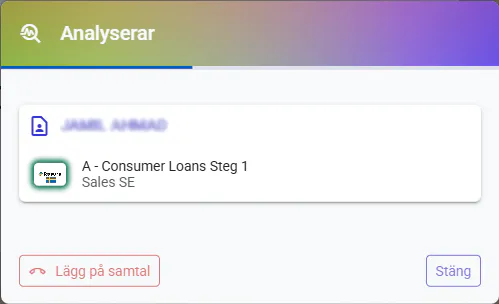
You can now enable personal queues for agents. This means an agent can run a search, fill their queue with the results and then work through the customer cards one by one. Very useful if, for example, a booking has been made and you want to see whether you can book more meetings nearby, or if for other reasons you want to work a particular sub-segment or in a particular order. Customer cards are added to the queue via a search or an Autopilot. If you want to handle live leads, you can let an Autopilot receive web requests and put the incoming lead in an authorised agent’s queue, so it gets called almost immediately.


Trigger Autopilots with buttons on customer cards or from admin views
v 1.43 2025-08-17
You can now run an Autopilot on demand for an order, a booking or a number, via a button on the customer card or directly from the admin views. Manual triggers also support prompts, so whoever starts the flow can enter the information it needs.

iFrame element on the customer card
v 1.43 2025-08-17
If you work with other systems or websites as part of your flow, it’s easy to embed them in an iFrame right on your customer card.

Autosave on the customer card
v 1.43 2025-08-17
When an agent enters data on a customer card, it’s now saved continuously as they make changes, instead of only when the customer card is closed.
Upload files and use them as email attachments or e-signing templates
v 1.43 2025-08-17
File handling has been extended: you can upload files with descriptive names and tags, and use them as email attachments or as documents for digital signing services, for example. Recordings can be shared via a link, and files can be passed on through integrations using multipart transfer.
Integrate with external apps from Autopilots
v 1.43 2025-08-17
The new Request to external application step category brings together sending webhooks and receiving callbacks, the use of templates, HMAC validation and further refinements that make Autopilots highly flexible integration tools. Incoming webhooks let external systems send events into Callmaker and start an Autopilot automatically. We can now also push data to a user from the backend, making integrations feel more live.

Autopilot improvements
v 1.43 2025-08-17
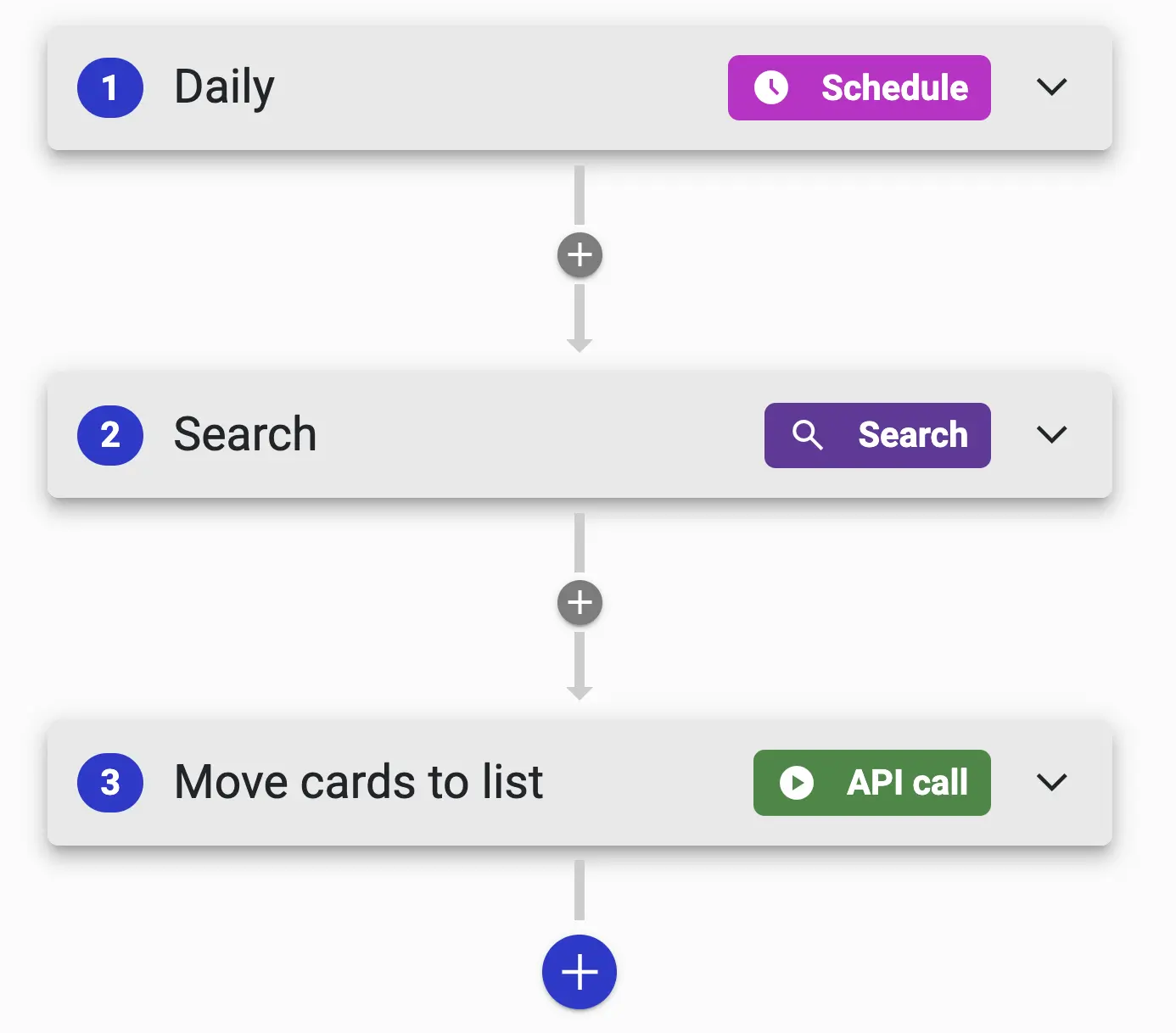
We’ve added several new step types to our Autopilots to enable even more advanced set-ups, including loops, pauses and ending with an explicit error. We’ve also added the ability to export recorded calls from an Autopilot.

Do-not-call list (DNC) v2
v 1.43 2025-08-17
The DNC flow has been rewritten and is much more flexible. You can add individual numbers, import directly into a DNC list, skip cleaning on import, undo a bulk DNC and clean separately from checking. Duplicate handling is clearer and traceability is better, making it easier to show how you comply with the rules on calling.
Transfer recordings to FTP from Autopilot
v 1.43 2025-08-17
An Autopilot can now transfer call recordings to FTP automatically. Handy when recordings need to end up in an external archive or with a customer without anyone having to do it manually.
Fields, templates and layouts in one place
v 1.43 2025-08-17
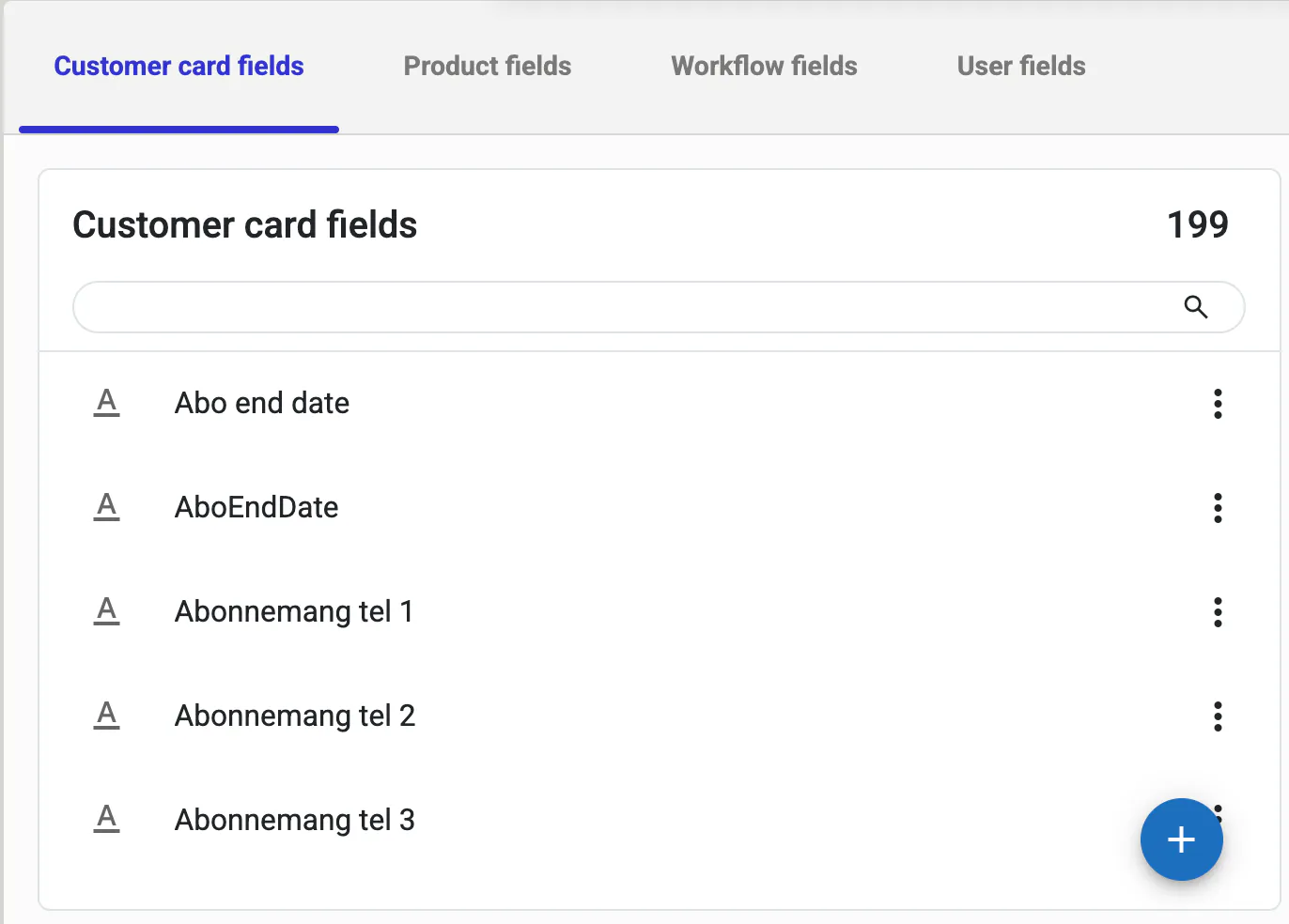
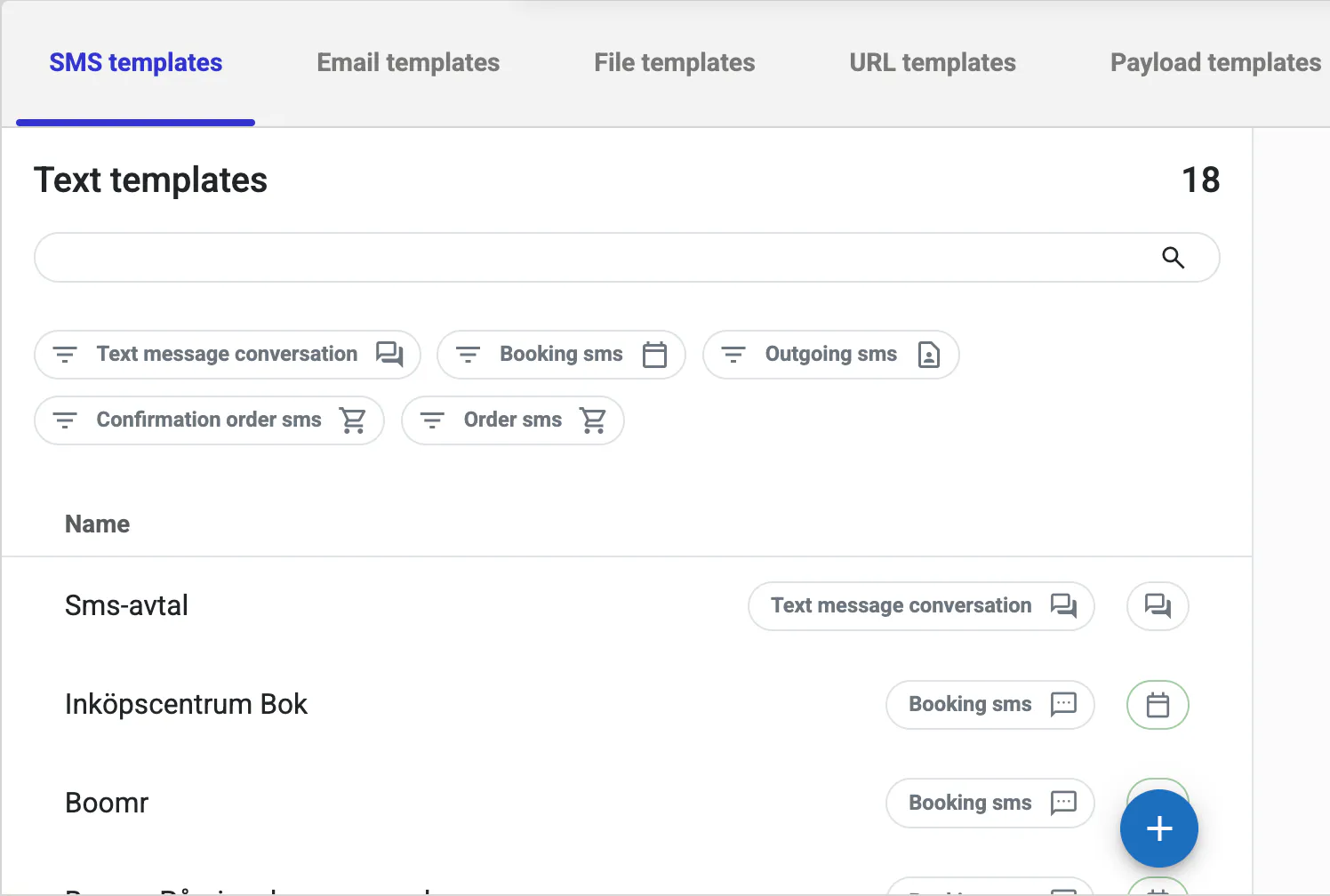
No more hunting around for settings buried deep inside the user settings. Data fields, user fields, workflow fields, templates and layouts are now much easier to find, create and edit from the admin menu.

Search presets for user elements
v 1.43 2025-08-17
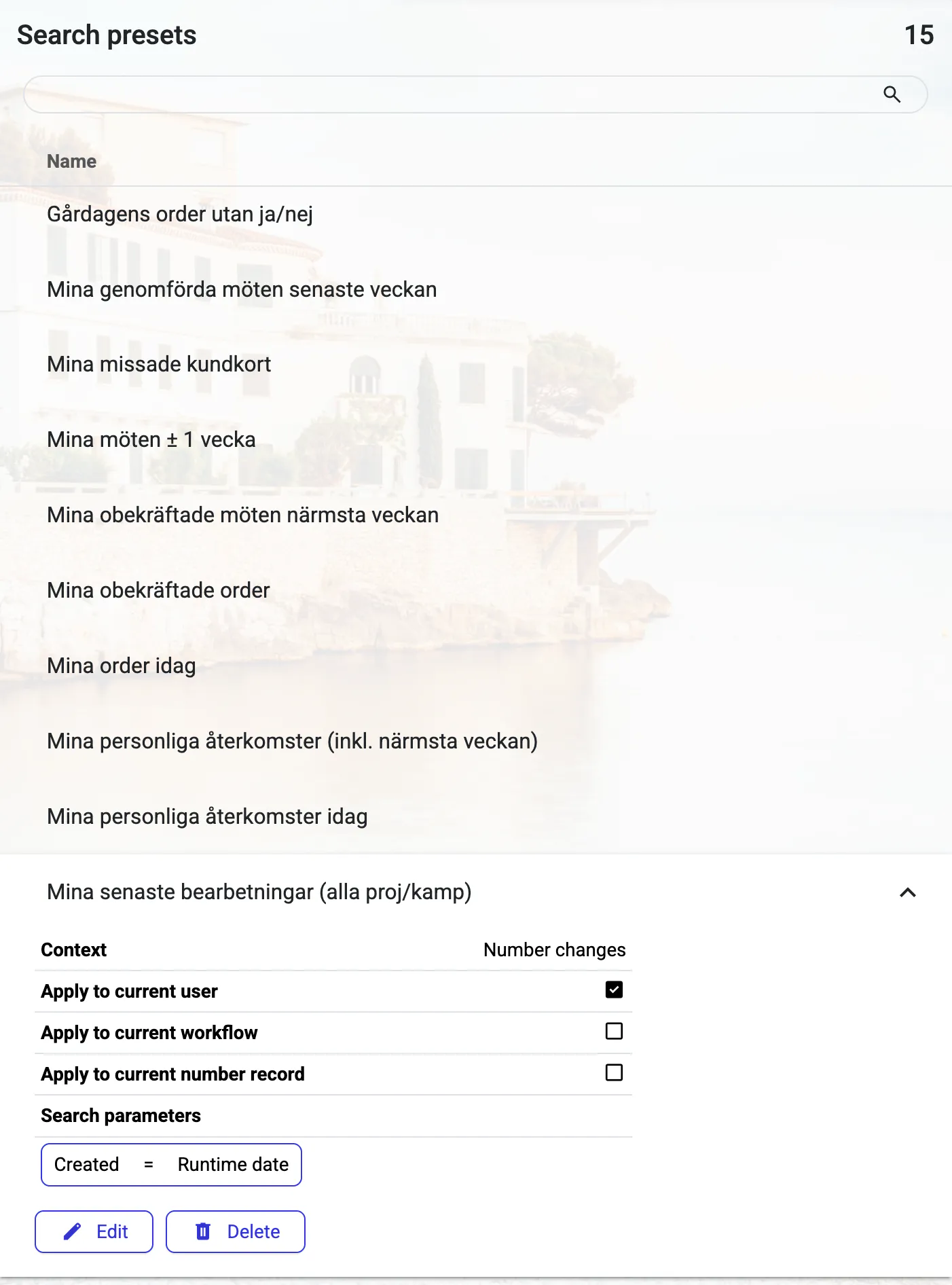
As an administrator, you can now create new search presets and edit existing ones directly. Search presets fill various interface elements with data, such as search portals on the customer card showing my upcoming callbacks and meetings, or the customer cards I’ve called today.
Improved search for bookings
v 1.43 2025-08-17
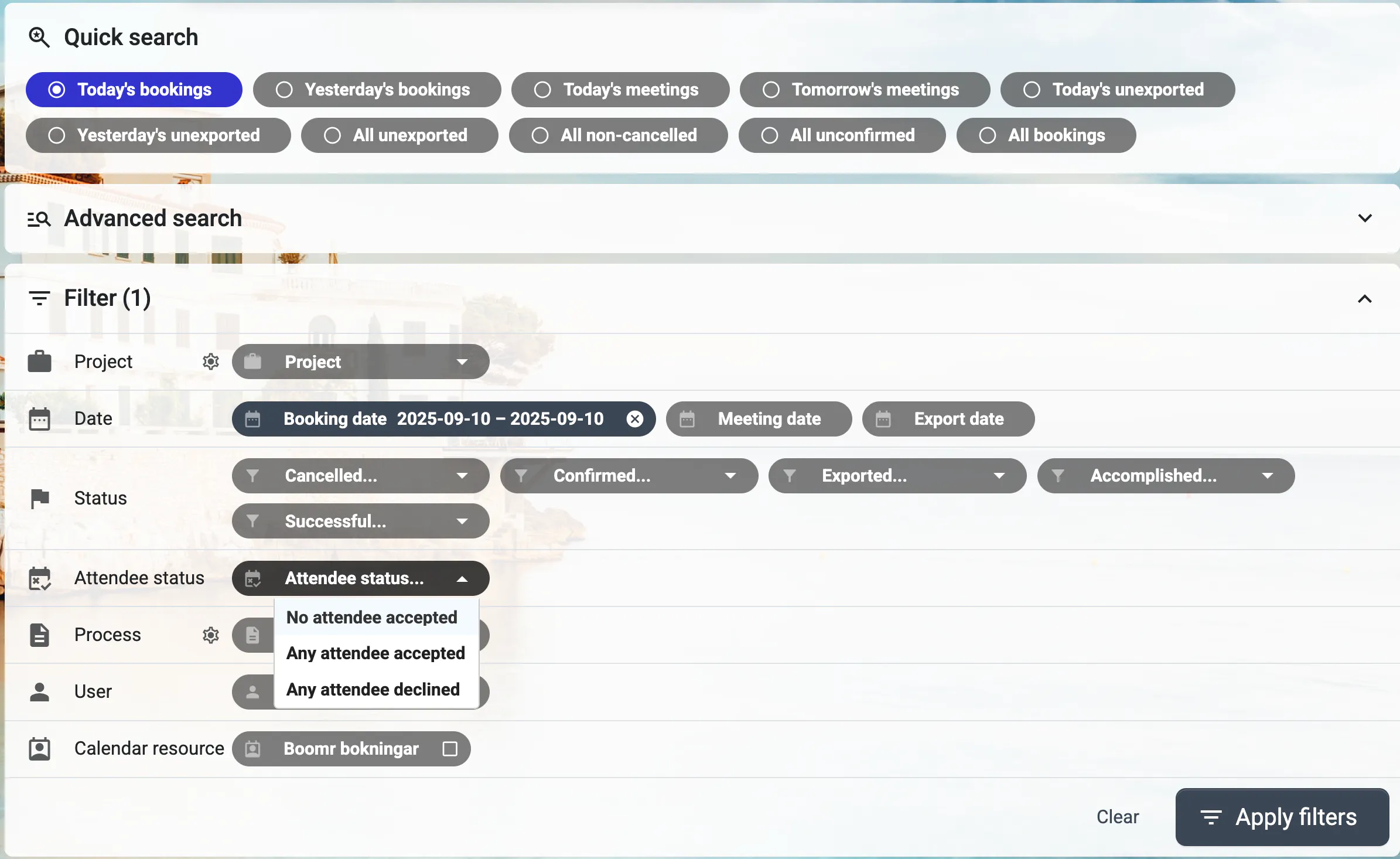
You can now search specifically on attendee status for bookings, making it dead easy to see which meetings haven’t yet been confirmed by attendees and need an extra call.
More Zapier events and triggers
v 1.43 2025-08-17
We’re continuing to add more triggers and actions to our Zapier integration, enabling even more advanced automations and integrations with other systems. Flexible request headers also make it easier to connect external services.
Create an SMS conversation with Autopilot
v 1.43 2025-08-17
For greater flexibility in different scenarios, you can now start an SMS conversation – like the one used for order signing – from an Autopilot.
Unified view of numbers and caller IDs
v 1.42 2024-12-15
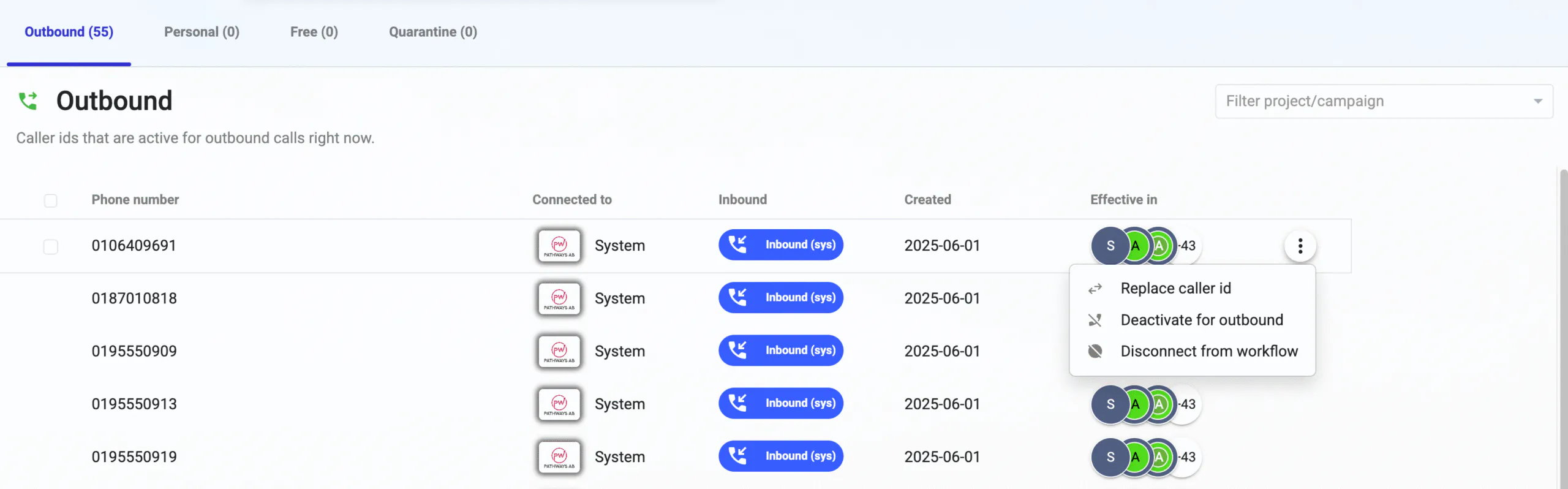
To make handling outgoing and incoming caller IDs even simpler, we’ve built a new unified view that gives you the full picture of your active and available caller IDs at a glance. From here, caller IDs can be assigned, deactivated, or deactivated for outbound only (quarantine). The view also makes it easier to manage personal numbers and the link between caller IDs and personal inbound. Caller IDs can be added to and removed from workflows directly.
Permission sets
v 1.42 2024-12-15
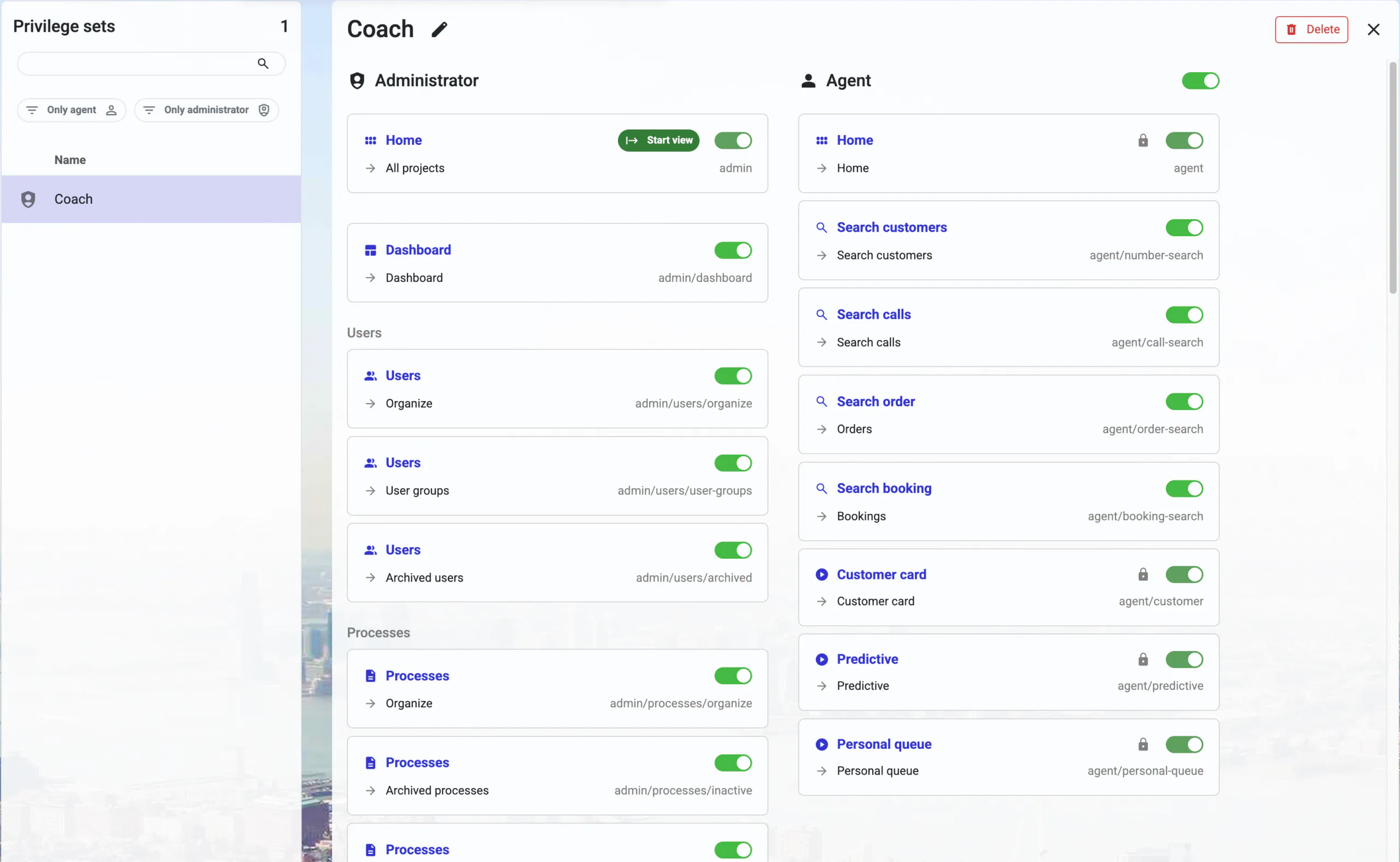
In Callmaker it has always been easy to give users and administrators the right access level for the campaigns and data they should reach – just drag and drop them where you want them, at system, workflow or campaign level.
Now we’ve added the ability to create your own feature scopes and assign them to users. Want a user to have access to parts of the coaching features that are otherwise reserved for administrators? Now that’s easy. Or want to give a business partner limited access to data within their own campaigns? You can set it up in a few clicks. There’s also a new limited administrator role so you can delegate administration safely.
Better do-not-call list (DNC)
v 1.42 2024-12-15
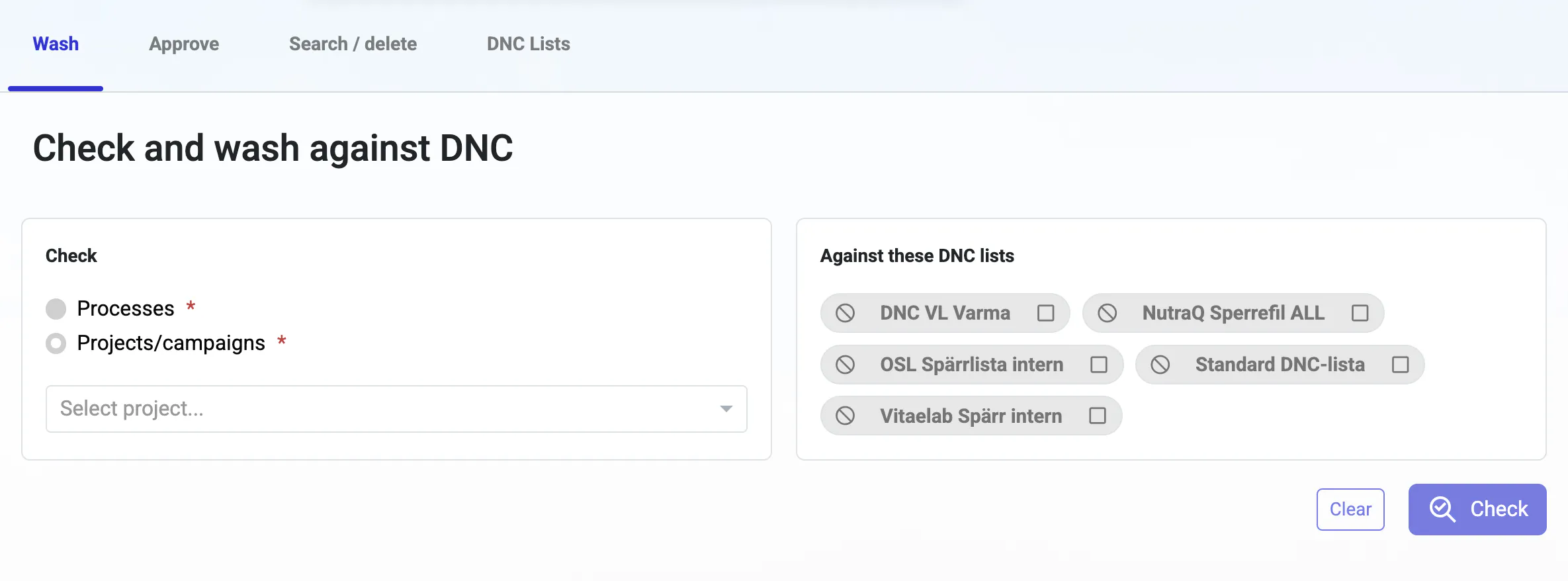
The DNC features have been greatly extended. You can now import numbers directly into a DNC list and choose which columns to use, or let Callmaker identify all valid phone numbers in the file. Adding numbers manually, one at a time, is now possible too. Being able to update or replace the contents of a DNC list makes for a much better experience when the lists are used in Autopilots. Numbers are automatically cleaned against your do-not-call lists on import and processing.

Encrypted exports
v 1.42 2024-12-15
Exported files can now be protected with encryption keys that you manage yourself, including support for PGP. Sensitive data stays secure even when it leaves the platform.
Richer order and billing statistics
v 1.42 2024-12-15
New data points track order status changes and confirmed orders. Detailed information on SMS and call billing is now collected for back-office reporting.
Improvements
v 1.42 2024-12-15
Broad search for incoming calls: You can now give agents broader access to search customer cards when taking incoming calls than they normally have, so they aren’t prevented from bringing up the caller’s card by access restrictions set for outbound work.
Resend order confirmation by SMS: Sometimes an operator has problems in its infrastructure. When that happens, it’s now easy to resend order SMS messages to the customers affected.
Relative dates can be used when editing orders and in similar views.
Improved handling of CSV character encoding and more control over file extensions on FTP export.
The app now warns you when an ad blocker may interfere with functionality.
The admin menu has been tidied up with functional groupings for a better experience.
General performance improvements and bug fixes.
Standalone orders
v 1.41 2024-10-08
Previously, an order in Callmaker was only created when the agent closed a customer card with order content. Now you can create one or more orders without closing the customer card, giving you more flexibility. The orders created can be edited directly from the customer card, and you can build an Autopilot that starts a two-way conversation with an external API when the order is created.
Order sub-statuses
v 1.41 2024-10-08
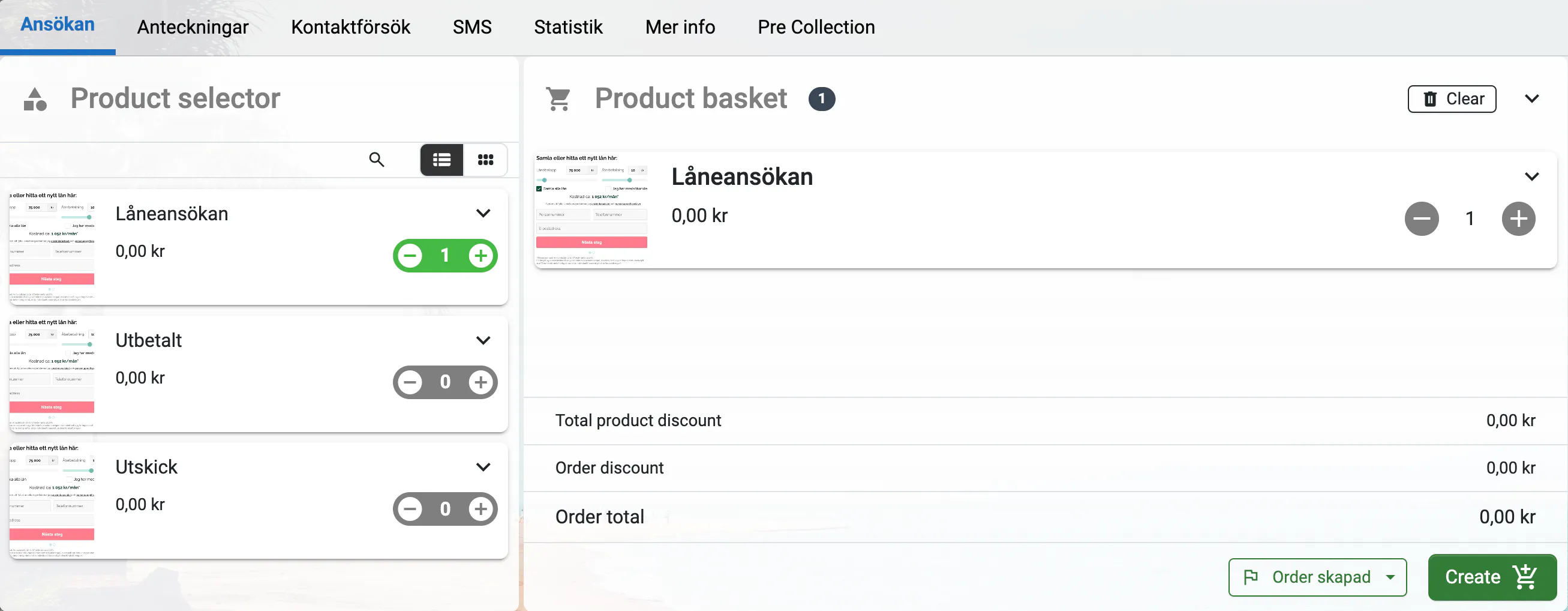
You can now create your own sub-statuses for orders, making it easy to introduce successive steps in the sales process. You can specify whether a status is transitional or final, to mark when the sale is complete. Order status is shown in entity lists, order history and search, and is now also included in exports according to your export settings.

Combine orders and meeting booking
v 1.41 2024-10-08
If, for example, you want to book a meeting that also has order content, you can now create both an order and a booking from the same card at the same time.
Powerful new filter, loop and API features in Autopilot
v 1.41 2024-10-08
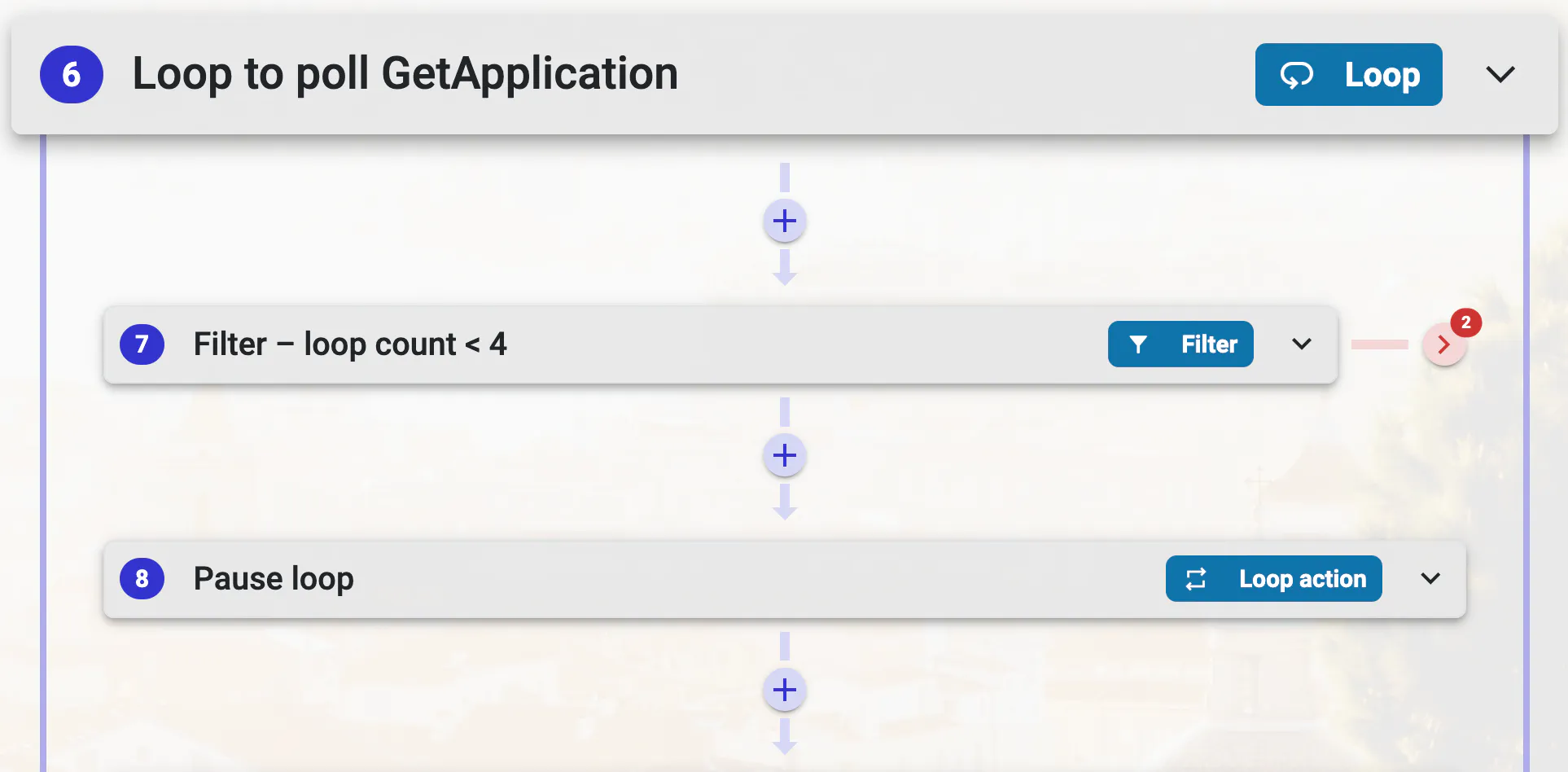
Autopilot now supports filtering, which lets you build IF statements into your automations – so fewer autopilots can achieve the same result and entirely new workflows become possible. The new loop function makes a whole range of new behaviours possible, from looping over a search result to building a polling loop together with the new external API call feature. Conditional branches with success and failure paths let the flow react to different outcomes.

Edit orders and notify users from Autopilot
v 1.41 2024-10-08
A flow can now update order and number data automatically as part of an automation, and send notifications directly to users. Together, these make Autopilot useful for more than just outbound communication.
Better Autopilot logs
v 1.41 2024-10-08
The logs are clearer and filterable, with improved replay handling and faster loading. It’s now much easier to understand why a flow did what it did.
New Zapier features
v 1.41 2024-10-08
For those of our customers who use Zapier for automation and integration, there are now a handful of new features that make exporting data easier. For example, you can set up a daily flow that exports yesterday’s orders, sends them to Google Drive and then emails a copy. This also works for bookings and statistics.
Force calendar sync
v 1.41 2024-10-08
Administrators can now trigger a calendar sync manually instead of waiting for the next automatic run. Handy when something needs to be in place right away.
Countdown time limit for customer cards
v 1.41 2024-10-08
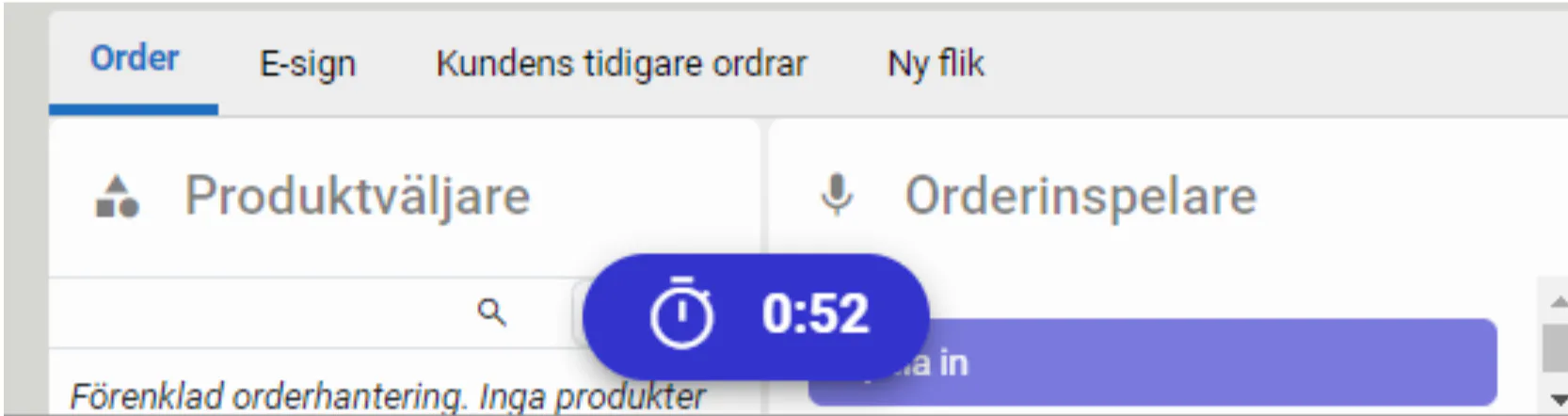
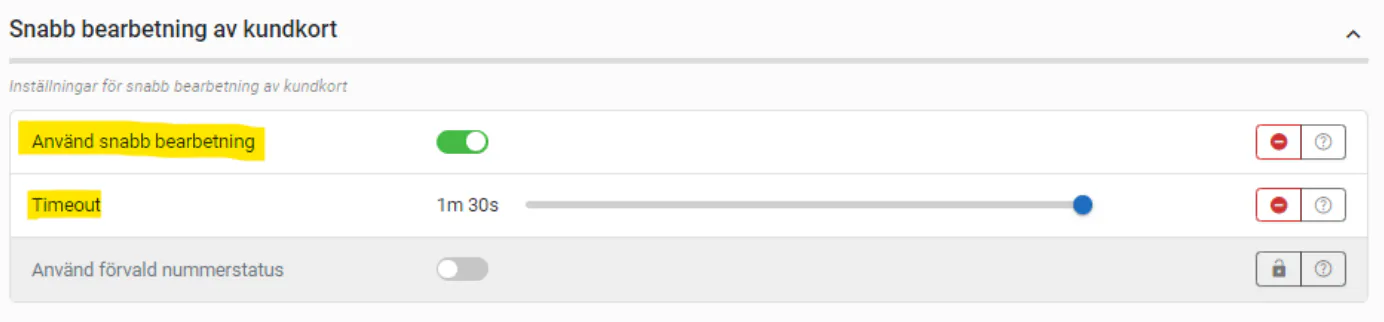
You can now set a fixed number of seconds within which the agent must set a status on a customer card after hanging up. If the card isn’t handled within that window, it gets the status “unfinished handling”, so the user can come back and set the right status later.
Easier to find unfinished customer cards
v 1.41 2024-10-08
Sometimes agents forget to set the correct status on their active customer card and leave by closing the browser or the window Callmaker is running in. These cards now get the status “unfinished handling”, which administrators or users can search for so no deals are left lying around.
Deep integration with Astrid AI
v 1.40 2024-06-13
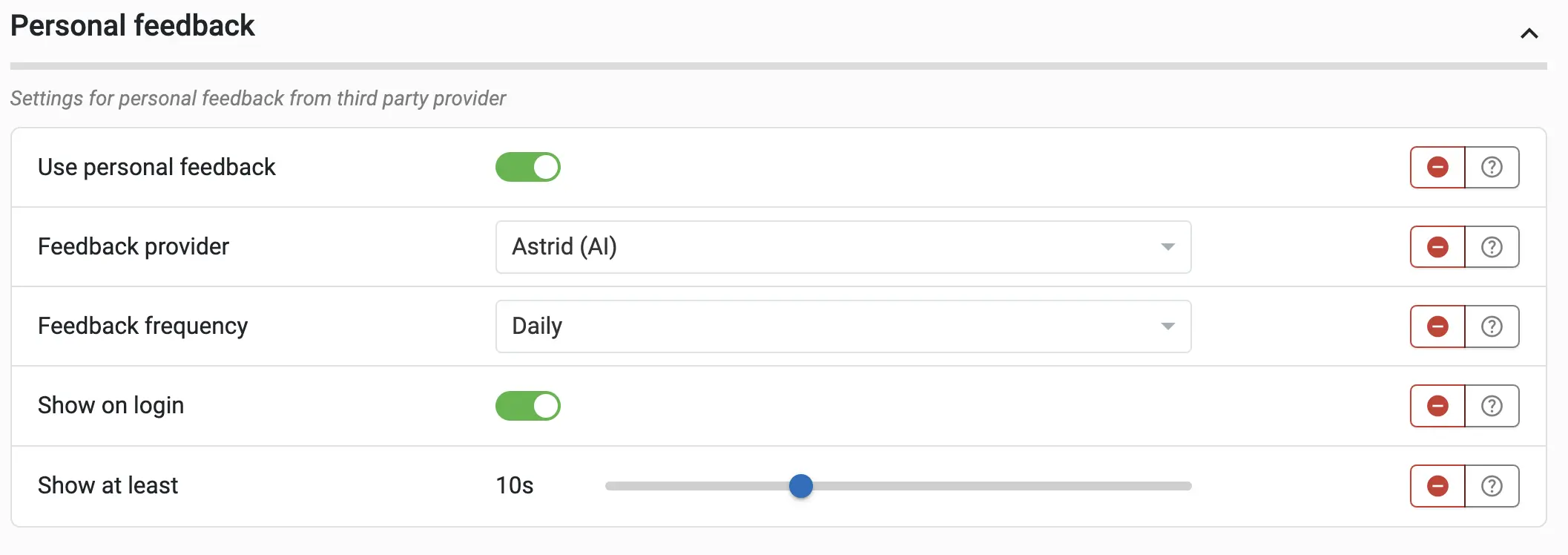
If you use Astrid as your AI coach, you can now get a much richer experience. A new dashboard element shows your daily coaching. You can also choose to show a user’s daily coaching for a set period right after login, to make sure it gets read. In addition, Astrid can rate calls, giving you an easy way to get average call ratings for different call types per user – for example, that user A averages 3.2 on calls ending in a negative status while user B averages 4.1. Astrid can also set orders to confirmed status by listening to them and checking that they follow the template that has been set up.

Personal agent feedback
v 1.40 2024-06-13
You can now record and review feedback for individual agents directly in Callmaker. This helps managers coach and follow up in a more structured way, with the history gathered in one place instead of in scattered notes.
Write your own KPIs
v 1.40 2024-06-13
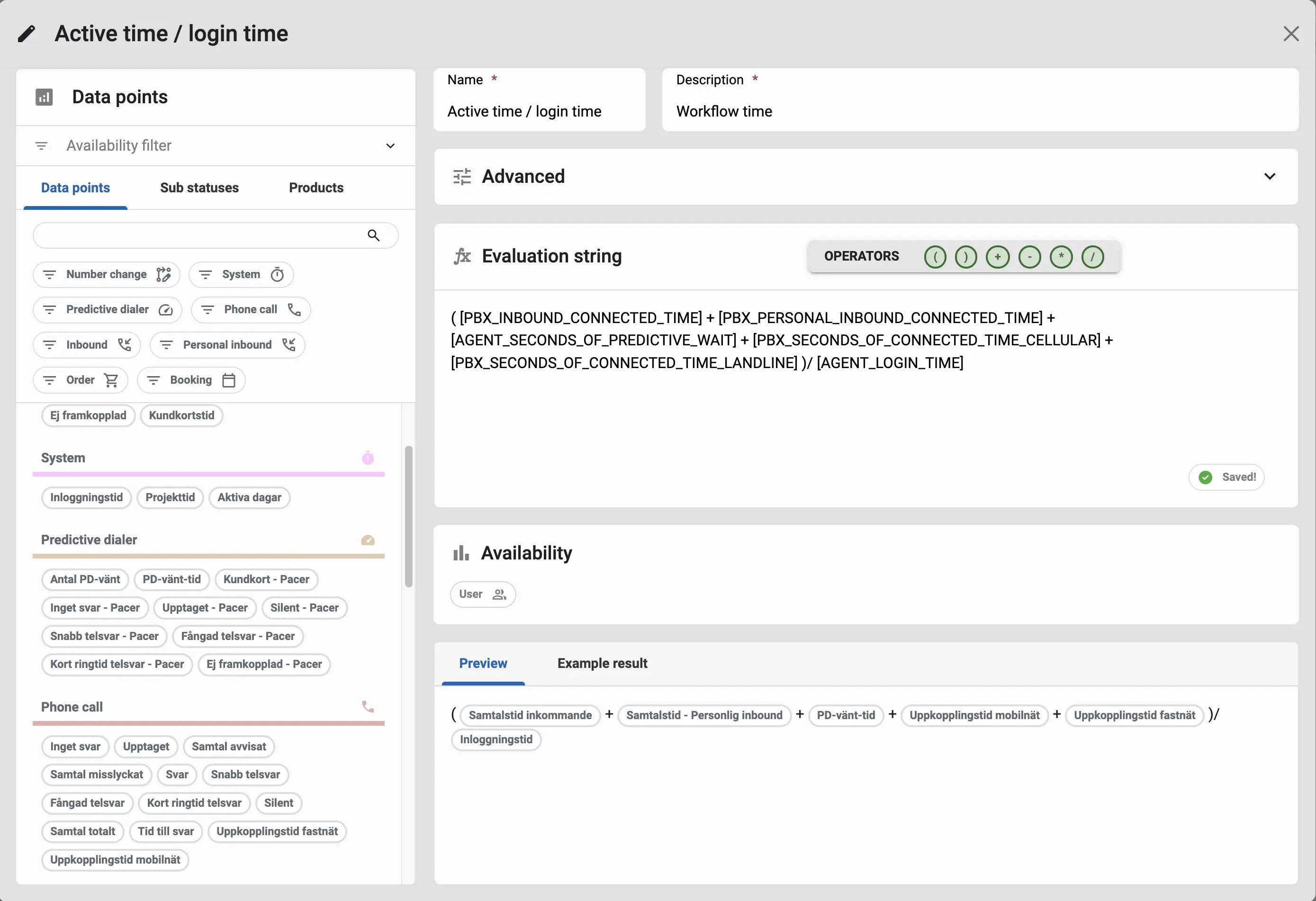
Every administrator has their favourite KPIs, and sometimes that means you want to adjust an existing one or create a brand new one. Now you can! The new calculation editor lets you create, duplicate, lock and combine your own statistics calculations directly from the settings, with built-in expression validation. Calculations also support relative dates.
Custom events in Autopilot
v 1.40 2024-06-13
You can now define your own event types and use them to drive automated flows, including filters on value lists and groups. This makes it possible to build automations around your own concepts rather than only the built-in ones.
Better call forwarding
v 1.40 2024-06-13
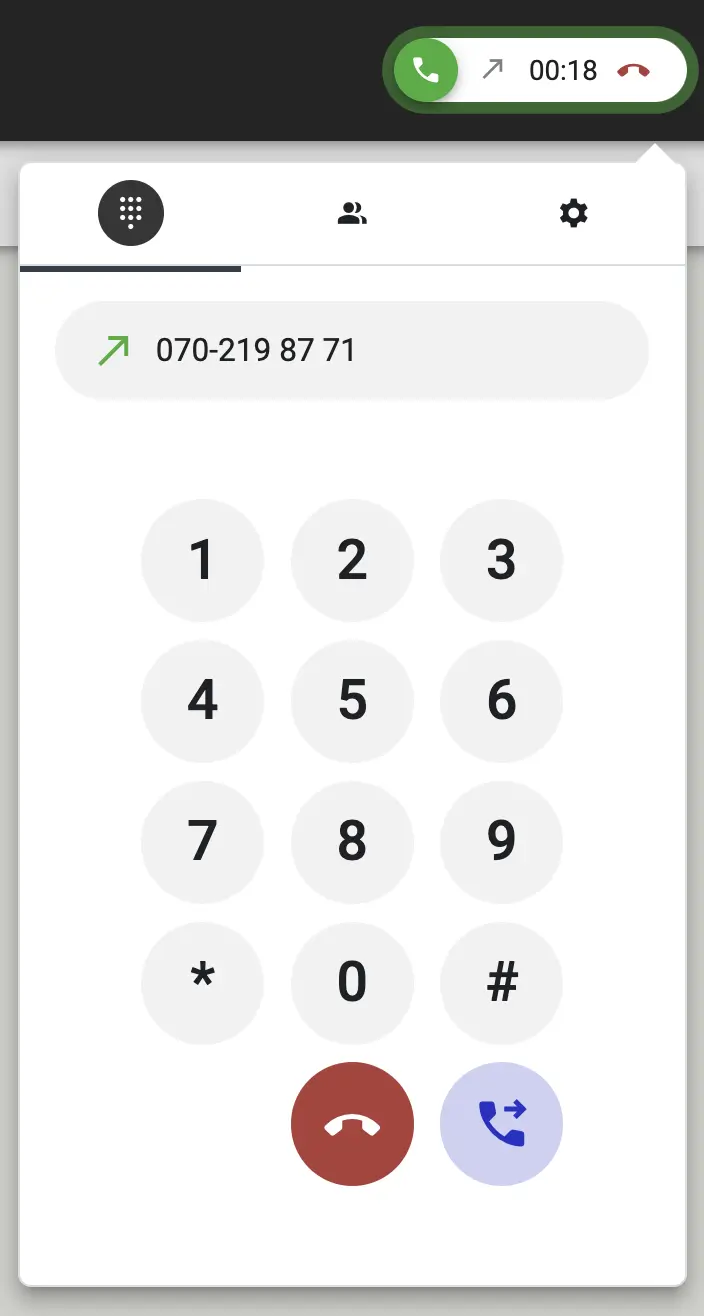
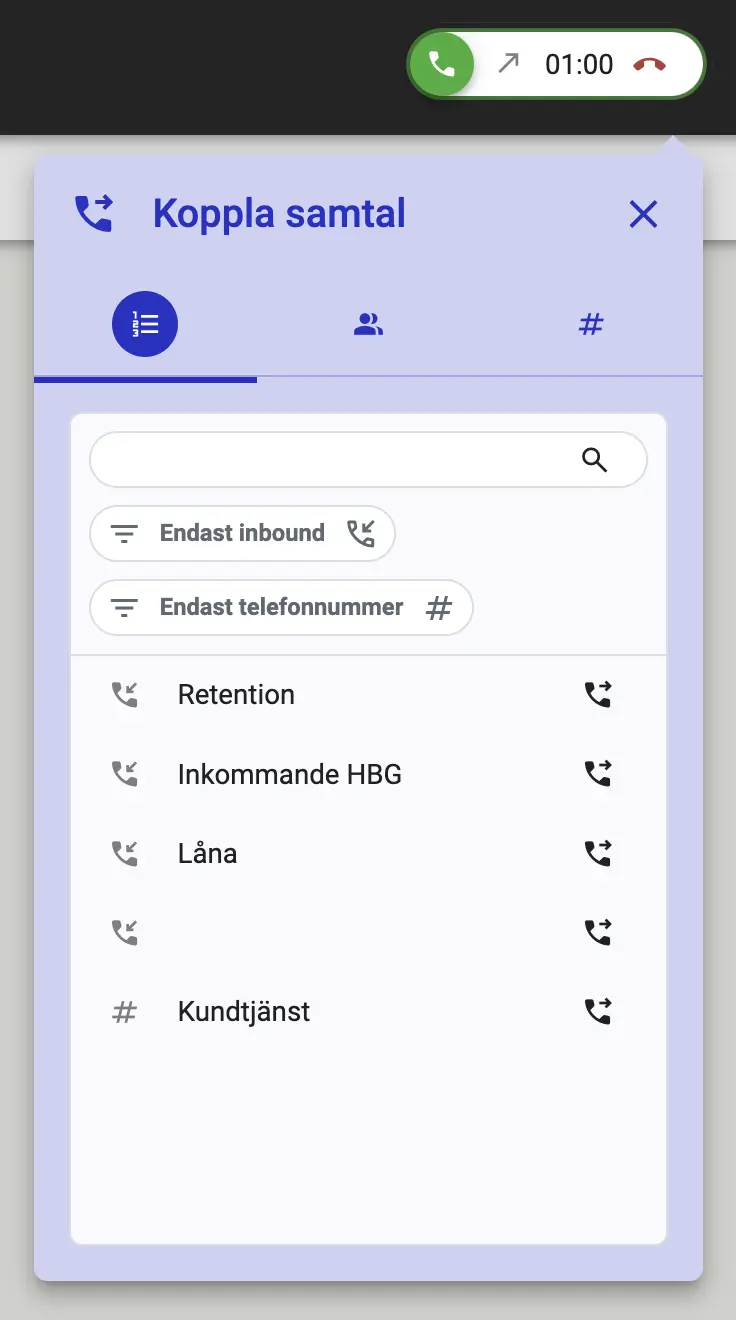
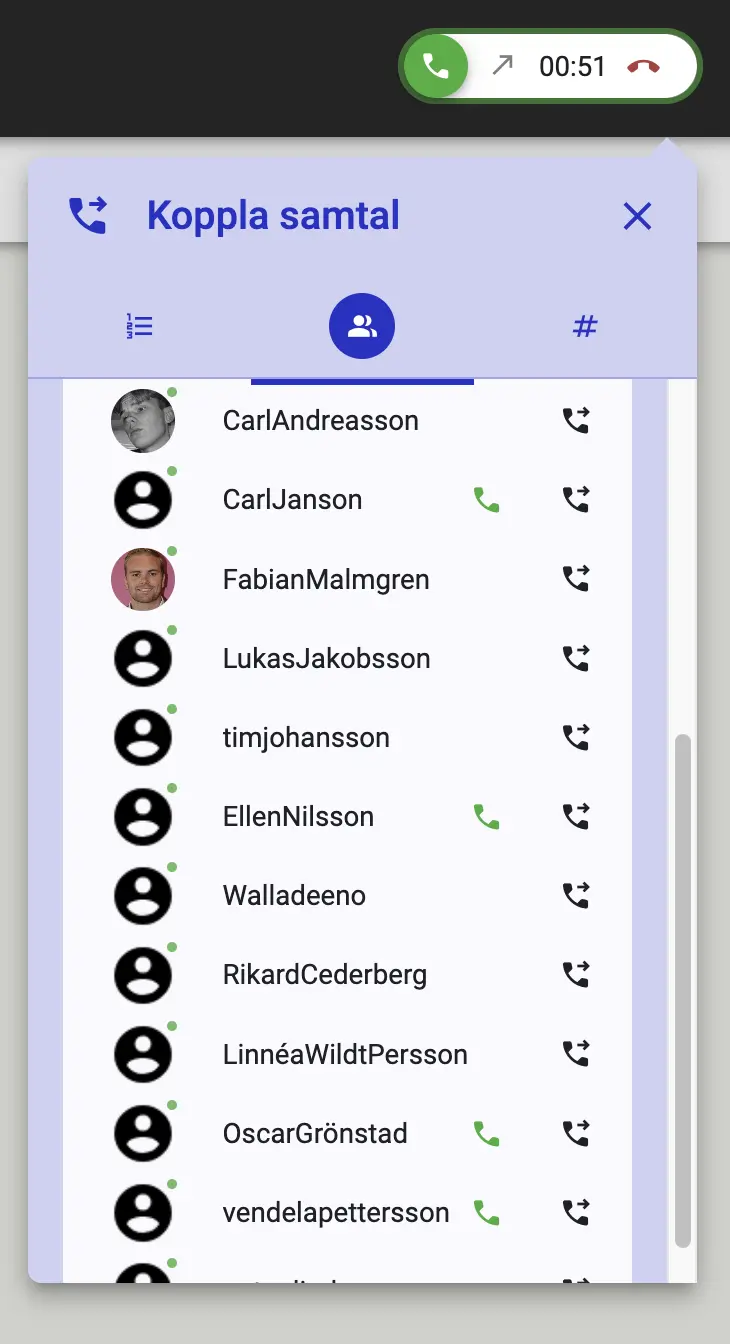
As well as forwarding a call to any number, you can now define preset destinations that are either phone numbers or inbounds in Callmaker, or choose to forward calls to colleagues who have personal numbers. Destinations are configurable and rule-based, for both incoming and outgoing calls.
User dashboard
v 1.40 2024-06-13
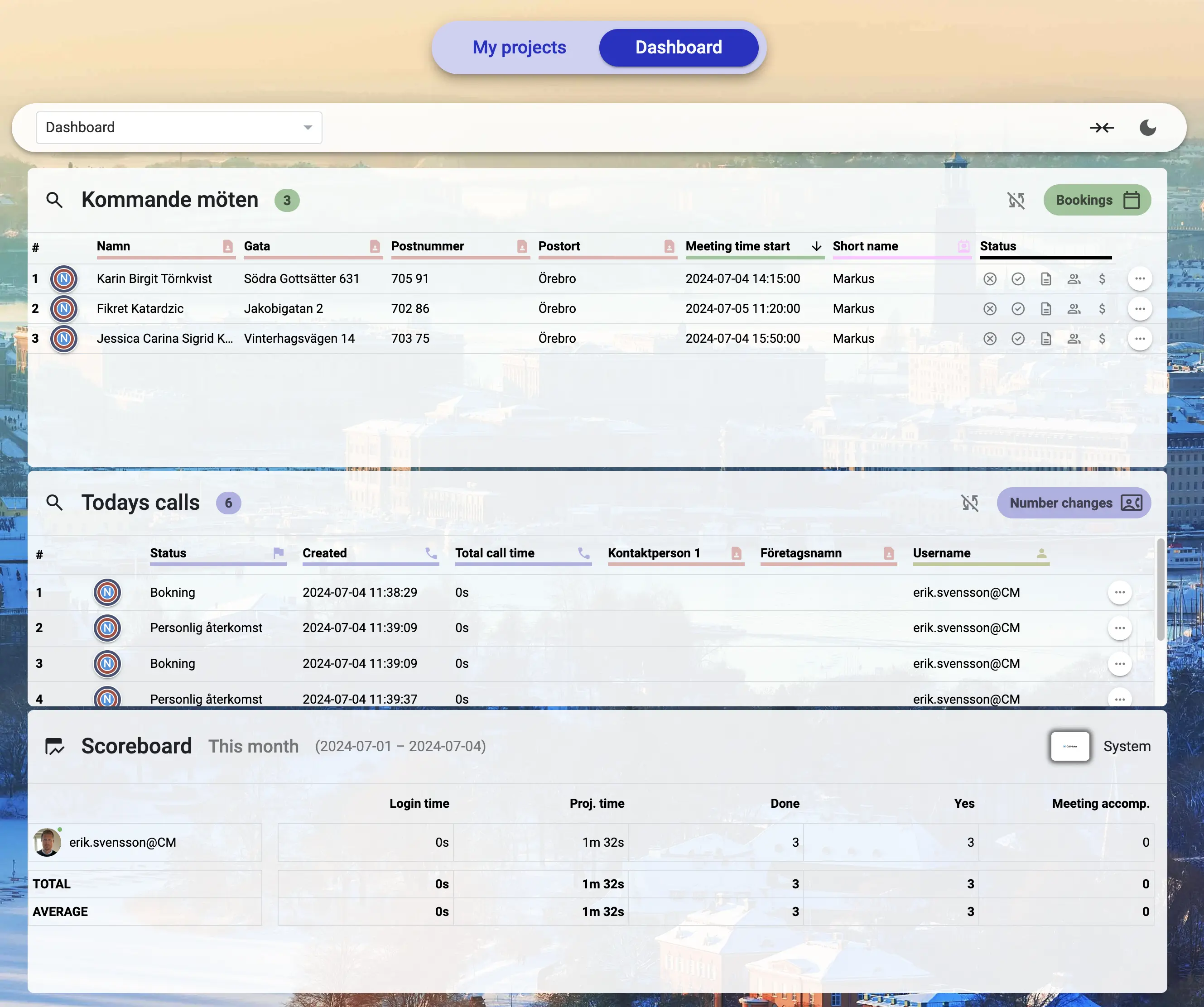
As an administrator, you can now create several dashboards for your users. Both administrators and users can decide whether login should land on the dashboard or in the campaign view. Dashboards can contain elements such as statistics or searches – for example, a search for my personal callbacks over the coming week, all my latest orders, or why not all the customer cards I’ve worked on today.
Display format selector
v 1.40 2024-06-13
You can now decide exactly how dates, durations and values are formatted in templates and exports. No more exports and SMS messages showing times and amounts in a format that doesn’t suit the recipient.
Angular 18 with Signals
v 1.40 2024-06-13
In this release we’ve moved from Angular 17 to 18 and started introducing Signals throughout the frontend. For you as a user, that means a much faster and more responsive interface than before – and it was already pretty quick!
Sync with external calendars
v 1.27 2022-08
Callmaker now connects to external calendars, with calendar resources, invitation handling and a setting for what should happen when an event is deleted on the other side. Bookings and calendar are kept in one picture instead of in two systems.
Working hours on calendar resources
v 1.27 2022-08
Each calendar resource can now have a start and end time per weekday and be marked as a working day or not, so bookings only land at times that are actually bookable.
Overlapping booking check
v 1.27 2022-08
A setting determines whether bookings may overlap. If it’s off, Callmaker checks against existing bookings or calendar events before a new booking is made.
Meeting types
v 1.27 2022-08
You can now define your own meeting types, such as window cleaning, chimney sweeping or roofing work, and set which types are allowed per workflow.
Working week view in the calendar
v 1.27 2022-08
The calendar can be shown as a working week, Monday to Friday, instead of the whole week.
Public API documentation
v 1.27 2022-08
The API now has published documentation, together with a description of the data structure for email templates.
Customer data directly in the agent’s results list
v 1.27 2022-08
Agents now see a preview of the customer details in the search results, without having to open the customer card.
Meeting booking
v 1.26 2022-07
Bookings become a part of Callmaker in their own right: you can search, export and edit bookings, see the history and linked events per booking, such as emails, SMS messages, calls and exports, and validate that the necessary information is present before a booking can be saved.
Statistics and commission on bookings
v 1.26 2022-07
Bookings are now included in statistics, with data points for booking, cancellation, contribution margin and agent commission, and for when these are reversed.
Search presets for agents
v 1.26 2022-07
Agents get preset searches directly in the interface, such as the current and previous month for orders.
Call from any search result
v 1.26 2022-07
You can now call directly from the results list, whichever search you’re in, and search by phone number in both the number search and the order search.
Put an entire search result on the do-not-call list
v 1.26 2022-07
An entire search result can be added to the DNC list in one action instead of one customer card at a time.
Mute the agent between calls
v 1.26 2022-07
A setting mutes the agent’s microphone between calls, so background noise doesn’t carry over into the next connection.