Save the sale in the moment
“Ask about their current contract.” A short whisper at the right moment can turn the call around, without you taking it over.

Many dialers give team leaders a single coaching tool: listening to a recording afterwards. Callmaker covers the whole way, from seeing who needs help right now to following up on the results the week after.
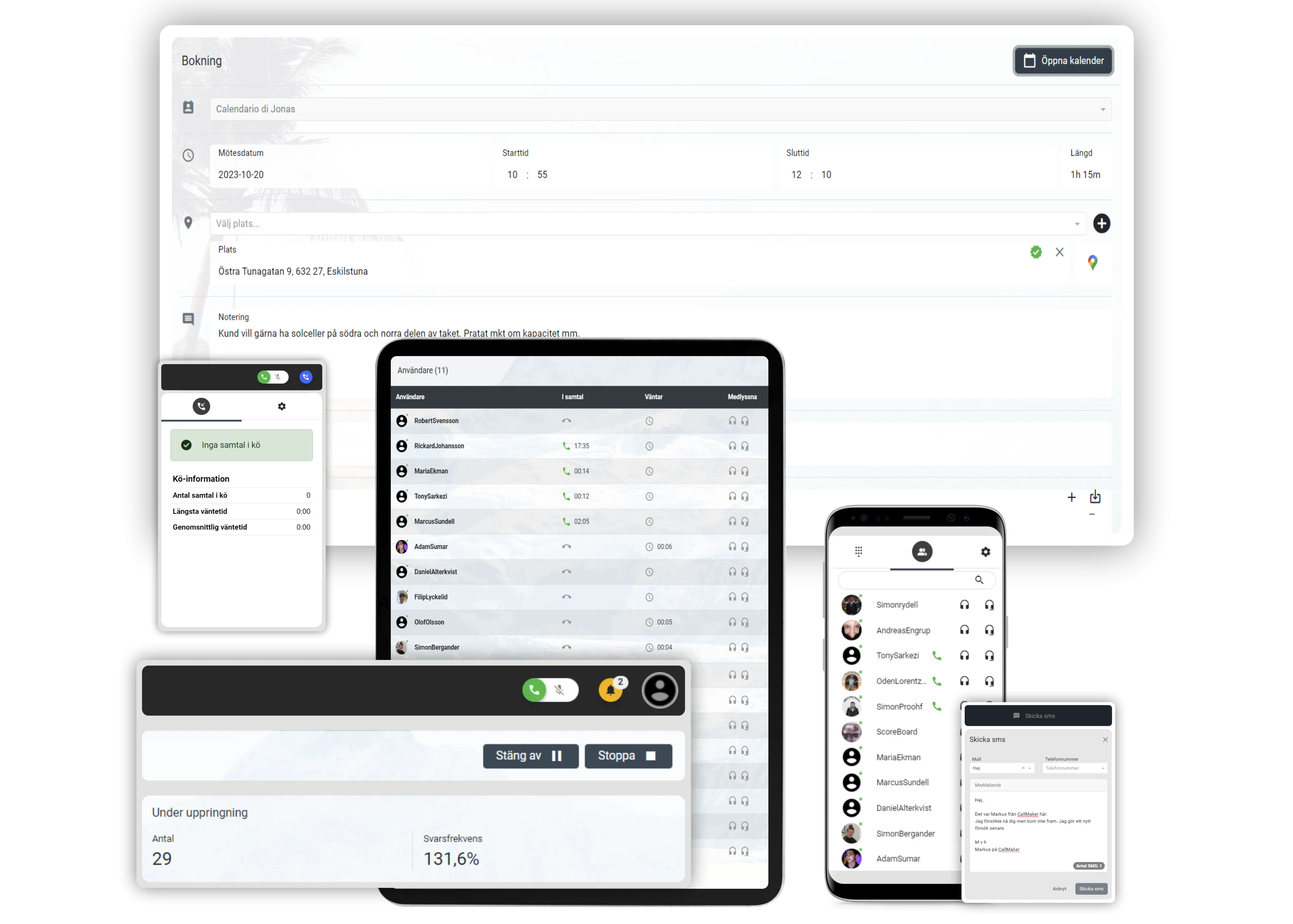
User activity shows every sales rep’s activity, current call and KPIs live, with every coaching tool one click away.
Listen in, whisper advice only the sales rep hears, see and control the sales rep’s screen or send a chat message.
Search for exactly the calls worth hearing and play them with recording and transcript side by side.
Rate calls and orders, let AI write coaching notes and gather everything about the sales rep in the agent profile before the 1:1.
Build your own KPIs and use them in goals, competitions and on the TV screen the whole sales floor follows.
Without the right tools, team leaders coach on gut feeling and the one call they happened to hear. Finding the right recordings takes longer than listening to them, new sales reps take weeks to get productive and quality problems only show up as cancelled orders, months later. When coaching sits where the sales reps already work, every step is one click away.
Listen in on any sales rep while the call is in progress – neither the sales rep nor the customer hears you. You hear how the pitch actually lands today, not how the sales rep describes it at the next 1:1.
With Listen in and speak, you talk to the sales rep while you listen. Only the sales rep hears you – the customer hears nothing. Save the sale while it is happening, instead of going through it afterwards.
“Ask about their current contract.” A short whisper at the right moment can turn the call around, without you taking it over.
Whisper also works while the sales rep is waiting for the next call: “Good one. Slow down on the price next time.”
New sales reps make their own calls but have the team leader in their ear. That builds confidence faster than a review afterwards, and works just as well when the team works from home.
The customer never hears the team leader. You whisper from Callmaker’s browser phone; from an external phone or mobile you can listen in, but not speak.
A new or struggling sales rep listens live to your best sales reps’ calls, on their own phone. The opener, the objections and the close – in real calls won today, not in scripts and old recordings.
User activity shows the whole sales floor in real time and is the starting point for every coaching action. See who needs help right now, and help them with one click.
Waiting for the dialler, in a customer card, on an inbound or outbound call or editing an order – with a timer that shows for how long.
Choose which KPIs are shown next to each sales rep, for example orders per hour, hit rate or talk time.
Listen in, whisper, request screen sharing, take a snapshot, chat, see the timeline or open the customer card the sales rep is working in – straight from their row.
By sales rep, user group, project or campaign – or show everyone who has logged in today.
Build several dashboards with user activity, statistics, the live dialler and active competitions. Fullscreen and dark mode are included.
In the mobile web app you reach the sales reps and can listen in wherever you are.
The sales rep who has been in the same customer card for six minutes, or the one whose hit rate has dropped today, shows up straight away. Help is one click away – without another tool and without walking across the room.
With screen sharing, the team leader sees the sales rep’s Callmaker screen live. With the sales rep’s approval you take control and click, type and scroll on their screen – as if you were sitting side by side.
The built-in chat is in the sidebar all the time – during calls too, and while you listen in or share a screen.
A quiet tip during the call: “Mention the free first month.” Or the sales rep’s own line to you: “Can you listen to my next call?”
Create groups of people, teams, user groups or whole projects, and membership updates by itself. Let only admins write, and the group becomes a channel for announcements like “New price list from Monday!”
Celebrate a big order in the team’s group right after the call, or send a message that pops up on the sales rep’s screen: “Great call, Anna!”
Reactions, quote replies and unread counts, in the mobile web app too. Messages wait for sales reps who are logged out, and you decide how long chat history is kept.
Screen recording records what the sales rep does in Callmaker, so you can see afterwards what happened on screen during a call: the wrong product, a skipped field or an order registered after the call ended.
Play back with pause, seek and your choice of speed. Recordings are listed by sales rep and date and also appear in the agent profile, and field values are masked by default.
Together with the call recording, you understand the whole sale.
Three modes
During calls, whenever the sales rep is logged in, or a random sample for quality checks
Calls in this recording
Jump straight to each call in the recording
Snapshot
A still image of the sales rep’s screen, straight from User activity
1–7 days
Recordings are deleted automatically after the time you choose
Nobody has time to listen to five hundred calls. With Search processings you find exactly the calls worth hearing, with a play button on every row.
The recording on top and the transcript below, in the same window and in sync. Listen at double speed and skim the text, and a call is reviewed in a minute.
Team leaders rate calls and orders on the same scale, and AI reviews every order against what was actually said. People’s and AI’s ratings are shown side by side, but kept apart.
Rate any call, order or booking under My review, or just mark it as reviewed. Each team leader has their own rating, and the average rating shows in the list of reviews.
AI checks every order against the call recording, the order details and the SMS thread, and gives 1–5 stars with written reasons.
Calls get AI ratings in the same way, and the agent profile shows Rated by AI next to Rated by people.
For every call, AI writes strengths and improvements – suggestions to talk about, not a rating.
The whole call in a few lines, so you know which calls are worth opening.
AI coaching and summaries run automatically on new calls, or on an entire search result at once.
Read more about how the AI reviews orders, writes coaching notes and summarises calls.
The agent profile brings everything about a sales rep together on one page. Use it before a review, or whenever you want to see how someone is doing.
Coach on the numbers that drive your business – for example contribution per hour on your own product mix, not a generic number of calls per hour.
Coaching sets the direction. Goals and competitions keep the energy up between 1:1s, and they run on the same KPIs.
Sales reps set their own targets at the start of the period, and the targets lock when they are saved. That gives ownership instead of targets handed down. Goals can be individual or shared, per day, week, month or a custom period.
Competitions run as a top list or against a target, between sales reps or teams, and periods close by themselves with winners and badges.
Ahead of pace, on track, behind
Pace, milestones, streaks and comparison with the previous period
Most improved
A badge new sales reps can win too, alongside Winner, Top 3, Target met and Streak
Live in the sidebar
Sales reps see their place and get messages like “You climbed to #3”
Ready-made templates
Goals and competition packs for sales, engagement and bookings
A TV in the office shows goals, top lists, today’s numbers, campaigns, announcements, a clock and pictures as a slideshow. When a KPI passes a value or a goal is reached, a highlight takes over the screen with the sales rep’s name and a sound.
The features do the most good together. This is what a week can look like for a sales team.
No. Only the sales rep hears you.
Yes. Callmaker can ring any phone number, for example your mobile, and you listen from there. To whisper, you need Callmaker’s browser phone.
Yes, at the same time.
Yes. Callmaker rings the new sales rep’s own phone, and they listen to your best sales rep’s calls, one after the other, without being heard.
No. Listening in follows the sales rep from call to call until you hang up.
Yes. The sales rep approves every session, sees a banner while it is on and decides whether you may take control.
Not by default. Field values are hidden in screen sharing and screen recordings, and passwords are always hidden.
Yes. Filter by sales rep, outturn and call length in Search processings, and play each call straight from the list.
Not across calls. Within a call, the transcript is searchable and every line jumps to the right place in the recording.
Team leaders and admins, with 1–5 stars. AI rates orders too, and the AI’s ratings are kept separate from people’s.
Yes. Combine 169 data points into any formula, or start from 222 ready-made KPIs. They work everywhere: in User activity, statistics, the agent profile, goals, competitions and on the TV screen.
Yes. In their sidebar, with their place, progress, streaks and badges, and with messages when they climb or win.