Callmaker logo

Autopilot

Automation does the work for you so you can focus on what matters most

Create an autopilot and sit back

With a few clicks you can automate most of the system’s functions
  • Reactivate leads
  • Send reports
  • Create flows
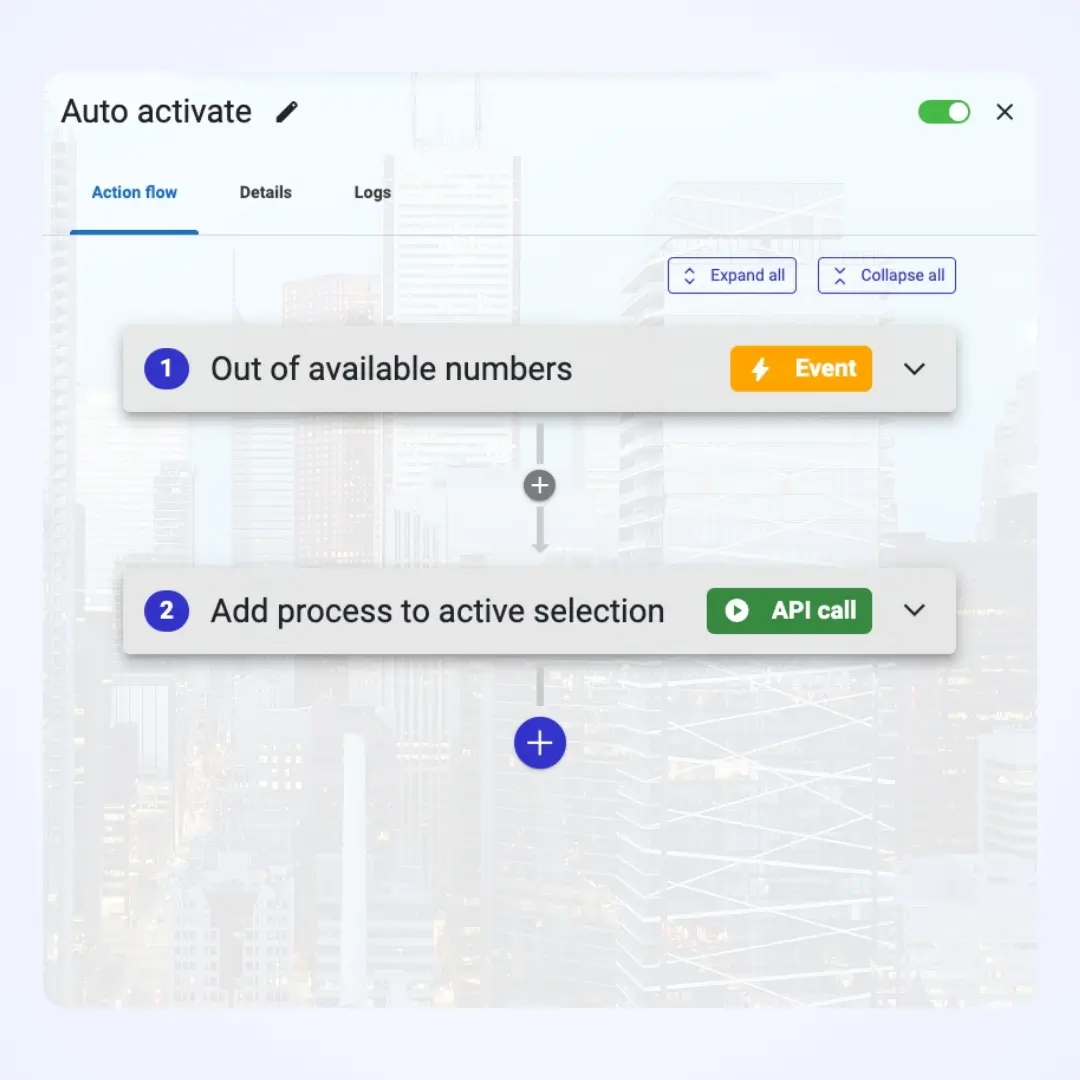
Autopilot in Callmaker – automatic activation of contacts
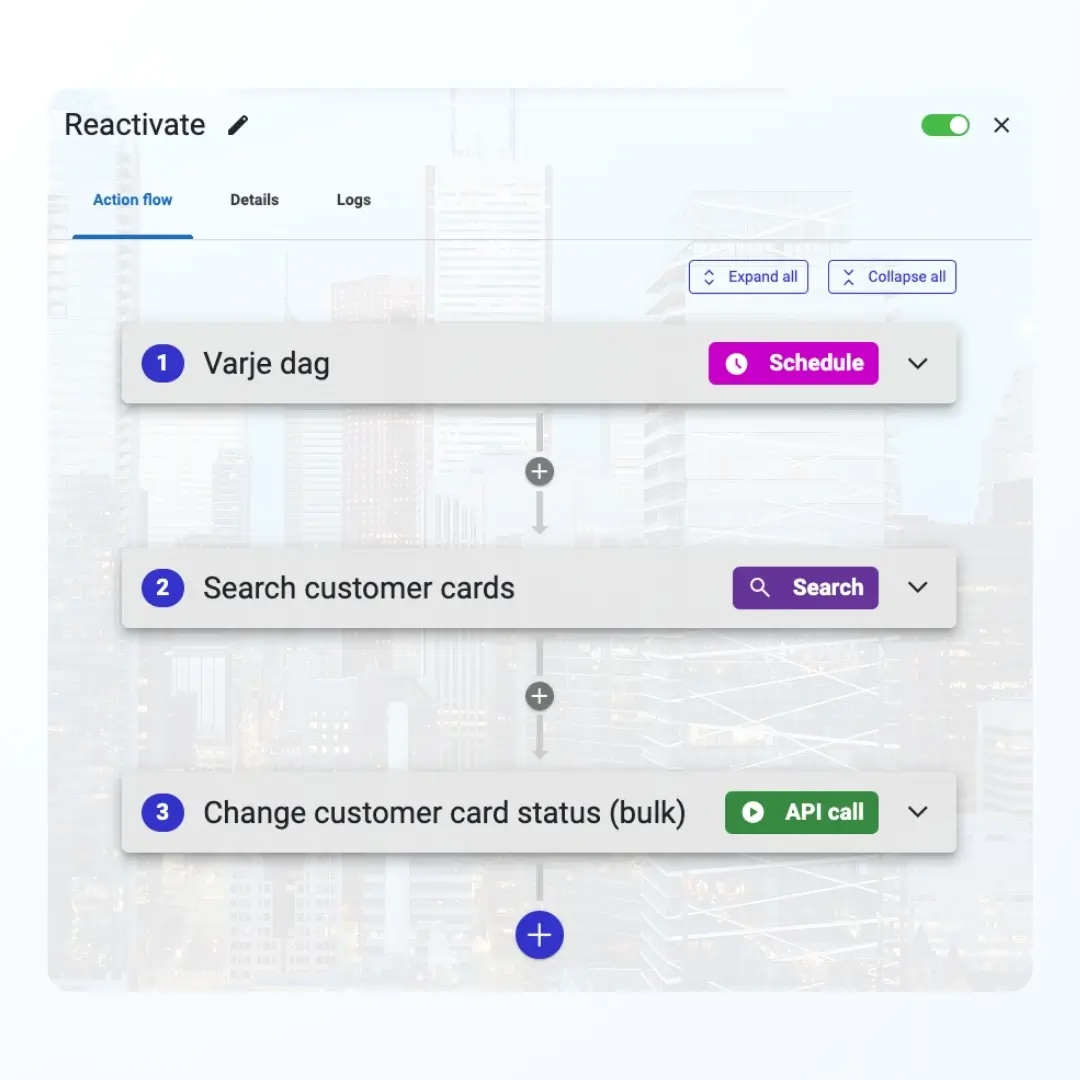
Autopilot in Callmaker – reactivation of contacts

Trigger on events or schedules

Want an autopilot to run at fixed times, for example for an evening report? Or to run every time an order is placed? Use schedules or events to trigger your autopilots.

Search, filter and use API functions

With the filter function you decide exactly which customer cards are affected. Search and change lets you create complex flows. Connect everything to all of the system’s functions via API calls.
Autopilot in Callmaker – automated flow with filters and actions

Features included in our Autopilot

Events

Most things that happen in the system have an event attached that you can listen for

Schedules

Choose to run an autopilot at fixed times

Filters

Filters are what make events truly useful – they let you reach exactly the data you’re after

Search & change

Search and change lets you, for example, reactivate leads automatically

API functions

The whole system is built from APIs that talk to each other – or to your autopilot

Log

See which autopilots have run, for maximum control

Frequently asked questions about Autopilot

What is an autopilot?

An automated flow that carries out actions in Callmaker for you – for example reactivating leads, sending reports or updating customer cards. You build it with a few clicks, without writing any code.

What can start an autopilot?

An event (most things that happen in the system have one, such as an order being placed), a schedule with minute-level precision, a manual run, or a bulk run on an entire search result.

Can I control exactly which customer cards are affected?

Yes. Filters limit which records an event applies to, and Search and change lets you work on exactly the data you’re after – even on large data sets in one go.

Can an autopilot talk to other systems?

Yes. Flows can make API calls and trigger webhooks, and the Pause step lets the flow wait for an external system before continuing.

Can Autopilot be used for order handling?

Yes. A common set-up is a flow that starts when a customer has accepted an order by SMS, with orders held for review before they are approved. Orders can also be validated by AI and given a review score while work is in progress.

How do I see what has run?

Every run is logged, so you can see which autopilots have run and when.
Callmaker for you

We’ll give you a free walkthrough of the system and onboarding. Take the chance to try the best dialer algorithm on the market!
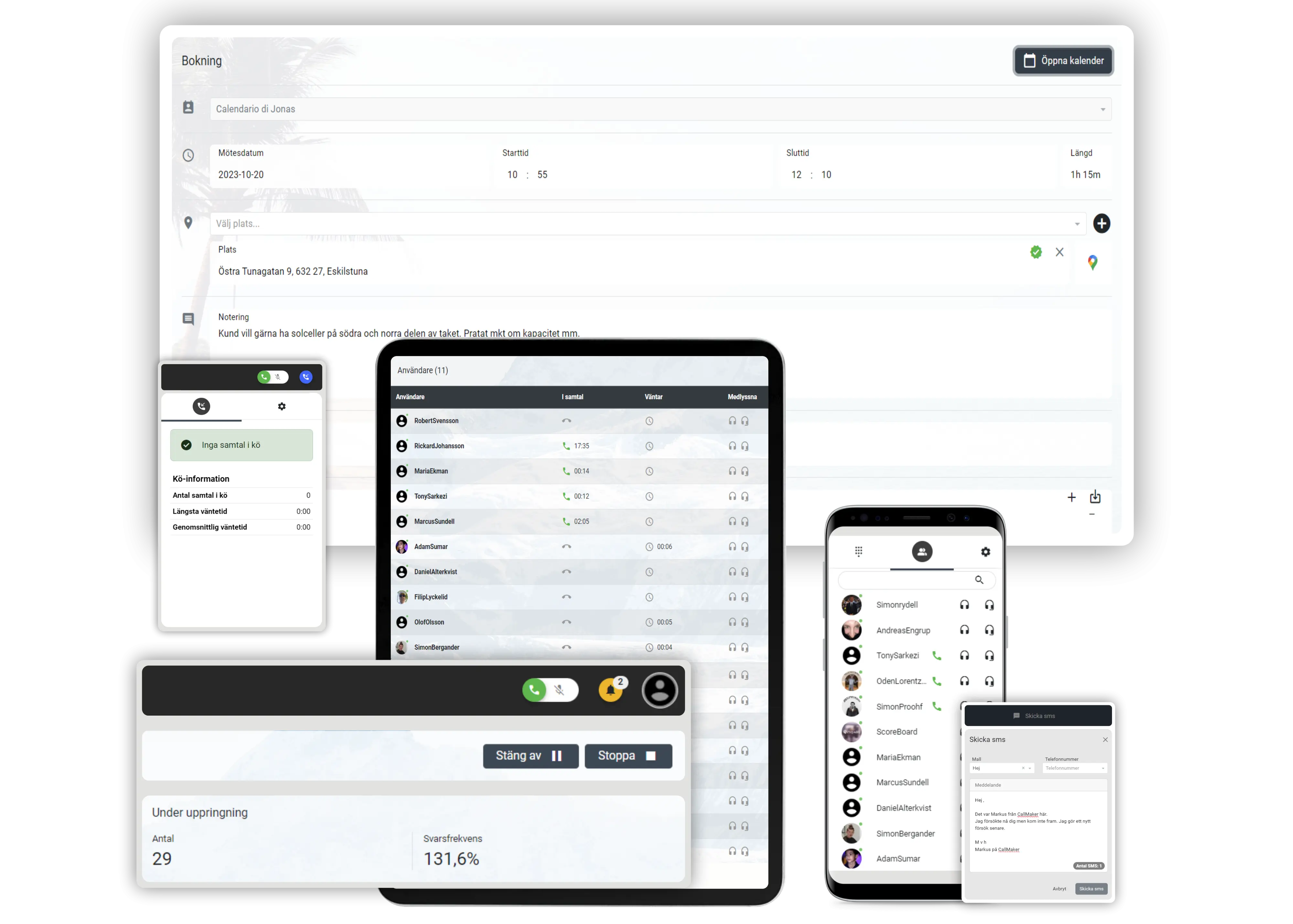
Callmaker on computer, tablet and mobile
CM Software Callmaker AB © 2026. Callmaker™ is a registered trademark of CM Software Callmaker AB.

CM Software Callmaker AB
556999-9971
Stora Badhusgatan 18
411 21 Göteborg
Sweden