CallMaker is featured on Företagande.se
Företagande.se has published an article about CallMaker’s journey—from its early years in a basement to today’s cloud-based dialer…

Release notes CallMaker 1.44 2025-11-10
AI noise reduction in calls from IRIS
"Media player" for call recordings
We have a new add-on module for noise reduction in calls to improve the sound quality in calls. The function removes disturbing background noise for a more pleasant contact with the customer.
If this sounds interesting, you are welcome to talk to your sales contact with us!
Our new transcription module can be activated on Personalized Returns, Orders and Bookings.
After the call is completed, the call is then transcribed into a log of the conversation.
When you then listen through the recording, you can also see and read the conversation and search it if you are looking for specific phrases for your check.
If this sounds interesting, you are welcome to talk to your sales contact with us!
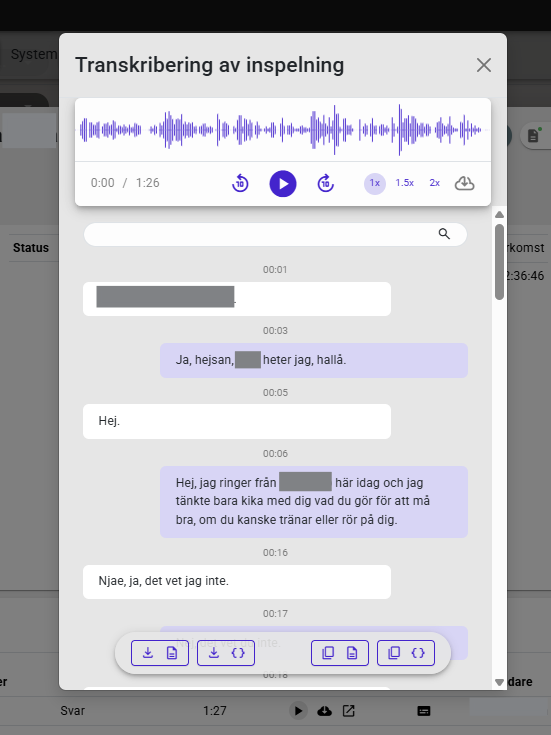
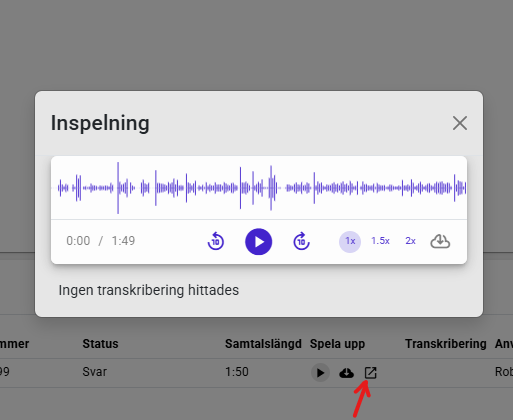
In connection with the transcription, a new type of player for call recordings was built. This has also been applied to non-transcribed audio files and is now available to everyone! This means that you can now skip forward, backward, change the playback speed, etc. when listening to agents' call recordings. We have received a lot of requests and wishes for this so it is very nice that this is finally available!
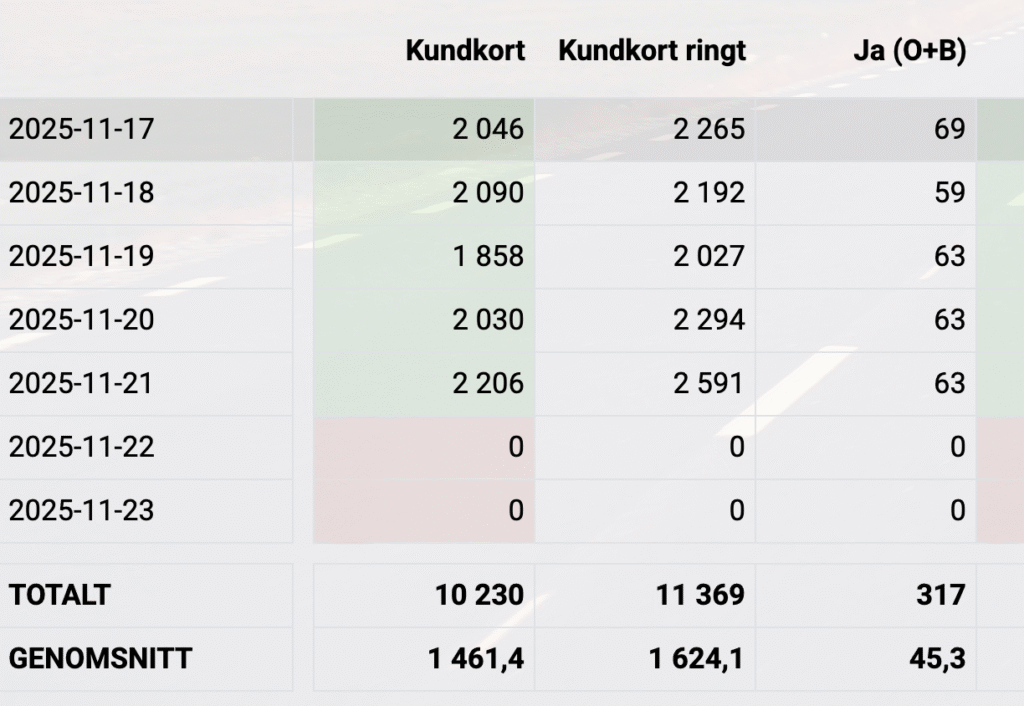
On the statistics view, you may have already seen that there are now some new buttons. Hour, Day, Week and Month.

Hour shows the statistics you have available divided into hours of the day. So if you view yesterday's statistics and click on Hours, you get the statistics for each hour of yesterday's statistics.
If you have searched for a whole month and you click on Hour, you will see the statistics for the whole month divided by the hours. So you can see how many ring attempts were made during e.g.: September, between 10 and 11 am.
Similarly, you can click on Day when you have September searched and then get the statistics for each day in September. Week and Month work the same way but you can then have a larger range, perhaps you want to see the statistics for the whole year divided into weeks or months
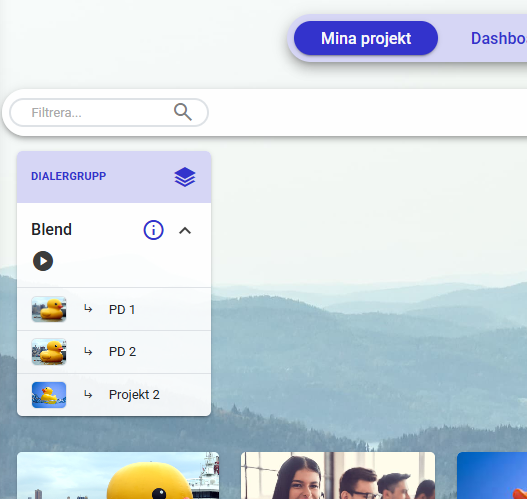
New feature for those of you who have many different small projects but want to call with our predictive dialer, perhaps with a single agent on each? Now you can use Dialer Groups to combine several predictive campaigns. The agents all go into the same dialer and the system picks numbers from all the campaigns that are connected, as long as there are agents authorized to the campaign waiting for calls. If there are only agents with access to campaign 1 in the group, only numbers that are in campaign 1 will be called. When an agent who has access to groups 1 and 2 enters, calls to campaign 2 are also made, but only the authorized agent can receive those calls.
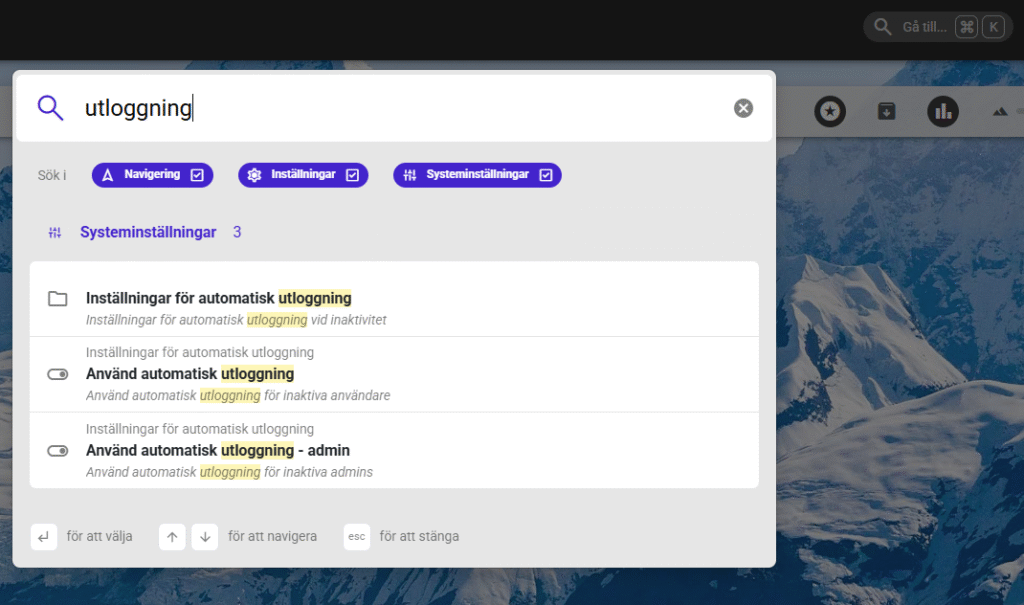
Over the years that we have built the CallMaker dialer, there have been a lot of settings added and it just gets more. It is not always easy to find the right setting. But now we have built a search function as you may have seen. At the top right of CallMaker there is now a search box. So if you are looking for e.g. Settings for automatic logout, open the search box and enter "logout". You will then see all pages where the word is used.
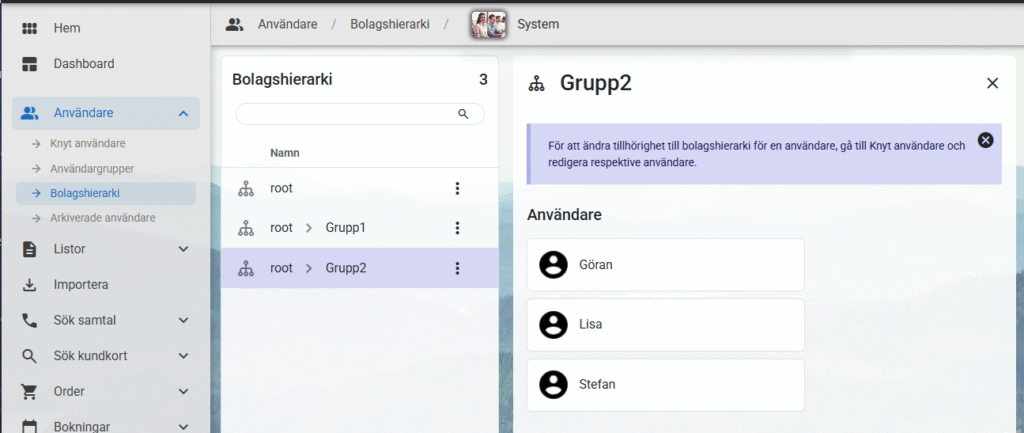
Do you have several companies or offices calling, each with their own admins and coaches? For those of you in those situations, we have built the feature we call Company Hierarchy. What you do is that you divide the system at the user level. Those who can see all users and what they do are in the "root" group, then you put all those who should belong together in their own group.
To best explain, we say that we have two groups group1 and group2. Admins in group1 can only see their agents who also share group1, they cannot see statistics from those in group2, they cannot see the name of the user who placed a specific order, etc. These groups can share projects and campaigns but they do not see each other. Or you split them up so they have their own projects and campaigns, the same way you do now.
We finally have the possibility to search for all inbound calls, whether they have been answered or not. As long as it has been answered, you can also listen to the call recording even if the agent has not linked the call to a customer card. You can find the log under "Inbound->Call log"
What you need to do to set this up is to go to "Settings->Fields" and choose which fields you want to see when you search. I suggest something like this:
Then you need to go to: "Settings->User Settings->Export Settings" and set "Field order, search results inbound calls (admin)" to the new field order.
Copy caller IDs
Select the numbers you want to copy, click Bulk Actions and select "Copy", you will then get all the selected numbers in your clipboard. Perfect when you need to email us at support about numbers to be canceled or similar!
Improved formatting of text in receipts
We now have slightly better formatting in the receipts for e-signing, the SMS line breaks are now included in the receipt to better represent what the customer saw when signing.
Auto logout for agent and admin separated
We have had auto logout as a feature for a while now but now you can have different times for agent and admin. So you can set a short time on the agents so they get logged out if they mask, while admin who do not need to be as constantly active in the system do not have to worry that they are logged out as soon as they need to check the mail instead of actively clicking around in CallMaker.
Randomize value from list
We now have a new autopilot feature to retrieve randomized value from a list. This may not sound so interesting but it means that we can now randomly select users from a list and then finally build e.g. spread of personalized returns across users. Or maybe you have a function for importing leads that will be automatically assigned to a randomly selected user.
Pause
Sometimes you can't run steps in one autopilot right after the other, sometimes a step takes some time, now you can put a pause in the autopilot before letting it continue.
Converting values
We have several new functions for converting between types of values. You might get a value in string, but you need to have it in integer to use it in a function type. Similarly, you can now wrap a value in a list, for cases where a function expects a list of values instead of a standalone value.
Logged in time
Logged in time has previously had problems with the fact that you must have an end time to be able to display a value (a login time and a logout time), this meant that you often had a much smaller value, often 0, until the end of the day when you logged out. This is now fixed with us updating much more often so the value stays updated throughout the day.
PD waiting time
The statistics for PD waiting had some problems where you sometimes got very high values, this is now fixed and the time is correct with reality.
Calendar sync fixes
Fixes for various types of desync and out of sync issues between CallMaker and the external calendar should now be fixed. Especially cases where CallMaker lost access to the calendar which was then re-established.
Much more
There have been a number of other bug fixes in addition to the above of course, but these deserved extra credit.
Ready for this time
Remember that you are very welcome to leave suggestions and ideas and of course feedback on existing features. We cannot promise that everything will be implemented or when it would happen, unfortunately we are as bound to time and space as everyone else. But we are always interested in how you, the users of the system, would like to see the system work.
Best regards: the team behind CallMaker Dialer.