Real-time transcription of conversations
v 1.45 March 19, 2026
Calls can now be transcribed in real time, even those where recording is not enabled. Transcription data is available directly in templates and exports, making it easy to build on the content of the call. Administrators can also set the transcription language on a per-workflow basis.
AI Summary of Transcripts
v 1.45 March 19, 2026
The content of a transcript can be automatically summarized by an AI agent. Instead of reading through the entire conversation, you get the gist right away, which makes it much faster to review the outcome of a conversation.
Anonymization of Transcripts
v 1.45 March 19, 2026
A configurable anonymization pipeline removes sensitive information from transcriptions before they are stored. You can benefit from transcribed conversations without storing more personal data than you need.
AI Order Validation and Review System
v 1.45 March 19, 2026
Orders and reservations can now include structured review data, with optional AI validation. An AI agent can review order data and assign a review rating while the workflow is in progress, so that incorrect orders are identified early on rather than after the fact.
New Framework for AI Agents
v 1.45 March 19, 2026
A new AI agent framework integrates coaching notes, agent logging, and support for multiple AI models. It lays the foundation for the AI-driven features in this release and for more to come.
Script Viewer for Agent Scripts
v 1.45 March 19, 2026
A new layout module displays the agent's script directly in the customer card, with Markdown rendering and live data binding to the customer's information. Templates now support Markdown in addition to HTML and JSON, making it easy to create richer and more readable scripts.
Typed Variables in Action Flows
v 1.45 March 19, 2026
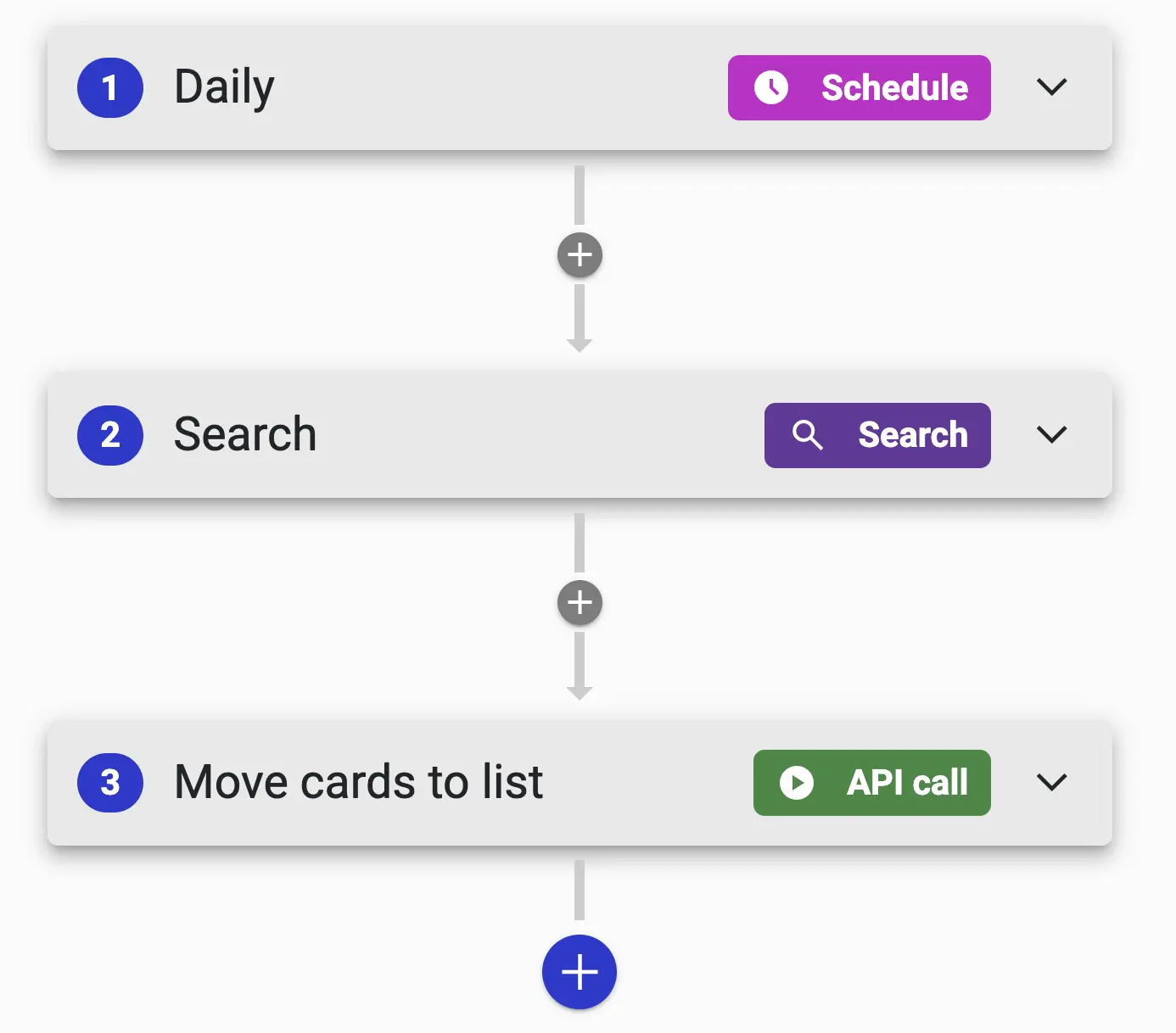
Action Flows now supports variables with data types (string, integer, date, datetime, and ARRAY) and operations for set, update, and redefine. Schedule triggers now have minute-level resolution for more precise timing; flows can be triggered manually in the user context; and you can hide flows you’re not using without having to delete them.
New OAuth Flow for External Calendars
v 1.45 March 19, 2026
Authorization of external calendars now uses a decoupled flow that works reliably with third-party services. Calendar accounts display the "pending authorization" status with automatic cleanup, and you can update the properties of external accounts directly in the interface.
Dedicated search module for phone calls
v 1.45 March 19, 2026
A new search module for phone calls with agent-level filtering, type filtering, and export functions. Large data sets are now exported in batches, which makes the export process noticeably faster.
Volume control and microphone level indicator
v 1.45 March 19, 2026
You can now select your input and output devices directly in Callmaker. A level indicator shows the microphone’s audio level in real time, so you can quickly verify that the correct microphone is selected and working before the call begins.
Incoming Call History
v 1.45 March 19, 2026
Incoming calls can now be linked to customer cards, and historical data for incoming calls is displayed directly on the card. New data points for connected call time—with configurable thresholds—and separate statistics for calls initiated via the dial pad provide a clearer picture of what is actually happening in the phone system.
Synchronization of field data between numbers, orders, and reservations
v 1.45 March 19, 2026
A new setting keeps related entries up to date: if field data is changed for an invoice, an order, or a reservation, the change is automatically reflected in the others. No more updating the same information in three different places.
Duplicate Lookup by Organization Number
v 1.45 March 19, 2026
Duplicate cleansing now supports organization numbers in addition to phone numbers, which makes it significantly easier to keep B2B lists clean. The handling of edge cases involving duplicate numbers on the same card has also become more stable.
AI Noise Reduction from IRIS Clarity
v 1.44 November 27, 2025
To have better, more trustworthy calls, it’s extremely helpful to filter out the noise from a busy call center. Now you can do just that by enabling the excellent AI noise reduction from IRIS Clarity, which we’ve deeply integrated into our call infrastructure. The AI model runs locally on your own computer and does an amazing job of filtering out background voices and noise. It makes a real difference in the quality of your calls! The noise reduction can also be disabled for individual users.
Outbound blend across multiple campaigns
v 1.44 November 27, 2025
If you have several smaller campaigns that you want to run simultaneously and receive calls from the predictive dialer for all of them at once, you can now do so. You can cluster campaigns into groups where the user requests calls from the entire group. The standard permission rules still apply, so if you have users who should only receive calls from a portion of the group, you can manage this by denying them access to those specific campaigns. If you have campaigns at different levels that require users to earn access, you can now easily organize them into an outbound blend group.
New Level in the Organizational Hierarchy
v 1.44 November 27, 2025
If the standard workflow hierarchy—system → project → campaigns—doesn’t cover all your needs, you can now place administrators and users into subgroups. This makes it easy to manage multiple subcontractors in the same campaign without them seeing each other’s users and data. The new hierarchy level turns the hierarchy into a matrix: on one hand, the standard division into workflows; on the other, the ability to link users to organizational groups.
Transcribe conversations to text using AI
v 1.44 November 27, 2025
By using the KB Whisper model, we can now offer call transcription. The National Library of Sweden has taken OpenAI’s open-source Whisper model and retrained it on 50,000 hours of Swedish data. The model is now just as good as before in all other languages it supports, but it raises the bar significantly in Swedish and is the only model that fully handles the entire range of Swedish dialects. We use the model to transcribe conversations, which makes it much easier for administrators to get to the heart of what they’re looking for in an agent conversation, whether it’s order validation or something else. More to come in this area!
Group statistics by hour, day, week, or month
v 1.44 November 27, 2025
Have you ever wondered whether your hit rate is better before or after lunch, what the trend line looks like week by week, or anything else that requires grouping statistics by time period? Now you can find out. Are Mondays better than Fridays? Should you adjust your lunch breaks? Dive in and let the data tell you.
Search settings
v 1.44 November 27, 2025
As an administrator, you certainly have better things to do than try to remember exactly where a particular setting is located. Now you can use the search bar at the top of the admin view to find the right setting right away. The search covers both settings and navigation, and respects permissions so that administrators only see users and reservations within their own area.
List of missed incoming calls
v 1.44 November 27, 2025
We’ve finally rolled out a feature that many of you have been asking for. You’re no longer limited to viewing missed calls on your personal inbounds. Under “Inbound,” you can now easily view and filter all incoming calls to your inbounds, making it a breeze to see which calls you’ve missed while also getting a handle on your response rate and other data you need.
Filter by rating in "Search Conversations"
v 1.44 November 27, 2025
While we wait to have an AI automatically rate agent calls by reviewing transcripts, we’ve added filtering by rating (1–5 stars) to “Search Calls.” This makes it very easy to pull up a number of highly rated calls to serve as inspiration for the sales team, or to see what’s missing in the lowest-rated calls from agents who need a coaching session.
Autopilot in bulk
v 1.44 November 27, 2025
You can now use your Autopilots on an entire set of search results instead of being limited to one customer card at a time. This opens up the possibility of performing smart, complex, multi-step actions on large datasets. Bulk runs can be started manually or scheduled.
New Steps in Autopilot
v 1.44 November 27, 2025
Three new step types give you finer control over your automated flows: Randomize from List, Pause, and End with Error. Together, they make it easier to build flows that vary their behavior, wait for responses from external systems, and terminate in a controlled manner when something goes wrong.
Enhanced Features in Autopilot
v 1.44 November 27, 2025
An Autopilot workflow can now create a customer card and work with richer user data, including the user's group membership. This makes it possible to build workflows that assign tasks based on which organizational group a user belongs to.
Better audio playback
v 1.44 November 27, 2025
Recordings can now be opened in a separate window, and the mini-player in the recording list has been improved. Listening to multiple conversations in a row is now much smoother.
Faster call search
v 1.44 November 27, 2025
The phone call search feature has been redesigned and is now significantly faster, while still fully respecting users' permissions.
DTMF entry and double-click to dial
v 1.44 November 27, 2025
You can now send DTMF tones both from the dial pad and during an IVR call, which allows you to navigate external voice mail systems without leaving Callmaker. In addition, simply double-click a number to place a call.
Calendar changes made by third parties are saved in Callmaker
v 1.44 November 27, 2025
Changes made in an external calendar are now saved back in Callmaker, with clearer reporting and automatic deactivation if synchronization begins to fail. This makes the calendar integration more predictable when something goes wrong.
AI Detection of Answering Machines
v 1.43 August 17, 2025
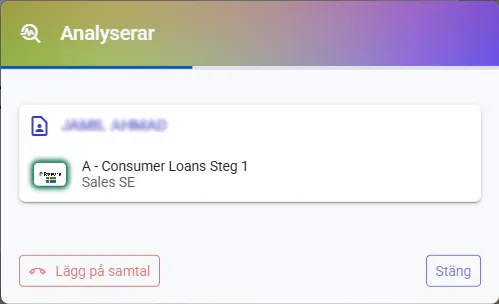
You can now add a new module—AI Voicemail Detection (AMD)—that automatically filters out up to 99% of all voicemails in just 1.7 seconds. As an administrator, you can choose whether agents should hear the call while the AI is working or not. The detection is clearly displayed on the screen, and natural answer and hang-up tones ensure a seamless experience for the customer.
Personal queue for agents—live leads or calls in a specific order
v 1.43 August 17, 2025
You can now enable personalized queues for agents. This means that an agent can perform a search, populate their queue with the results, and then work through the customer cards one by one. This is very useful if, for example, a booking has been made and you want to see if you can schedule more appointments nearby, or if, for other reasons, you want to process a specific sub-segment or in a specific order. Customer records are added to the queue via a search or through an Autopilot. If you want to handle live leads, you can have an Autopilot receive web calls and place the incoming lead in the queue of an authorized agent, so that the call is returned almost immediately.


Trigger Autopilots using buttons on customer cards or from admin views
v 1.43 August 17, 2025
You can now run an Autopilot on demand for an order, a reservation, or a number—either by clicking a button on the customer card or directly from the admin views. Manual triggers also support prompts, so the person starting the workflow can enter the information the workflow requires.

iFrame element on the customer card
v 1.43 August 17, 2025
If you have other systems or websites that you integrate into your workflow, it's easy to embed them directly into your customer card using an iFrame.

Autospar on the loyalty card
v 1.43 August 17, 2025
When an agent enters data into a customer record, it is now saved as the agent makes changes, rather than being saved only after the customer record is closed.
Upload files and use them as email attachments or templates for electronic signatures
v 1.43 August 17, 2025
File management has been expanded: you can upload files with descriptive names and tags, and use them, for example, as email attachments or as source material for digital signing services. Recordings can be shared via a link, and files can be forwarded through integrations with multipart transfers.
Integrate with external apps from Autopilots
v 1.43 August 17, 2025
The new step category, “Request to external application,” combines the ability to send webhooks and receive callbacks, the use of templates, HMAC validation, and additional features that make Autopilots highly flexible integration tools. Incoming webhooks allow external systems to send events to Callmaker and automatically trigger an Autopilot. We can now also push data to a user from the backend, which enables more dynamic integrations.

Autopilot Improvements
v 1.43 August 17, 2025
We've added several new step types to our Autopilots to enable even more advanced workflows, including loops, pauses, and ending with a specific error. We've also added the ability to export recorded conversations from an Autopilot.

Block List (DNC) v2
v 1.43 August 17, 2025
The DNC workflow has been redesigned and is significantly more flexible. You can add individual numbers, import directly into a DNC list, skip the cleansing process during import, undo a bulk DNC, and perform cleansing separately from the verification process. Duplicate handling is clearer and traceability is improved, making it easier to demonstrate your compliance with calling regulations.
Transfer Recordings to FTP from Autopilot
v 1.43 August 17, 2025
An Autopilot can now automatically transfer call recordings to an FTP server. This is convenient when recordings need to be sent to an external archive or a client without anyone having to do it manually.
Fields, templates, and layouts all in one place
v 1.43 August 17, 2025
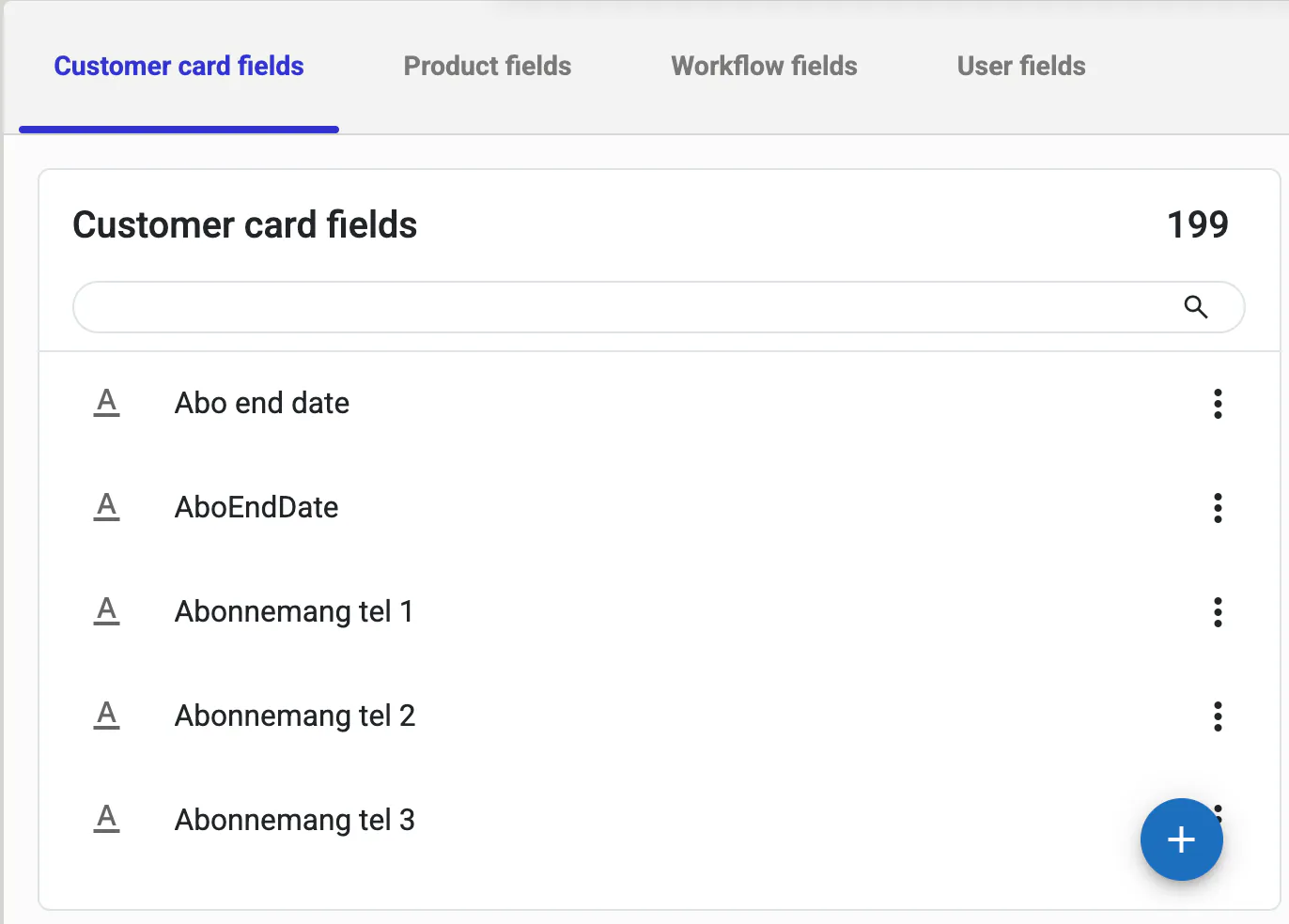
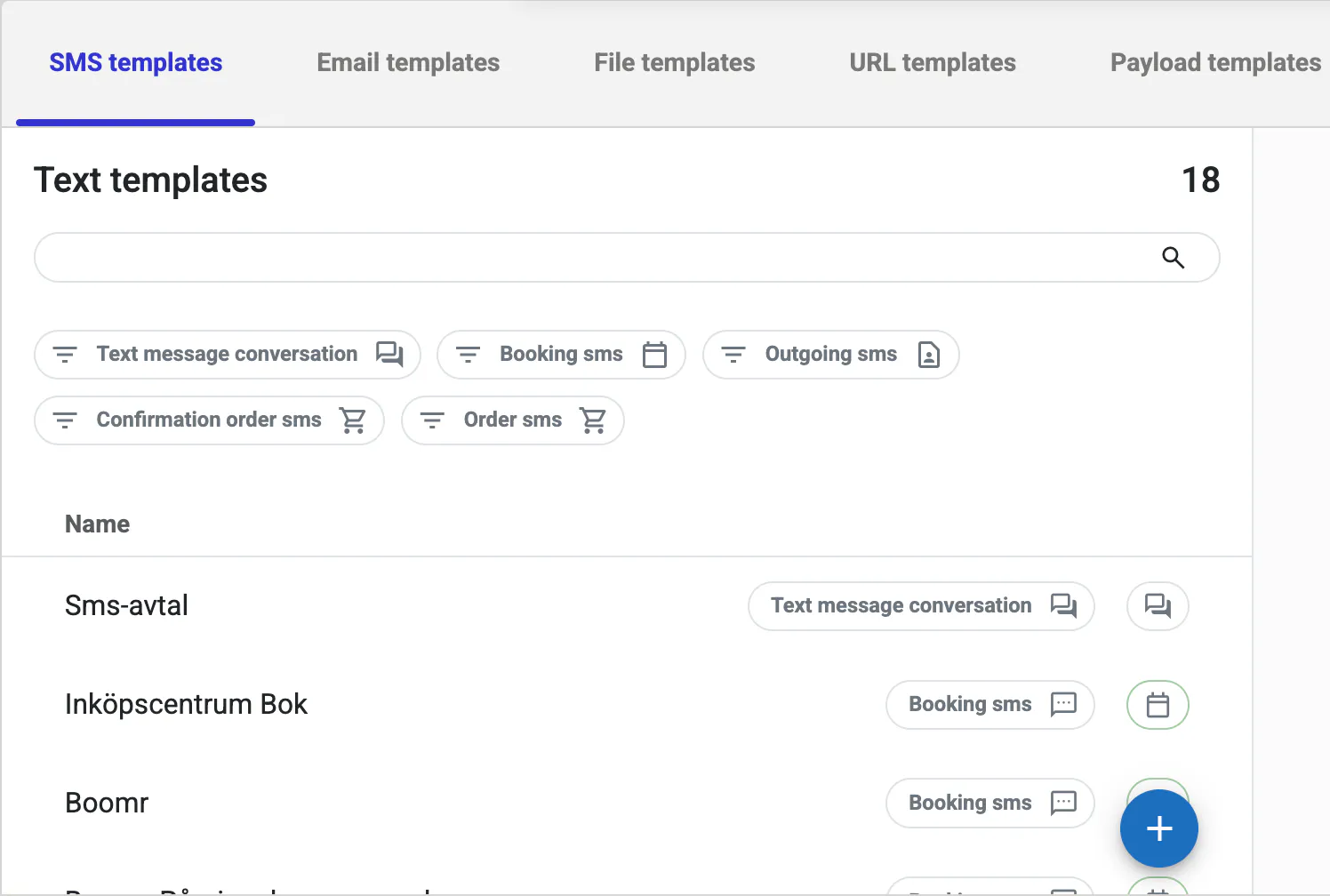
Now you don't have to search all over the place for settings buried deep within the user settings. Data fields, user fields, workflow fields, templates, and layouts are much easier to find, create, and edit from the admin menu.

Search defaults for user elements
v 1.43 August 17, 2025
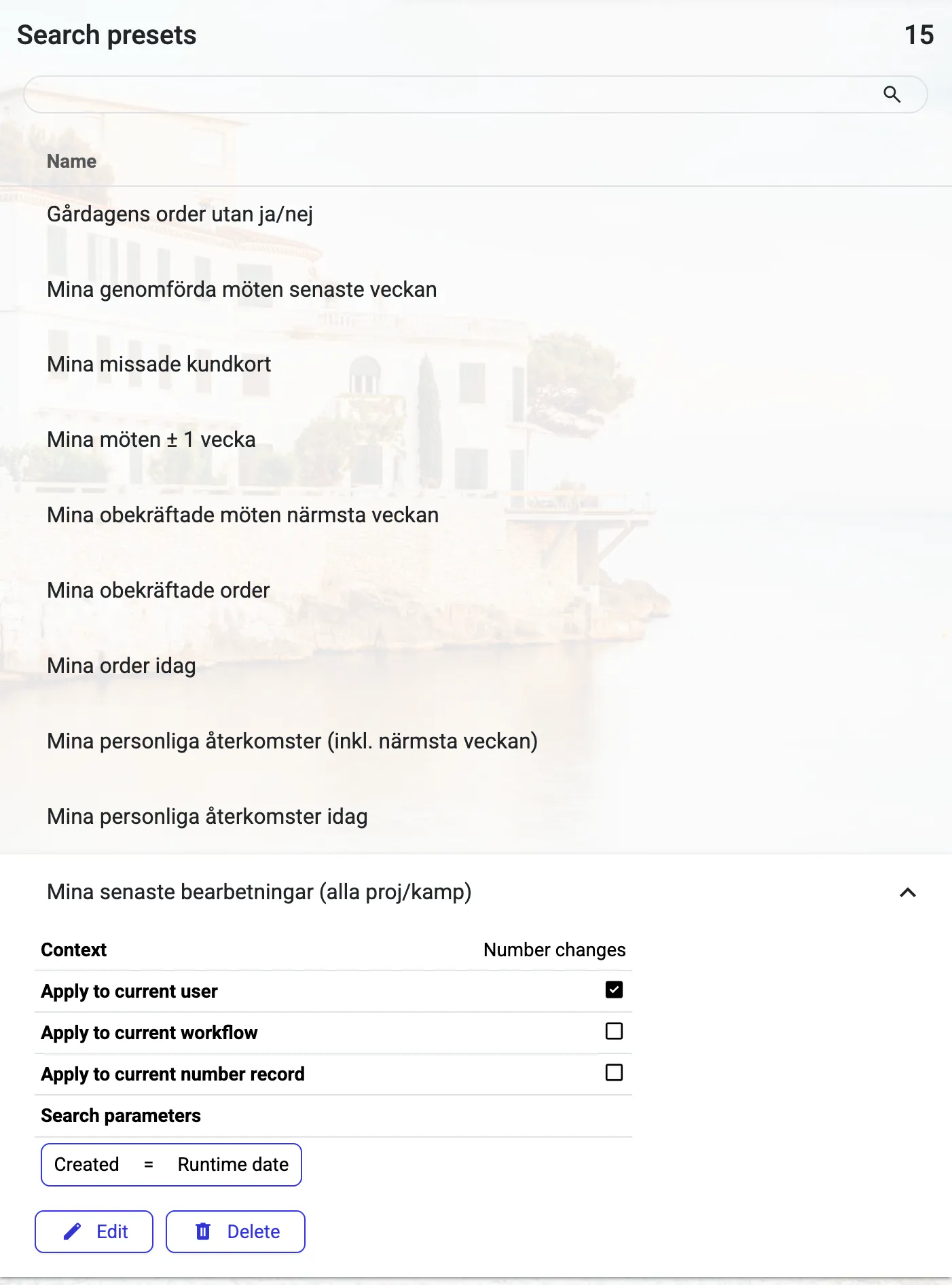
As an administrator, you can now create new search presets and edit existing ones directly. Search presets populate various interface elements with data, such as the search portals on the customer card that show my upcoming follow-up calls and meetings, or the customer cards for the customers I’ve called today.
Improved search for reservations
v 1.43 August 17, 2025
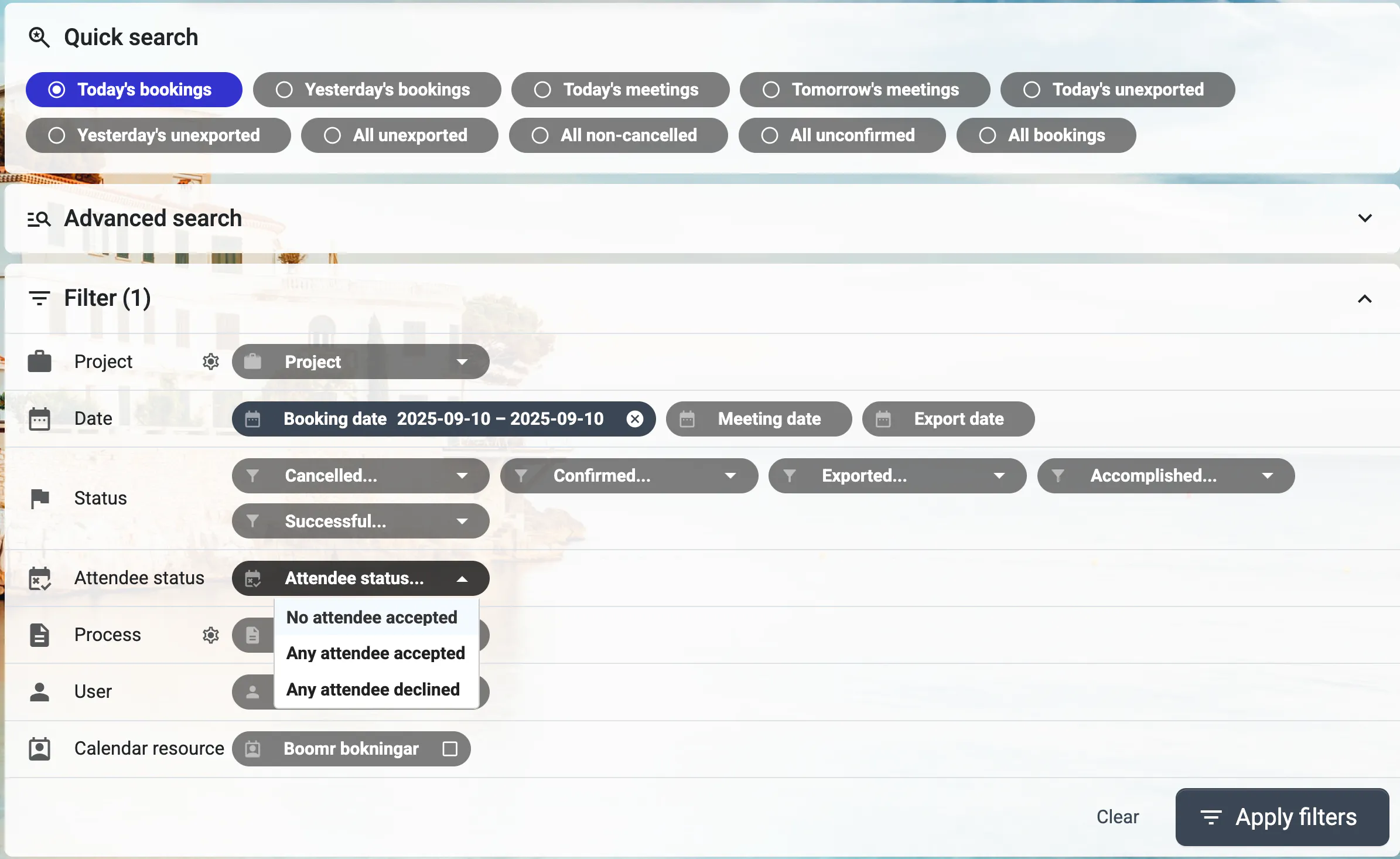
You can now search specifically by participant status for bookings, which makes it a breeze to see which meetings haven't yet been confirmed by the participants and require a follow-up call.
More Zapier events and triggers
v 1.43 August 17, 2025
We continue to add more triggers and actions to our Zapier integration, enabling even more advanced automations and integrations with other systems. Flexible request headers also make it easier to connect external services.
Create an SMS conversation with Autopilot
v 1.43 August 17, 2025
To increase flexibility in various scenarios, it is now possible to start an SMS conversation—such as the one used when signing an order—from an Autopilot.
Summary view of numbers and Caller ID
v 1.42 December 15, 2024
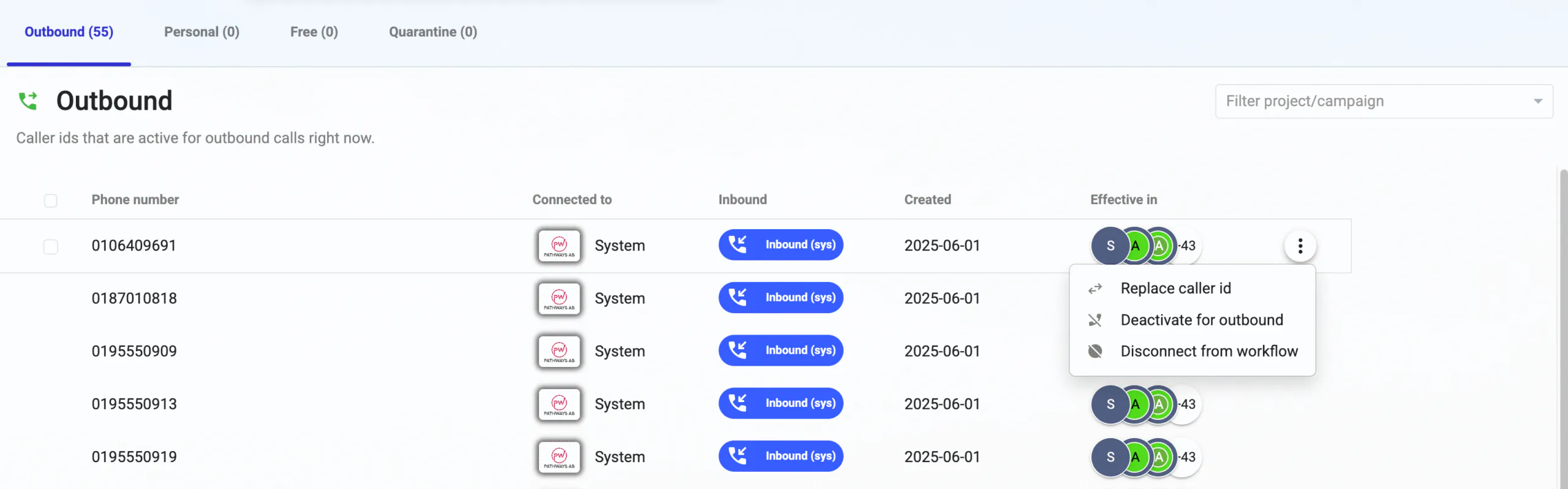
To further simplify the management of outgoing and incoming caller IDs, we’ve built a new consolidated view that gives you the full picture of your active and available caller IDs all at once. From here, you can assign, deactivate, or deactivate a caller ID only for outbound calls (quarantine). The view also makes it easier to manage personal numbers and the link between caller IDs and personal inbound calls. Caller IDs can be added to and removed from workflows directly.
Permission Sets
v 1.42 December 15, 2024
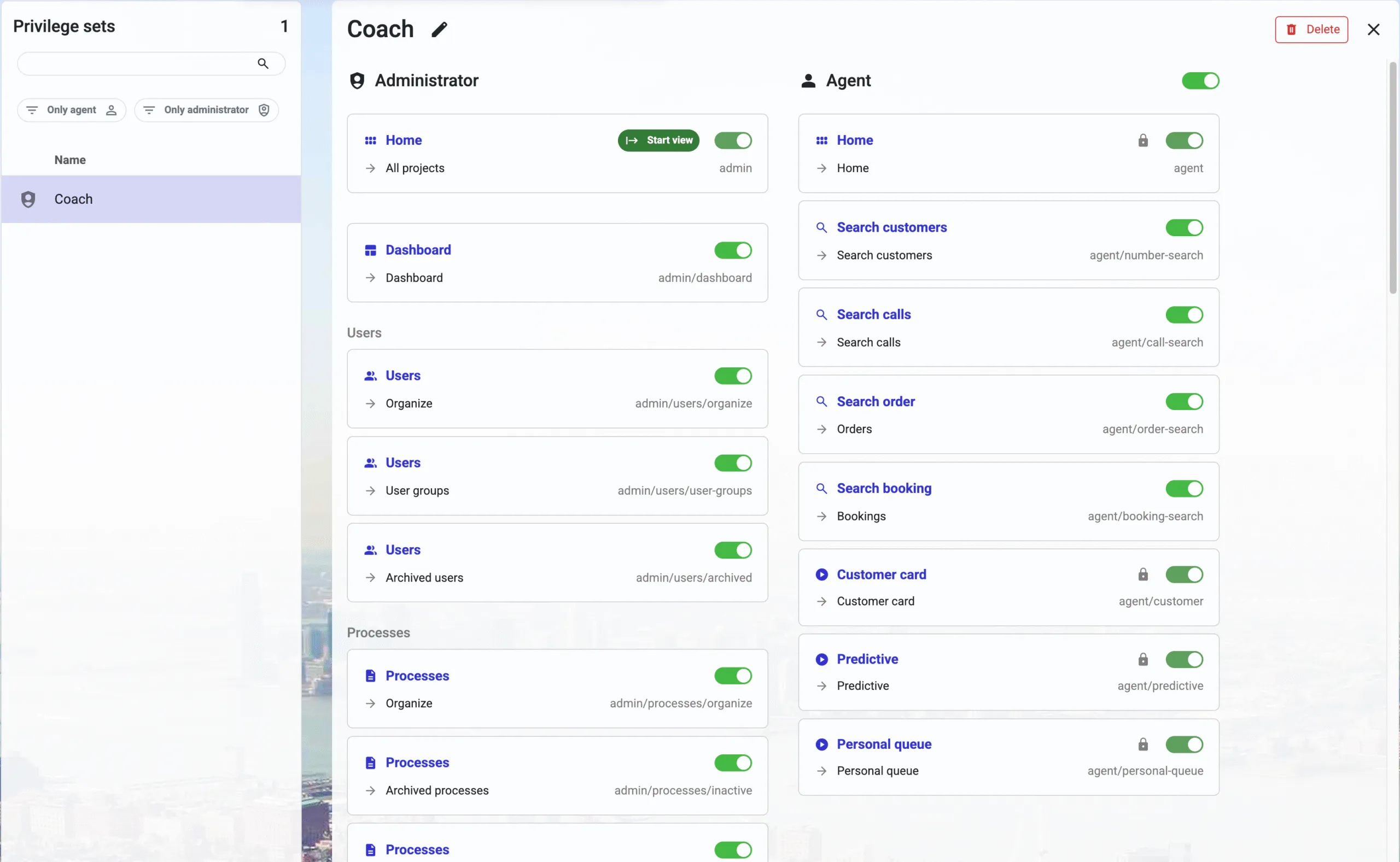
In Callmaker, it has always been easy to assign users and administrators the appropriate access level based on which campaigns and data they need to access—simply drag and drop them where you want them, at the system level, workflow level, or campaign level.
We’ve now added the ability to create custom feature sets and assign them to users. If you want a user to have access to parts of the coaching features that are otherwise reserved for administrators, it’s now easy to do. Or if you want to give a business partner limited access to data within their own campaigns, you can set it up with just a few clicks. There’s also a new “limited administrator” role that allows you to delegate administrative tasks securely.
Improved Do Not Call (DNC) List
v 1.42 December 15, 2024
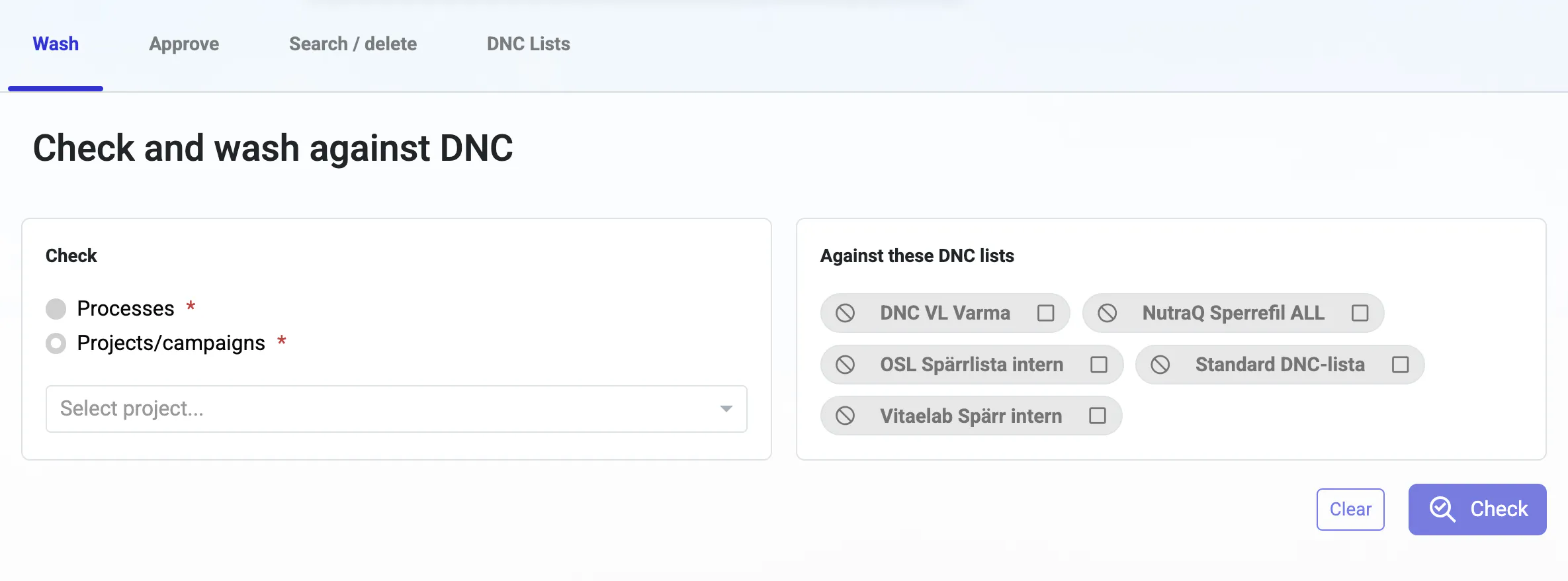
The DNC features have been significantly expanded. You can now import numbers directly into a DNC list and choose which columns to use, or let Callmaker identify all valid phone numbers in the file. The ability to add numbers manually, one at a time, has been added. Being able to update or replace the contents of a DNC list provides a significantly better experience when the lists are used in Autopilots. Numbers are automatically checked against your block lists during import and processing.

Encrypted exports
v 1.42 December 15, 2024
Exported files can now be protected with encryption keys that you manage yourself, including support for PGP. Sensitive data remains secure even when it leaves the platform.
More Comprehensive Order and Billing Statistics
v 1.42 December 15, 2024
New data points track changes in order status and confirmed orders. Detailed information about SMS and call billing is now being collected for back-office reporting.
Improvements
v 1.42 December 15, 2024
Broad Search for Incoming Calls: You can now grant agents broader access to search for customer profiles when they receive incoming calls than they normally have, so that they are not prevented from retrieving the caller’s profile due to access restrictions set for outbound work.
Resend Order Confirmation via Text Message: Sometimes an operator experiences infrastructure issues. When that happens, it’s now easy to resend order confirmation text messages to affected customers.
Relative dates can be used when editing orders and in similar views.
Improved handling of CSV character encoding and greater control over file extensions during FTP export.
The app now warns you when an ad blocker might interfere with its functionality.
Streamlining the admin menu with functional groupings for a better user experience.
General performance improvements and bug fixes.
Standalone orders
v 1.41 October 8, 2024
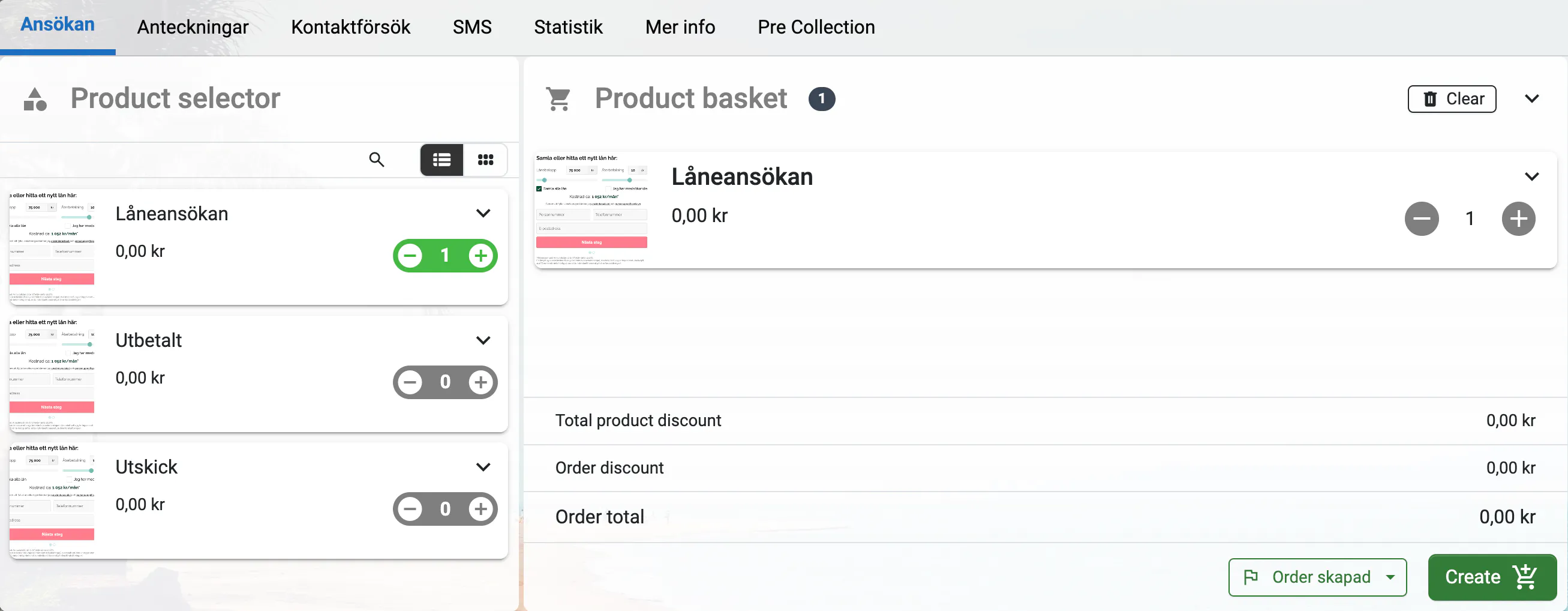
Previously, an order was created in Callmaker only after the agent closed a customer card containing order details. Now it is possible to create one or more orders without closing the customer card, which provides greater flexibility. The orders created can be edited directly from the customer card, and you can set up an Autopilot that initiates a two-way conversation with an external API when the order is created.
Sub-statuses for orders
v 1.41 October 8, 2024
You can now create your own substatuses for orders, making it easy to implement successive steps in the sales process. You can specify whether a status is temporary or final to indicate when the sale is complete. Order statuses appear in entity lists, order history, and search results, and are now also included in exports based on your export settings.

Combine Orders and Meeting Scheduling
v 1.41 October 8, 2024
For example, if you want to schedule a meeting that also includes order details, you can now create both an order and a booking from the same card at the same time.
New Powerful Filter, Loop, and API Features in Autopilot
v 1.41 October 8, 2024
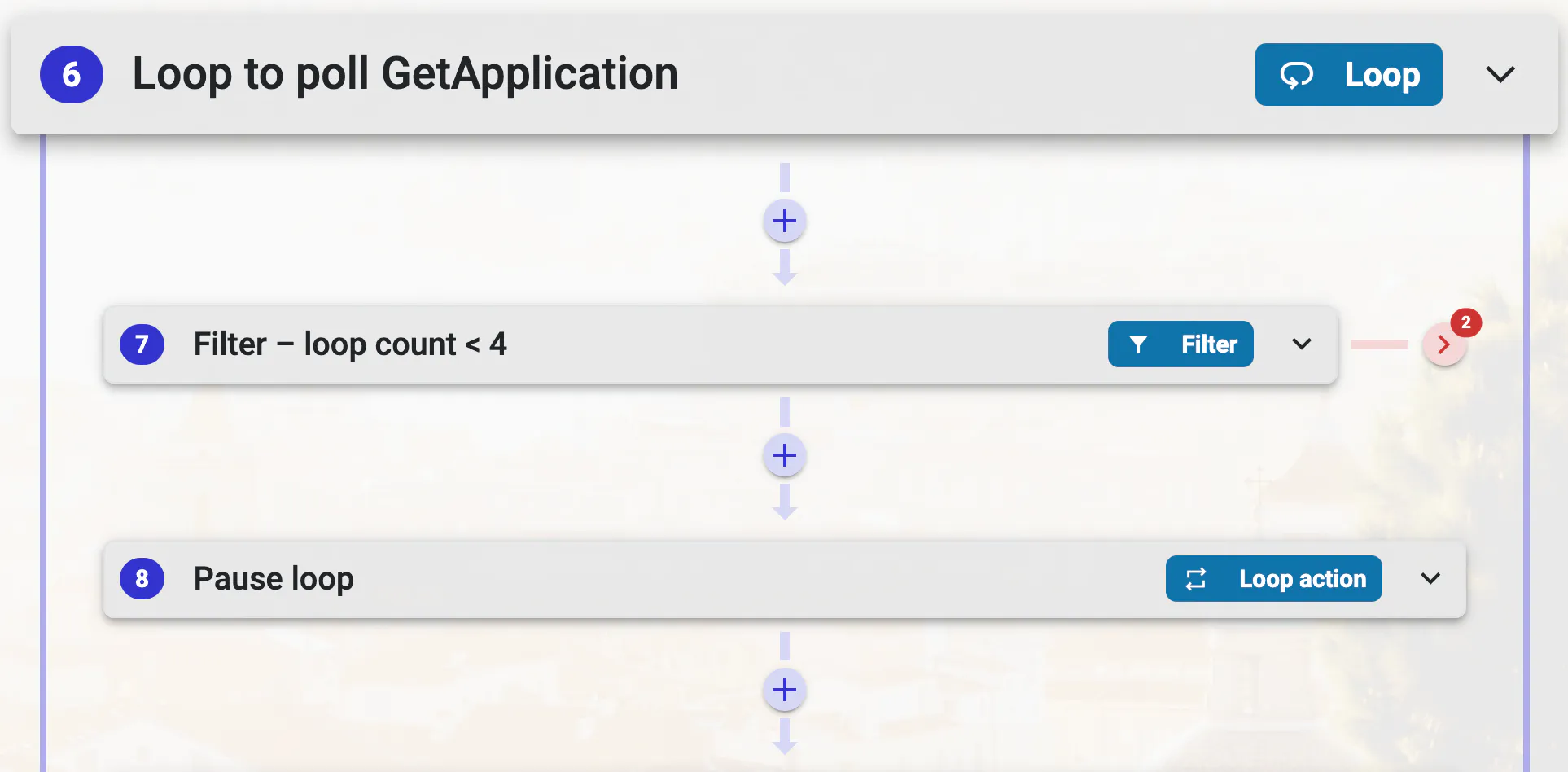
Autopilot now supports filtering, which allows you to incorporate IF statements into your automations. This means that fewer Autopilot actions can achieve the same results, and entirely new workflows become possible. The new loop feature makes it possible to build a wide range of new behaviors, from looping through search results to creating a polling loop in conjunction with the new external API call feature. Conditional branches with paths for successful and failed outcomes allow the workflow to respond to different results.

Edit orders and notify users from Autopilot
v 1.41 October 8, 2024
A flow can now automatically update order and number data as part of an automation and send notifications directly to users. Together, these features make Autopilot useful for more than just outbound communication.
Improved Autopilot Logs
v 1.41 October 8, 2024
The logs are clearer and filterable, with improved replay handling and faster loading. It is now much easier to understand why a flow behaved the way it did.
New Zapier Features
v 1.41 October 8, 2024
For our customers who use Zapier for automation and integration, there are now a handful of new features that make it easier to export data. For example, you can set up a daily workflow that exports yesterday’s orders, sends them to Google Drive, and then emails a copy. This also works for reservations and statistics.
Force Calendar Synchronization
v 1.41 October 8, 2024
Administrators can now manually trigger a calendar sync instead of waiting for the next automatic run. This is useful when something needs to be set up right away.
Countdown as a time limit for customer cards
v 1.41 October 8, 2024
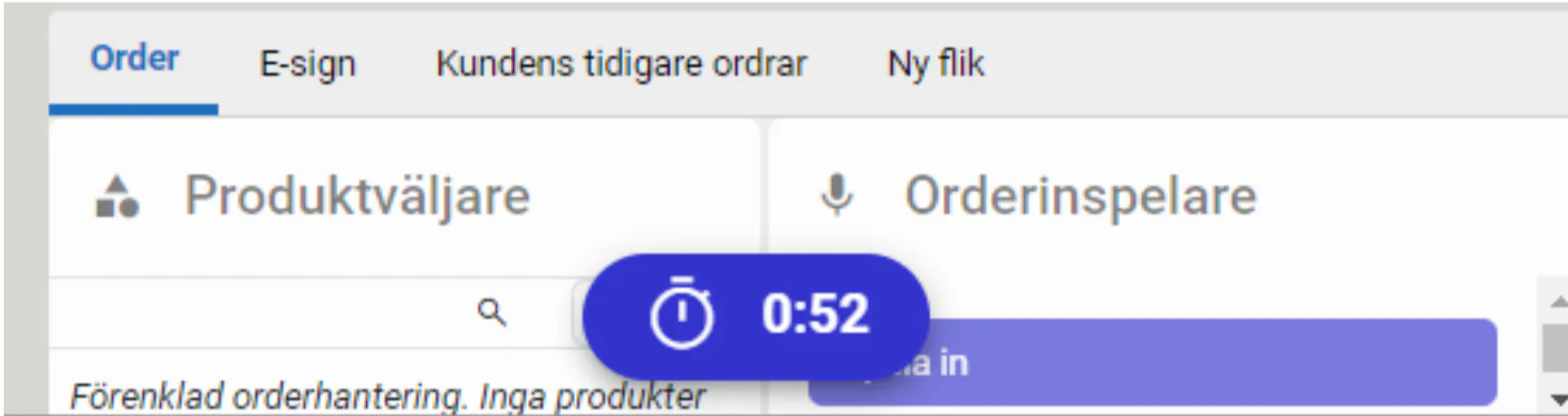
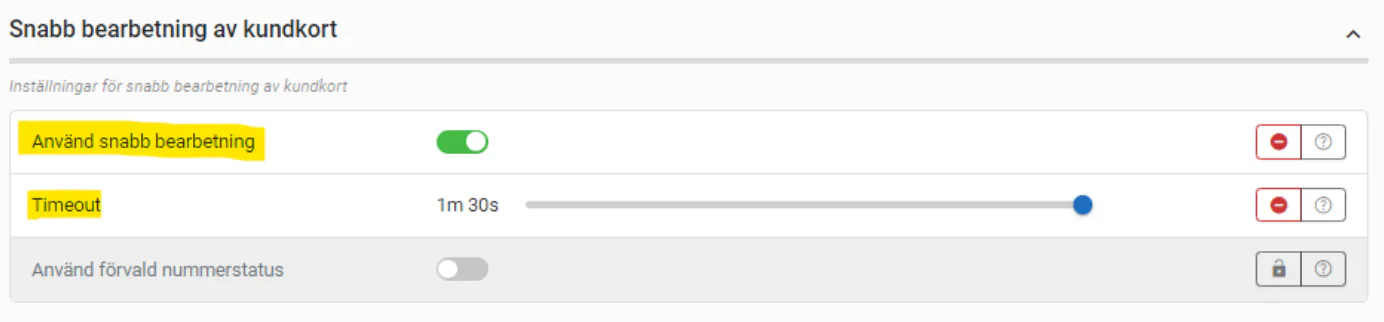
You can now set a fixed number of seconds that the agent has to update the status of a customer record after the call ends. If the record is not updated within that time frame, it will be marked as "processing not completed," which allows the user to return and set the correct status later.
Easier to Find Uncompleted Customer Cards
v 1.41 October 8, 2024
Sometimes agents forget to set the correct status on their active customer card and instead exit by closing the browser or window where Callmaker is running. These cards are now assigned the status "processing not completed," which can be searched for by administrators or users to ensure that no deals are left unresolved.
Deep integration with Astrid AI
v 1.40 2024-06-13
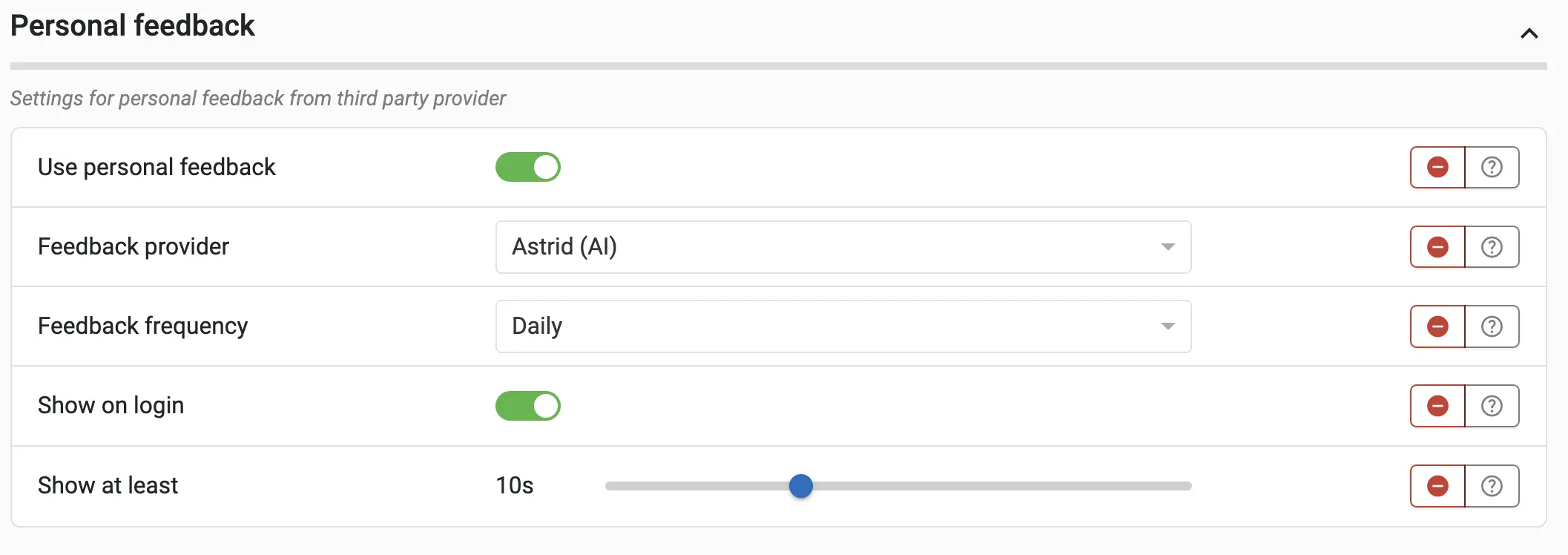
If you use Astrid as an AI coach, you can now enjoy a much richer experience. There’s a new dashboard element that displays your daily coaching messages. You can also choose to display a user’s daily coaching messages for a specific period immediately after they log in, to ensure they’re read. In addition, Astrid can rate conversations, giving you an easy way to generate average conversation ratings for different conversation types per user—for example, User A has an average of 3.2 for conversations that end with a negative status, while User B has an average of 4.1. Astrid can also set orders to “confirmed” status by listening to them and verifying that they follow the established template.

Personal Agent Feedback
v 1.40 2024-06-13
You can now record and review feedback for individual agents directly in Callmaker. This helps managers coach and follow up in a more structured way, with the history all in one place instead of scattered notes.
Create Your Own KPIs
v 1.40 2024-06-13
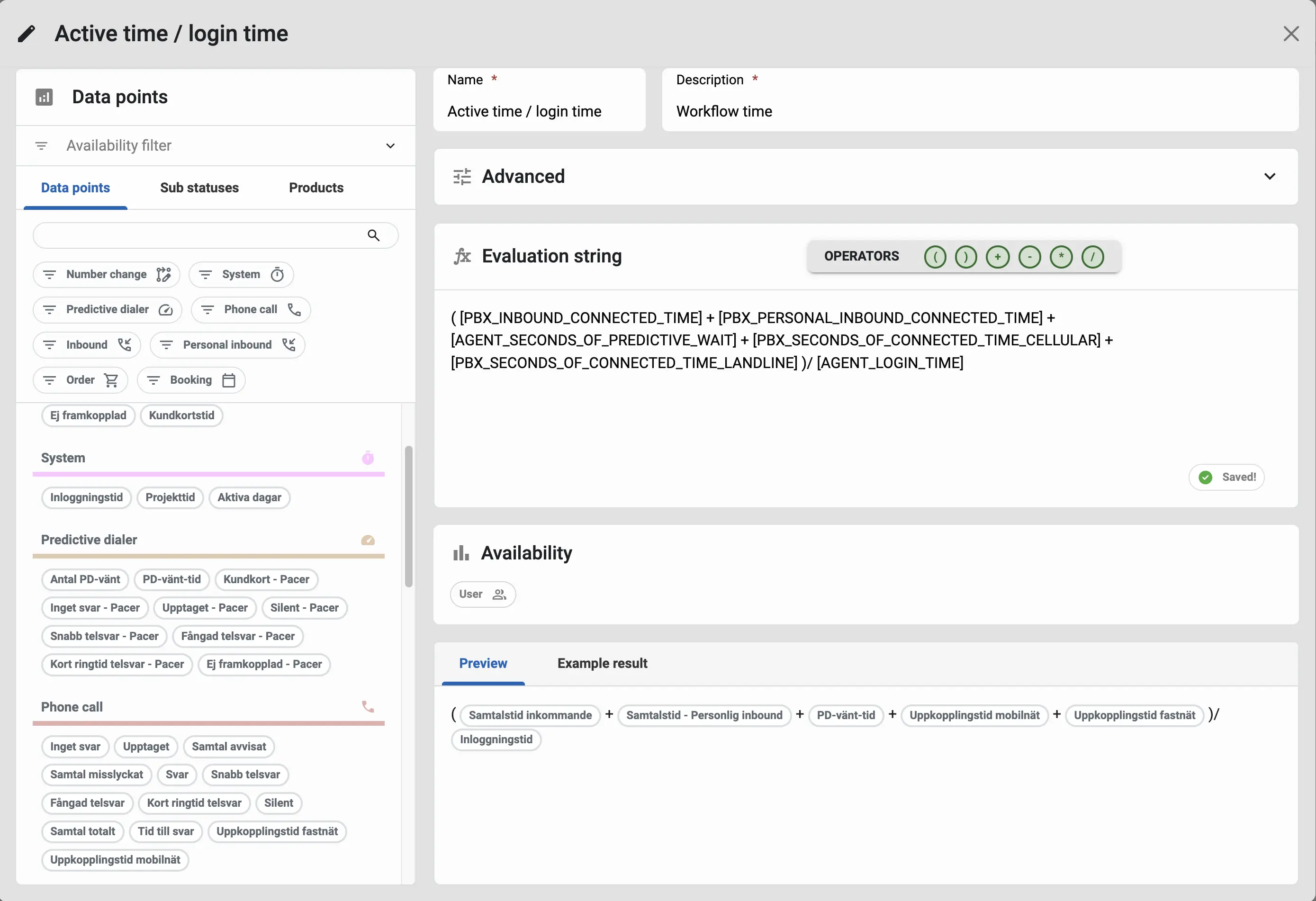
Every administrator has their own favorite KPIs, and sometimes that means you want to adjust an existing one or create a brand-new one. Now you can! The new calculation editor lets you create, duplicate, lock, and combine your own statistical calculations right from the settings, with built-in expression validation. The calculations also support relative dates.
Custom Events in Autopilot
v 1.40 2024-06-13
You can now define your own event types and use them to drive automated workflows, including filters on value lists and groups. This allows you to build automations around your own concepts rather than just the built-in ones.
Better call forwarding
v 1.40 2024-06-13
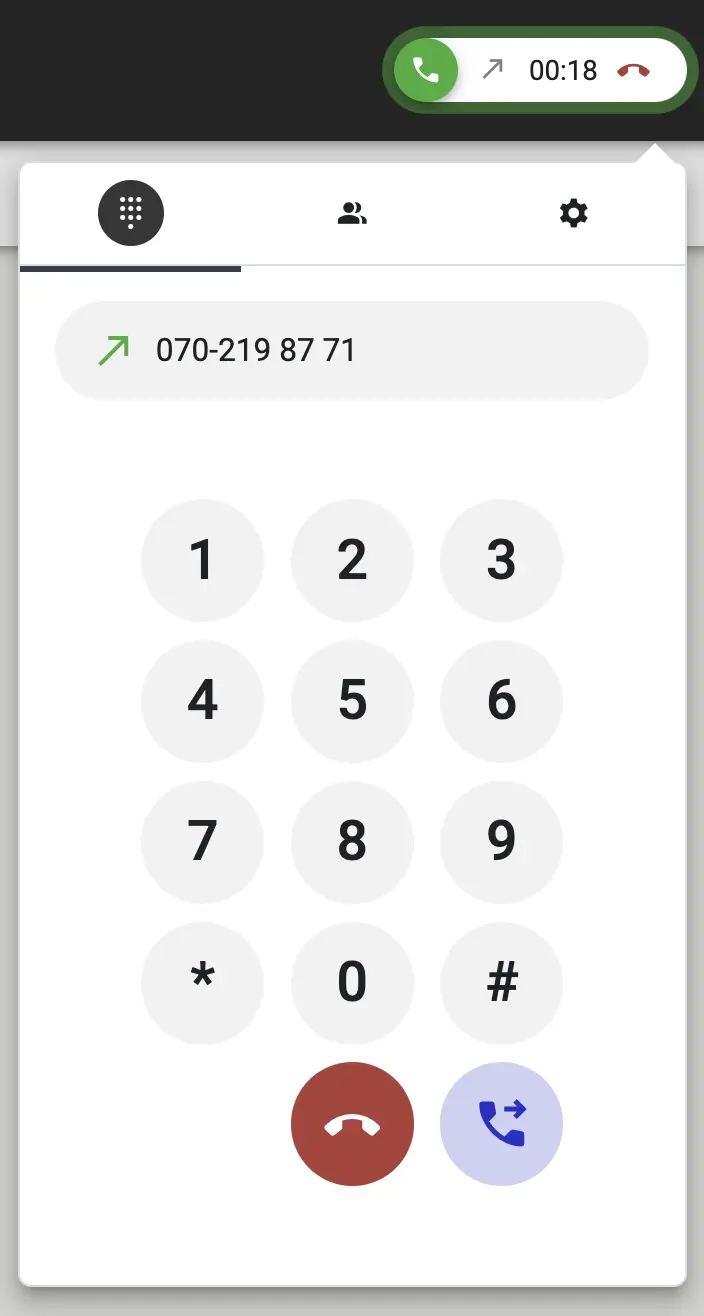
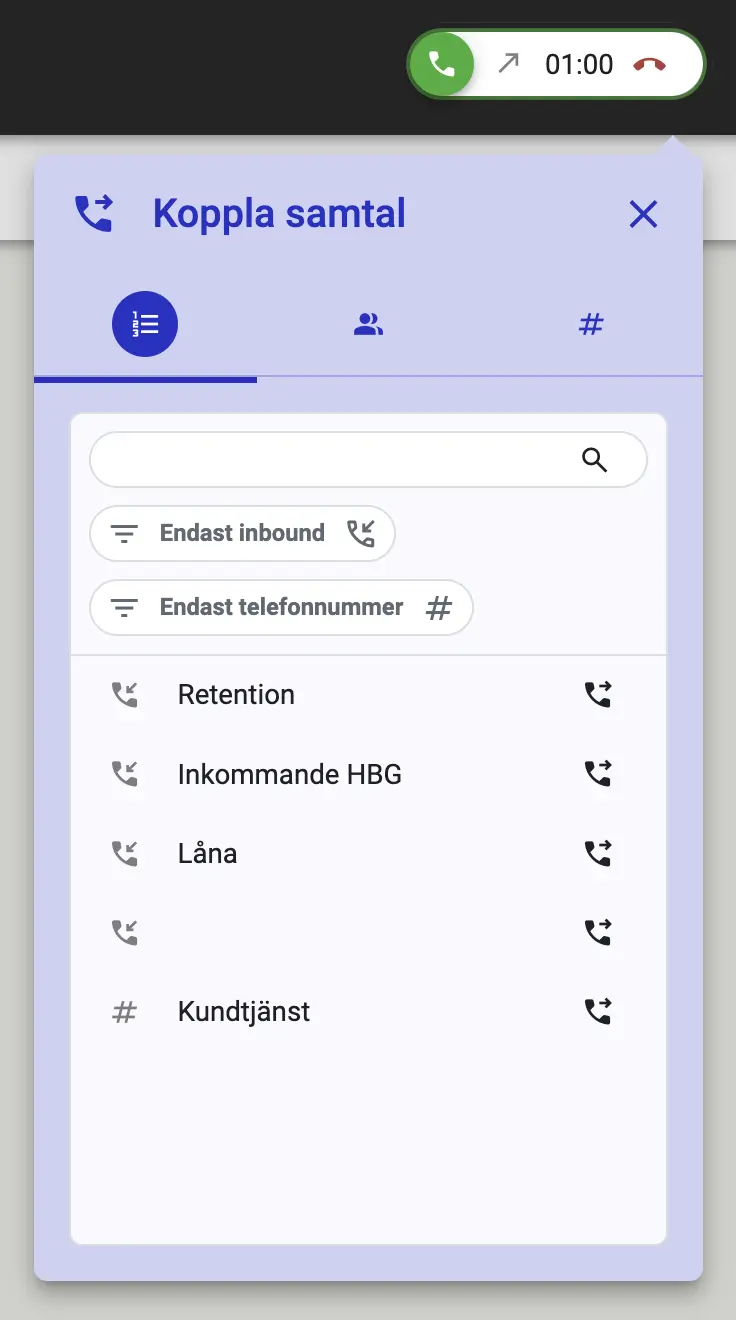
In addition to being able to transfer a call to any number of your choice, you can now define preset destinations—which can be either phone numbers or inbound lines in Callmaker—or choose to transfer calls to colleagues who have personal numbers. The destinations are configurable and rule-based, for both incoming and outgoing calls.
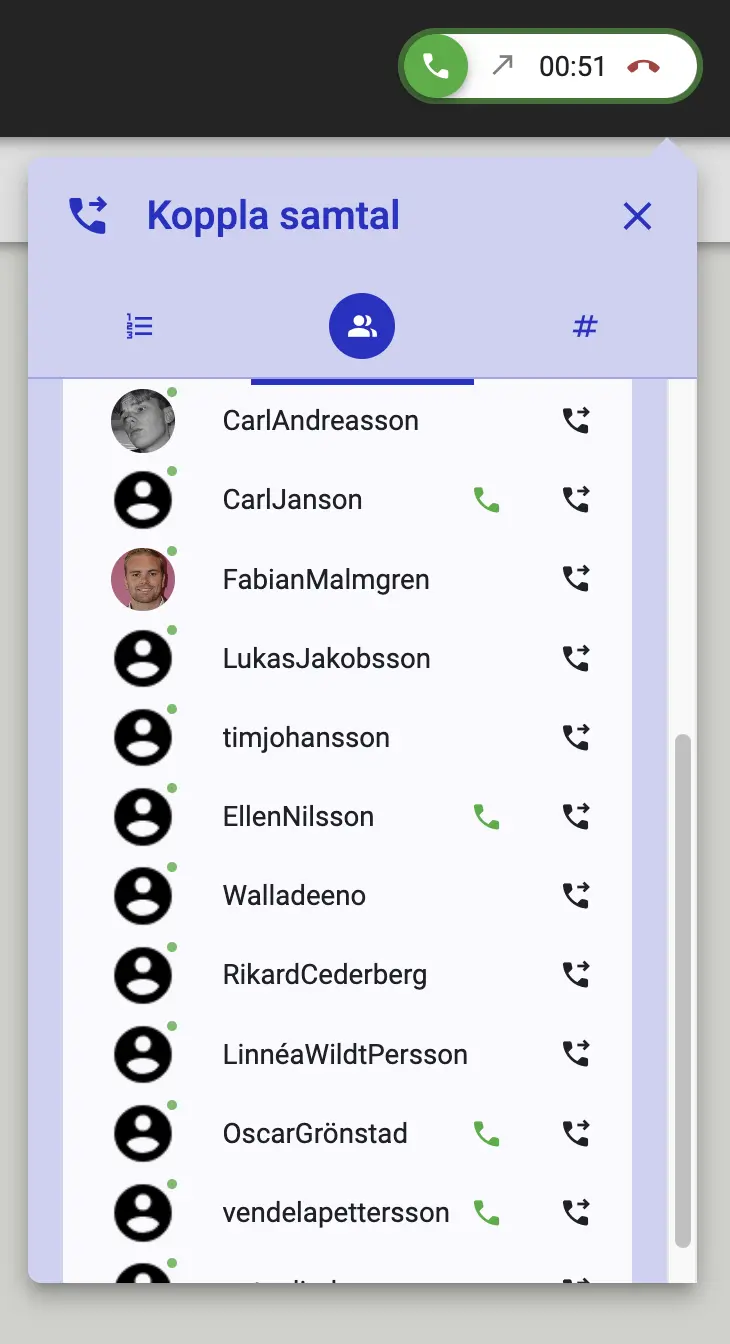
User Dashboard
v 1.40 2024-06-13
As an administrator, you can now create multiple dashboards for your users. Both administrators and users can choose whether to land on the dashboard or the campaign view after logging in. Dashboards can include elements such as statistics or searches—for example, a search for my personal follow-up calls for the coming week, all my most recent orders, or even all the customer profiles I’ve worked on today.
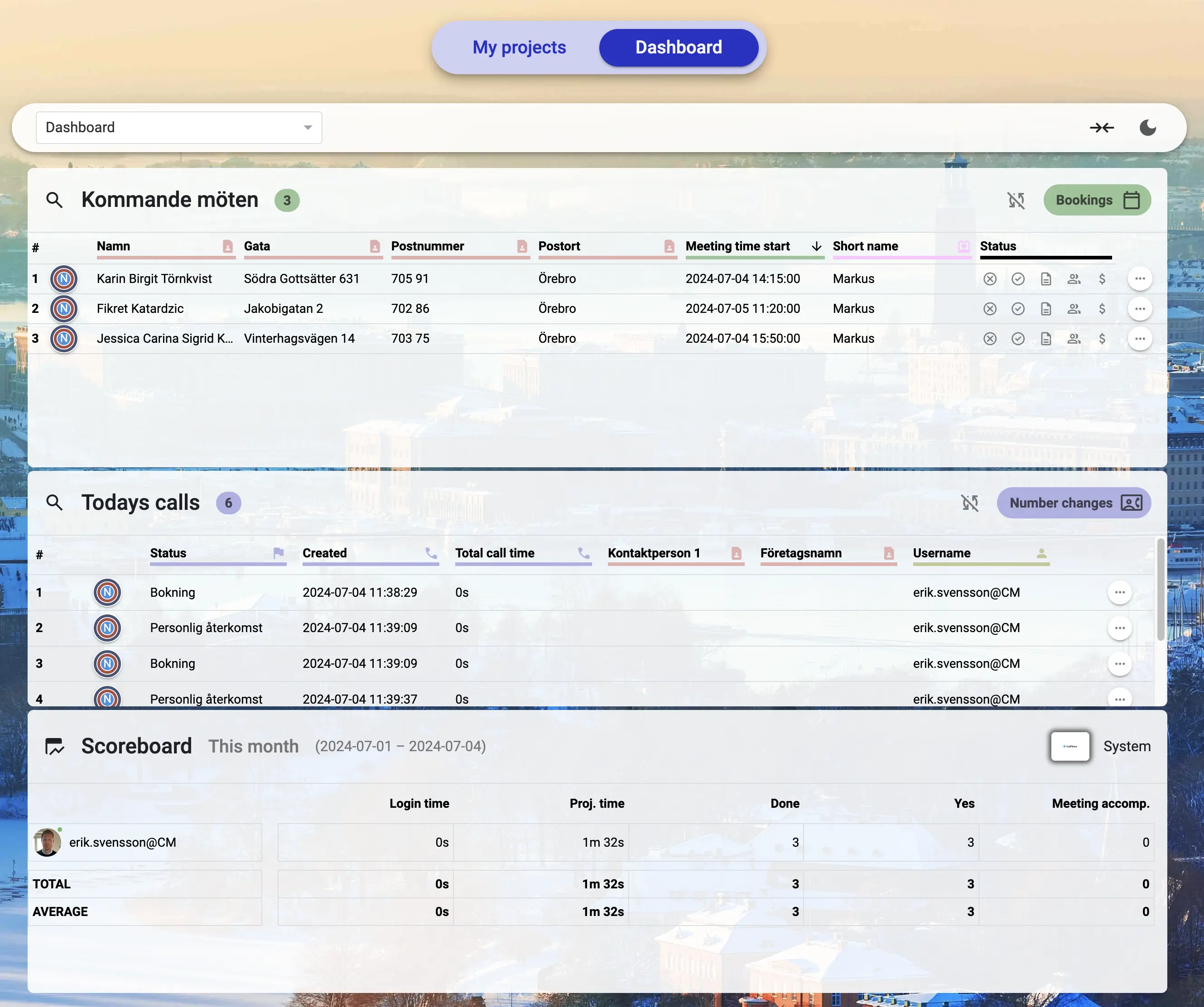
Display Pattern Selector
v 1.40 2024-06-13
Now you can specify exactly how dates, durations, and values are formatted in templates and exports. No more exports and text messages displaying times and amounts in a format that doesn't suit the recipient.
Angular 18 with Signals
v 1.40 2024-06-13
In this release, we’ve upgraded from Angular 17 to 18 and started implementing Signals throughout the front end. For you as a user, this means a significantly faster and more responsive interface than before—and it was already pretty snappy!
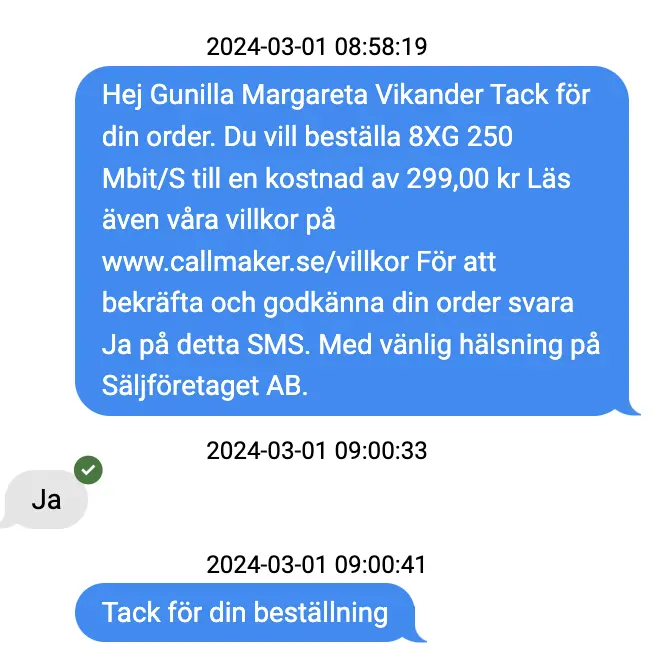
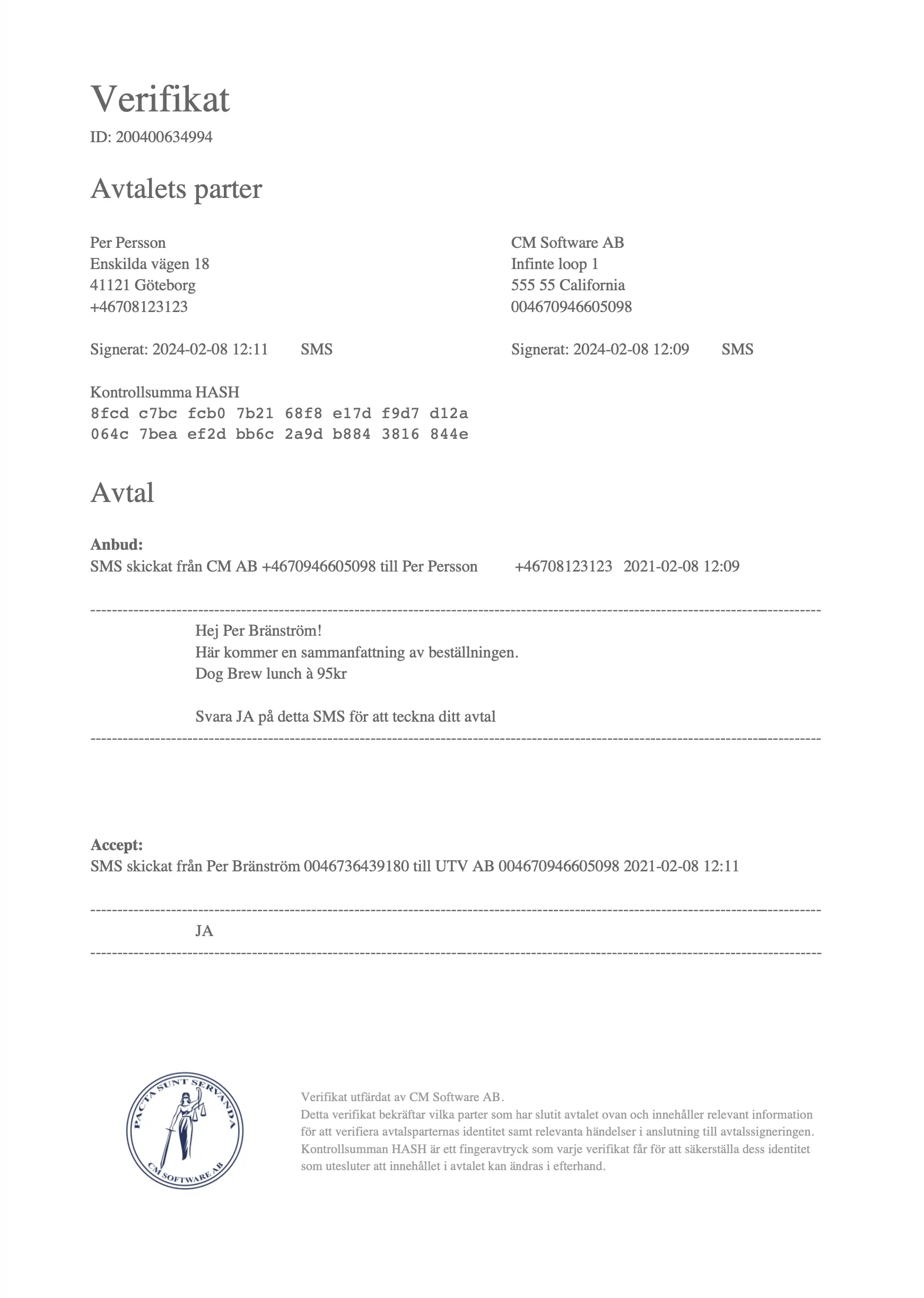
Generate a receipt
v 1.38 2024-03-06
Callmaker now generates a receipt in response to an SMS approval, and the receipt can be sent back to the customer.
Appointment Scheduling with a Personal Callback
v 1.38 2024-03-06
You can now create an appointment on a customer card and, at the same time, add a follow-up call to the card to stay in touch with the customer.
Search archived lists
v 1.38 2024-03-06
Administrators can now easily search through all archived lists without having to select each list manually.
Improved User Search
v 1.38 2024-03-06
Users can now filter which campaign within a parent project they want to search in.
Required fields
v 1.38 2024-03-06
You can now enable a mandatory validation for fields, so that they must be filled in before an order or reservation can be completed.
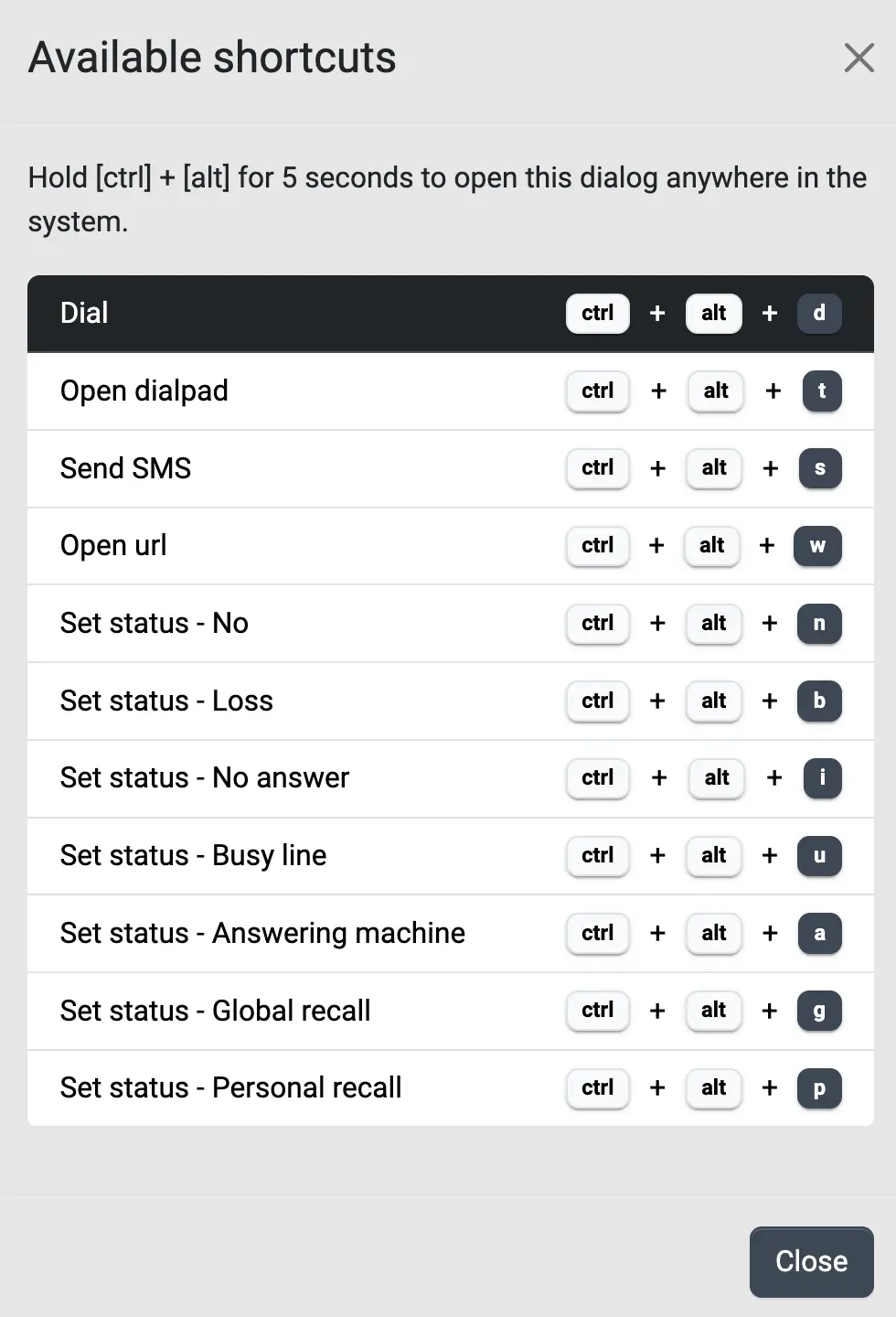
Keyboard Shortcuts
v 1.38 2024-03-06
You can now choose to enable shortcuts, with full control over which functions get a shortcut and which key is assigned to them. If a shortcut has multiple options—such as different phone numbers to dial—a numbered list will appear, and you can simply press the number key to select the correct option.
Full-length recording of a conversation
v 1.31 Dec. 2022
You can now record calls in their entirety, not just the recordings that an agent starts manually. The recording settings determine which calls are recorded and who is recorded, and recordings of incoming calls are included.
REST Hooks for Outgoing Events
v 1.31 Dec. 2022
Callmaker can now forward events to your own systems via REST Hooks, without you having to query the API at regular intervals.
Statistics on Incoming Calls
v 1.31 Dec. 2022
New metrics for incoming calls: wait time, connection time, number of calls during business hours, and call pickup rate. The foundation for inbound reporting is now in place.
The Basics of Inbound
v 1.31 Dec. 2022
This release lays the groundwork for inbound operations: call routing to the correct queue, queue management, handling of business hours and out-of-hours messages, and the ability for an agent to pick up a call. The feature will be released in version 1.32.
Synchronization with External Calendars
v 1.27 August 2022
Callmaker now syncs with external calendars, including calendar resources, invitation management, and a setting that determines what happens when an event is deleted on the other end. Appointments and the calendar are kept in the same view instead of in two separate systems.
Working Hours for Calendar Resources
v 1.27 August 2022
Each calendar resource can now have start and end times for each day of the week and be marked as a workday or not. This ensures that bookings are only scheduled during times that are actually available.
Checking for Overlapping Reservations
v 1.27 August 2022
A setting determines whether appointments can overlap. If this setting is turned off, Callmaker checks for existing appointments or calendar events before adding a new appointment.
Types of Meetings
v 1.27 August 2022
You can now define your own meeting types—such as window cleaning, chimney sweeping, or roof work—and specify which types are allowed for each workflow.
Work Weeks in the Calendar
v 1.27 August 2022
The calendar can be displayed as a workweek—Monday through Friday—instead of the entire week.
Public API Documentation
v 1.27 August 2022
The API now has published documentation, along with a description of the data structure for email templates.
Customer data directly in the agent's contact list
v 1.27 August 2022
The agent can now see a preview of the customer's information in the search results without having to open the customer file.
Appointment booking
v 1.26 July 2022
Bookings will become a separate feature in Callmaker: you can search for, export, and edit bookings; view the history and associated events for each booking—such as emails, text messages, calls, and exports; and verify that the necessary information is included before a booking can be saved.
Statistics and Commission on Bookings
v 1.26 July 2022
Bookings are now included in the statistics, with data points for bookings, cancellations, contribution margins, and agent commissions, as well as for when these are reversed.
Default Search Settings for Agents
v 1.26 July 2022
Agents have access to preset searches directly in the interface, such as orders for the current and previous months.
Call from any search results
v 1.26 July 2022
You can now call directly from the results list, regardless of which search you're in, and search for phone numbers in both the number search and the order search.
Add all search results to the block list
v 1.26 July 2022
An entire search result can be added to DNC in a single operation, rather than one customer card at a time.
Mute the agent between calls
v 1.26 July 2022
A setting turns off the agent's microphone between calls, so that background noise does not carry over into the next call.