Callmaker logo

E-signing

Send offers and receive acceptance smoothly and securely.
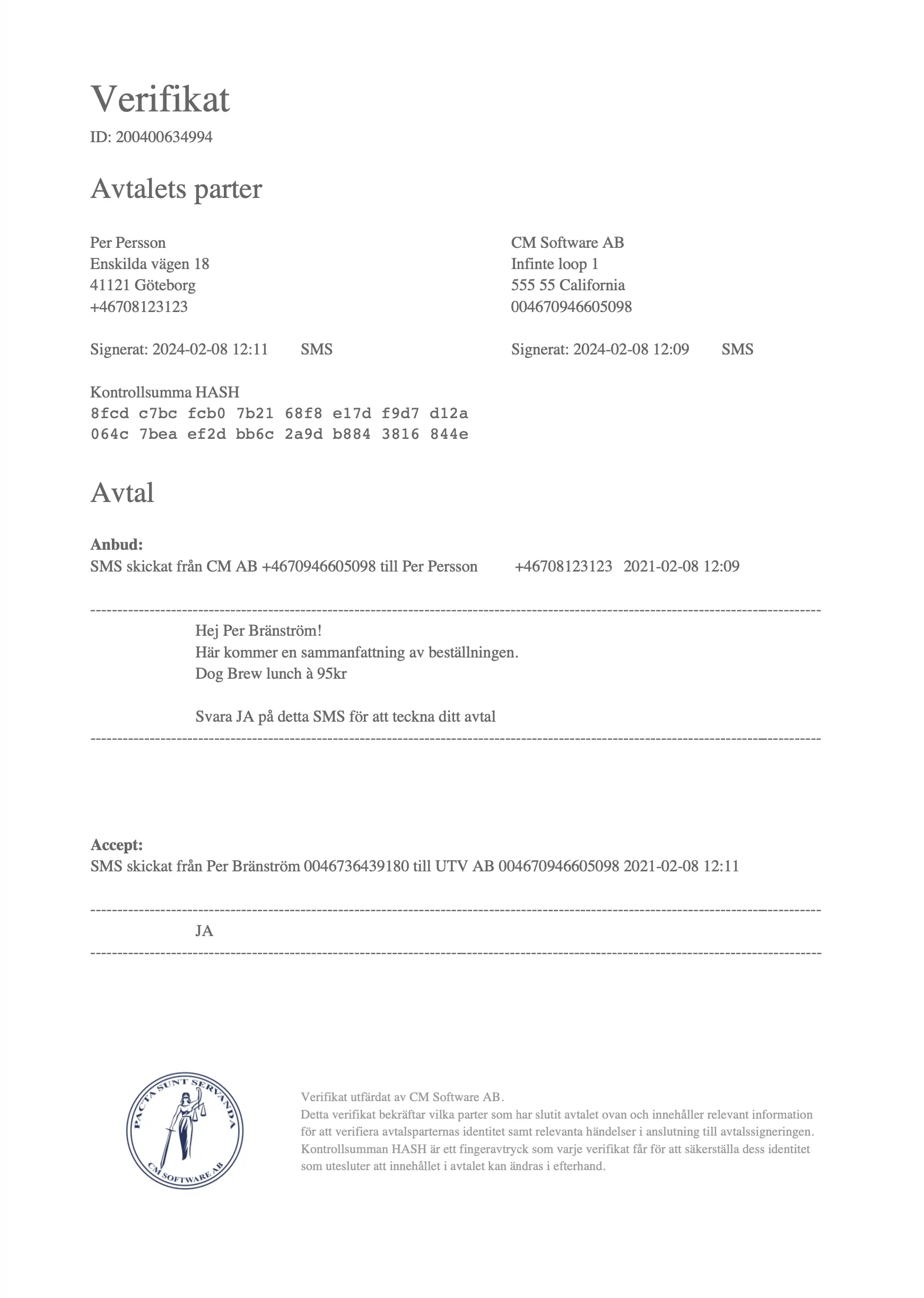
E-signing in Callmaker – contract sent for signature

E-sign by SMS

  • Meet requirements for written acceptance
  • Easy to reply YES
  • No smartphone required
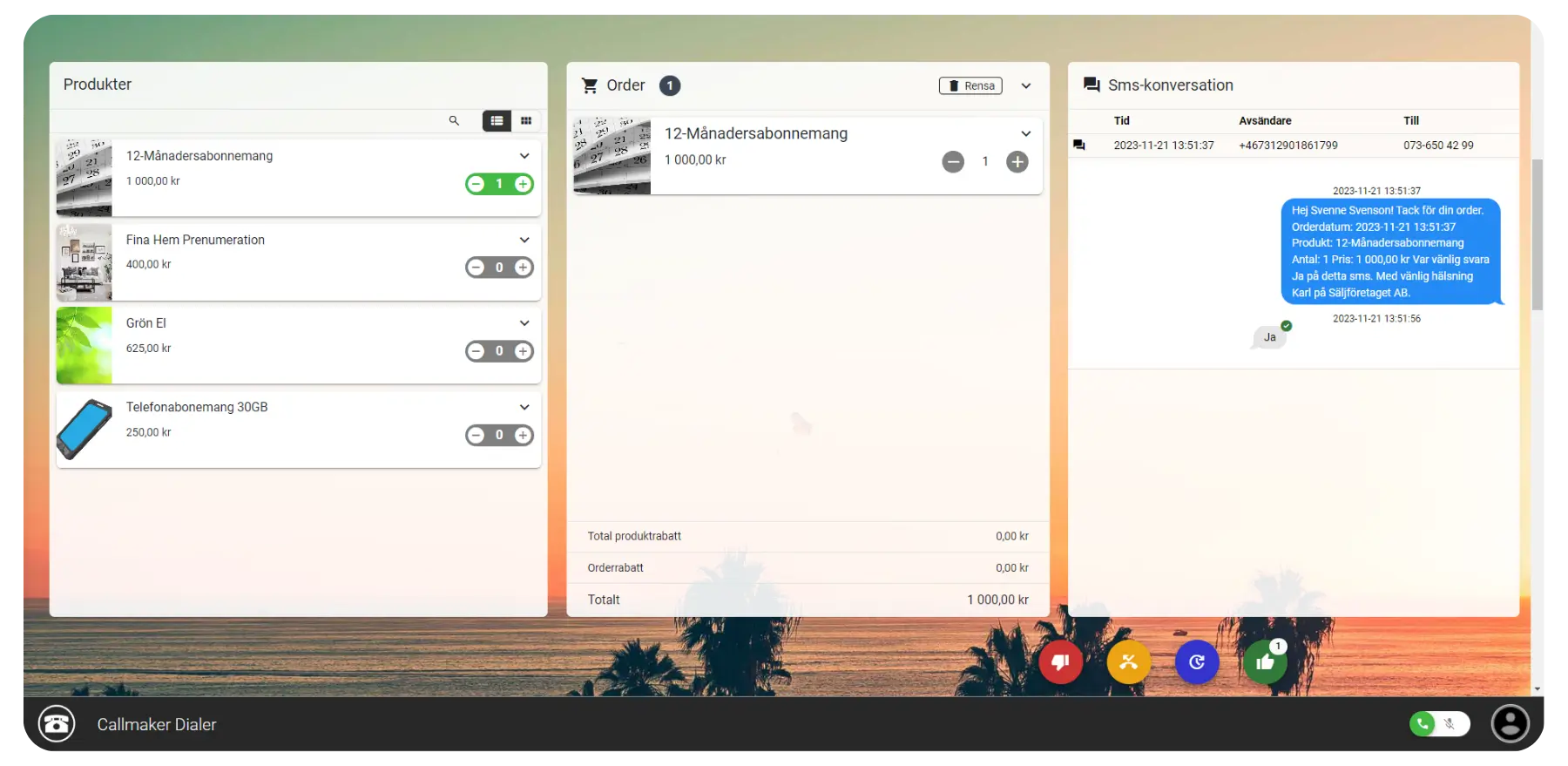
SMS conversation for e-signing via Callmaker

Key features that make electronic written signatures child’s play

Discover our key features that simplify and improve the whole process, letting you focus on what really matters – building customer relationships.

Sign with an SMS reply

You decide which response counts as a yes from the customer.

eIDAS

A fully verifiable transaction log with timestamps and data. A unique fingerprint protects the content against changes. 

See whether the customer has accepted 

As a sales rep or admin, you can see directly in the system whether an order has been approved.

Send verification receipt

As soon as the order has been signed, a link to the verification receipt is sent to the customer.

Unlimited templates

In the templates you set your contract wording and how product information is displayed.

Only a mobile phone needed

The customer needs nothing more than a mobile phone to sign.
E-signing confirmation in Callmaker

Easy for everyone

Acceptance via SMS is a convenient way to meet the legal requirement for written acceptance when selling to consumers over the phone.

Because the customer doesn’t have to open a web browser and click to approve the order, the process is simpler and no smartphone is required.

You can easily set which replies count as YES and NO. And with the help of Autopilot you can easily set up smooth order flows once acceptance has arrived.
With the Callmaker Dialer by your side, placing orders becomes a seamless experience. Experience higher productivity and smoother workflows with our powerful tool.

Frequently asked questions about e-signing via SMS

How does e-signing via SMS work in Callmaker?

The sales rep sends the offer as an SMS and the customer replies to approve it. You decide which replies count as yes and no.

Does the customer need a smartphone?

No. The customer only needs a mobile phone that can send and receive SMS – no app, no browser, no clicks.

Does SMS acceptance meet the requirement for written acceptance in telephone sales to consumers?

Acceptance via SMS is one way to meet the requirement for written acceptance in telephone sales to consumers, without the customer having to open a web browser.

How is the signature verified?

Each transaction gets a verifiable log with timestamps and data, and the content is protected against changes by a unique fingerprint. As soon as the order has been signed, the customer receives a link to the verification receipt.

Can acceptance arrive after the order has been placed?

Yes. You decide whether acceptance can arrive after the order has been placed.

What happens once the customer has accepted?

The sales rep and administrator see straight away in the system that the order has been approved. With Autopilot, the acceptance can trigger the next step automatically, such as delivery or follow-up.

Can we use our own contract wording?

Yes. In the templates you specify the contract wording and how product information is displayed.
Callmaker for you

We’ll give you a free walkthrough of the system and onboarding. Take the chance to try the best dialer algorithm on the market!
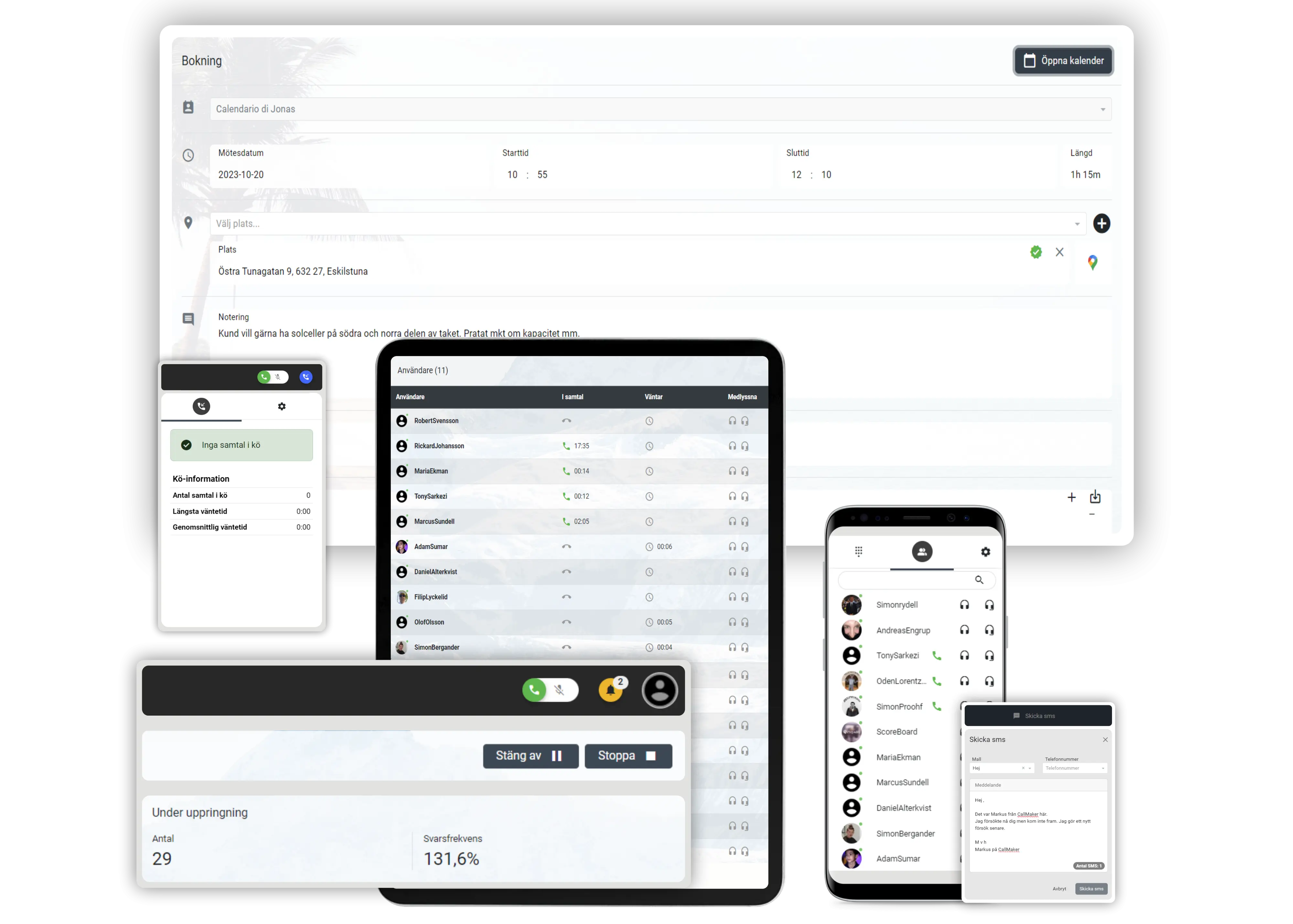
Callmaker on computer, tablet and mobile
CM Software Callmaker AB © 2026. Callmaker™ is a registered trademark of CM Software Callmaker AB.

CM Software Callmaker AB
556999-9971
Stora Badhusgatan 18
411 21 Göteborg
Sweden