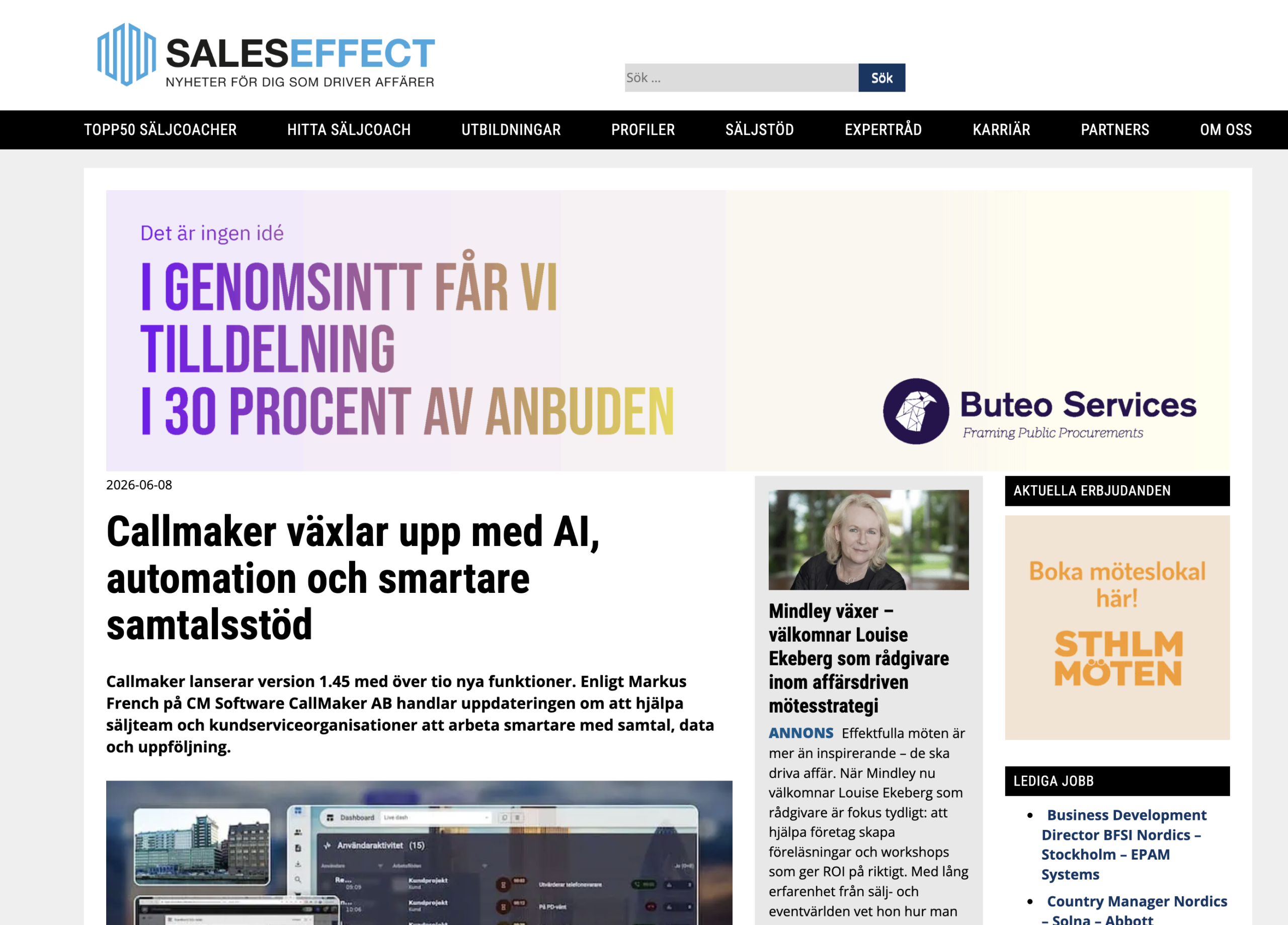
Callmaker featured by Företagande.se
Företagande.se has published an article about Callmaker’s journey – from the early years in a basement to today’s cloud-based dialer…

Release notes Callmaker 1.44 2025-11-10
AI noise reduction in calls from IRIS
“Media player” for call recordings
We have a new add-on module for noise reduction in calls to improve call audio quality. It removes distracting background noise for a more pleasant conversation with the customer.
If this sounds interesting, you’re welcome to talk to your sales contact at Callmaker!
Our new transcription module can be enabled for personal callbacks, orders and bookings.
Once a call is finished, it’s transcribed into a log of the conversation.
When you then listen to the recording, you can also see and read the conversation and search it if you’re looking for specific phrases for your quality checks.
If this sounds interesting, you’re welcome to talk to your sales contact at Callmaker!
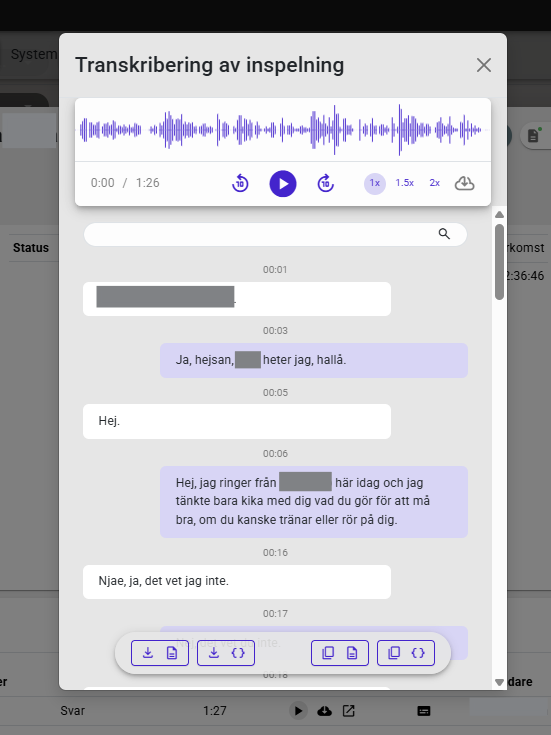
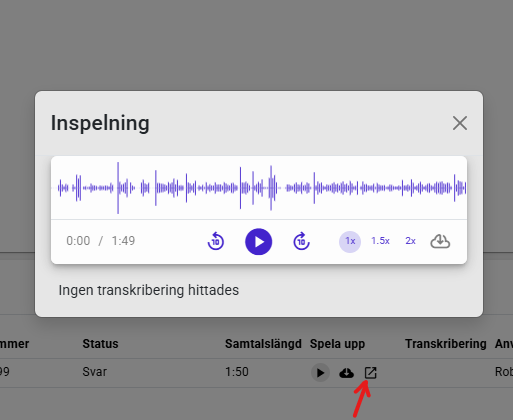
Together with transcription, we built a new kind of player for call recordings. It has also been applied to audio files without transcription and is now available to everyone! This means you can now skip forward and back, change playback speed and so on when listening to your agents’ call recordings. We’ve had lots of requests for this, so it’s great that it’s finally here!
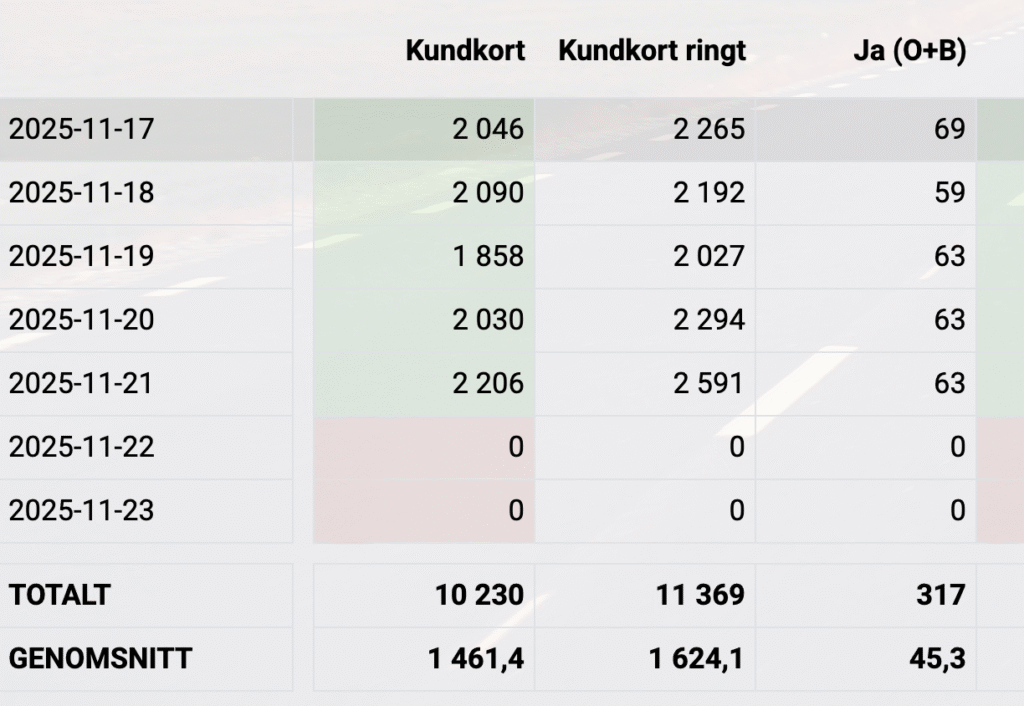
On the statistics view you may already have noticed a few new buttons: Hour, Day, Week and Month.

Hour shows the statistics you have open broken down by hour of the day. So if you’re showing yesterday’s statistics and click Hour, you get the statistics for each hour of yesterday.
If you’ve searched for a whole month and click Hour, you see the statistics for the whole month broken down by hour of the day. So you can see, for example, how many call attempts were made in September between 10 and 11 o’clock.
In the same way, you can click Day when you have September selected and get the statistics for each day in September. Week and Month work the same way but let you cover longer spans – perhaps you want to see the statistics for the whole year broken down by week or month
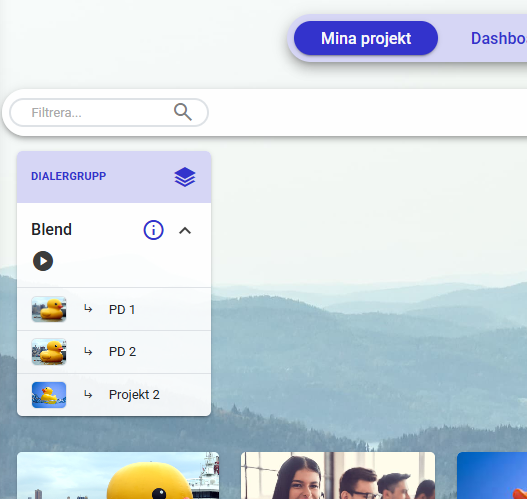
A new feature for those of you with lots of small projects who want to call with our predictive dialer, perhaps with just one agent on each. You can now use dialer groups to combine several predictive campaigns. The agents all join the same dialer and the system picks numbers from all the linked campaigns, as long as there are agents with permission for that campaign waiting for calls. If only agents with access to campaign 1 in the group are waiting, only numbers in campaign 1 are called. When an agent with access to campaigns 1 and 2 joins, calls are also made to campaign 2 – but only an authorised agent can receive those calls.
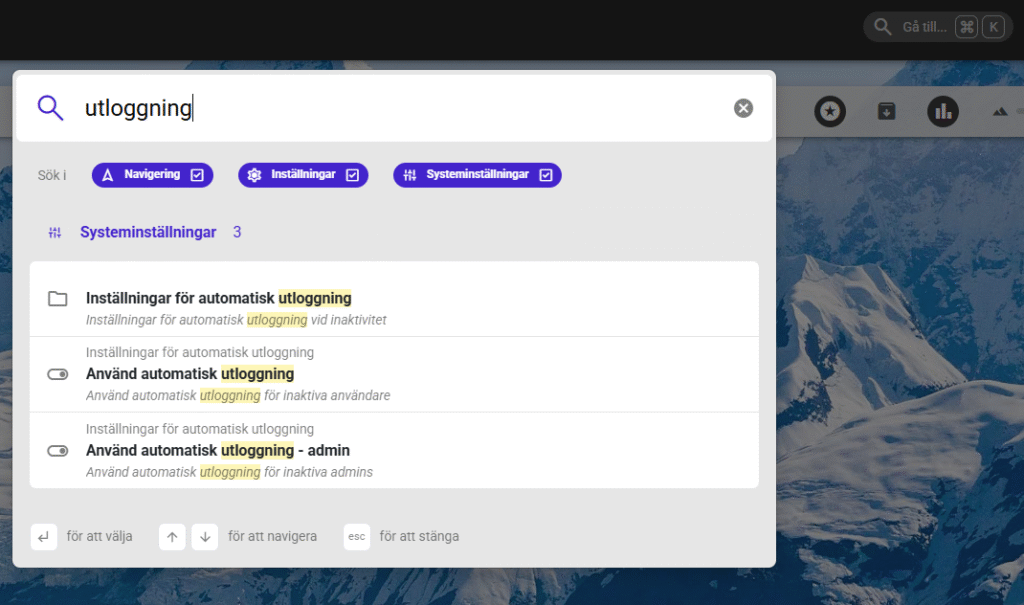
Over the years we’ve built up the Callmaker dialer, quite a few settings have been added, and there are only more to come. It isn’t always easy to find the right setting. But now we’ve built a search function, which you may have noticed: there’s now a search box at the top right of Callmaker. So if you’re looking for, say, the settings for automatic logout, open the search box and type “logout”. You’ll get every page where the word is used.
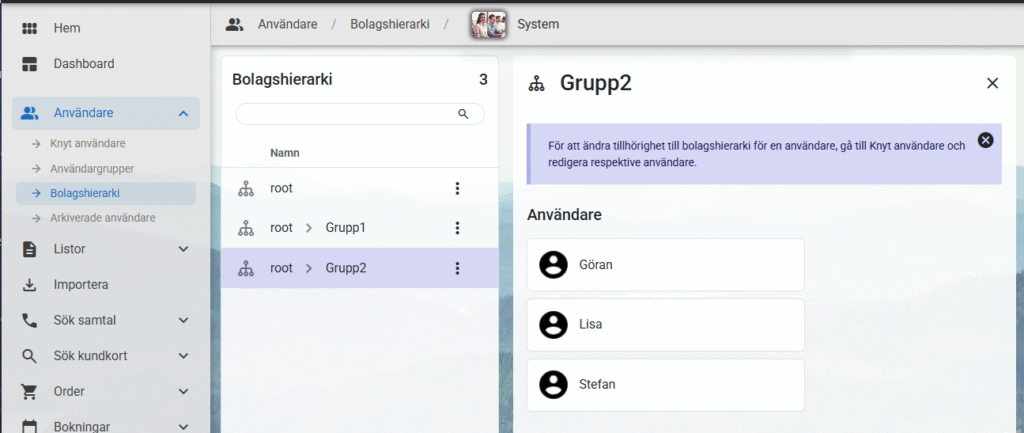
Do you have several companies or offices making calls, each with their own admins and coaches? For you, we’ve built a feature we call company hierarchy. It divides the system at user level. Those who can see all users and what they’re doing sit in the “root” group, and everyone who belongs together goes into their own group.
To explain it as simply as possible, say we have two groups, group1 and group2. Admins in group1 can only see their agents who are also in group1; they can’t see statistics for those in group2, can’t see the name of the user who placed a specific order, and so on. These groups can share projects and campaigns but can’t see each other. Or you can split things so they have their own projects and campaigns, the same way you do now.
We can now finally search all inbound calls, whether or not they were answered. As long as a call was answered, you can also listen to the recording even if the agent didn’t link the call to a customer card. You’ll find the log under “Inbound->Call log”
To set this up, go to “Settings->Field orders” and choose which fields you want to see when searching. I suggest something like this:
Then go to “Settings->User settings->Export settings” and set “Field order, inbound call search results (admin)” to the new field order.
Copy caller IDs
Select the numbers you want to copy, click Bulk actions and choose “Copy” – all the selected numbers are then on your clipboard. Perfect when you need to email our support about numbers to be cancelled or similar!
Improved text formatting in verification receipts
We now have slightly better formatting in e-signing verification receipts: line breaks in the SMS messages are now included in the receipt, to better represent what the customer saw when signing.
Separate auto-logout for agents and admins
We’ve had auto-logout as a feature for a while, but now you can set different times for agents and admins. So you can set a short time for agents so they get logged out if they slack off, while admins, who don’t need to be as constantly active in the system, needn’t worry about being logged out the moment they check their email instead of actively clicking around in Callmaker.
Random value from list
We now have a new Autopilot function for picking a random value from a list. That might not sound very exciting, but it means we can now pick users at random from a list and finally build, for example, distribution of personal callbacks across users. Or perhaps you have a function for importing leads that should automatically be assigned to a randomly chosen user.
Pause
Sometimes you can’t run steps in an Autopilot straight after one another – sometimes a step takes a little time. Now you can add a pause in the Autopilot before letting it continue.
Convert values
We have several new functions for converting between value types. You might get a value out as a string but need it as an integer to use it in a particular function. In the same way, you can now wrap a value in a list, for cases where a function expects a list of values rather than a single value.
Logged-in time
Logged-in time used to have a problem: it needed an end time to show a value (a login time and a logout time), so you often saw a much smaller value, often 0, until the end of the day when you logged out. This is now fixed by updating much more often, so the value stays current all day.
PD waiting time
The PD waiting time statistics had a problem where you sometimes got very high values. This is now fixed and the time matches reality.
Calendar sync fixes
Fixes for various kinds of desync and missed syncs between Callmaker and the external calendar should now be in place, especially cases where Callmaker lost access to the calendar and it was then restored.
Much more
Plenty of other bug fixes have been made besides those above, of course, but these deserved a special mention.
That’s all for this time
Remember that you’re very welcome to send us suggestions and ideas, and of course feedback on existing features. We can’t promise that everything will be implemented or when it might happen – sadly, we’re just as bound by time and space as everyone else. But we’re always interested in how you, working in the system every day, would like it to work.
Kind regards, the team behind the Callmaker Dialer.