Callmaker logo

Meeting booking made simple

An intelligent dialer that enables efficient meeting booking and a user-friendly web platform with total control in a clear interface.
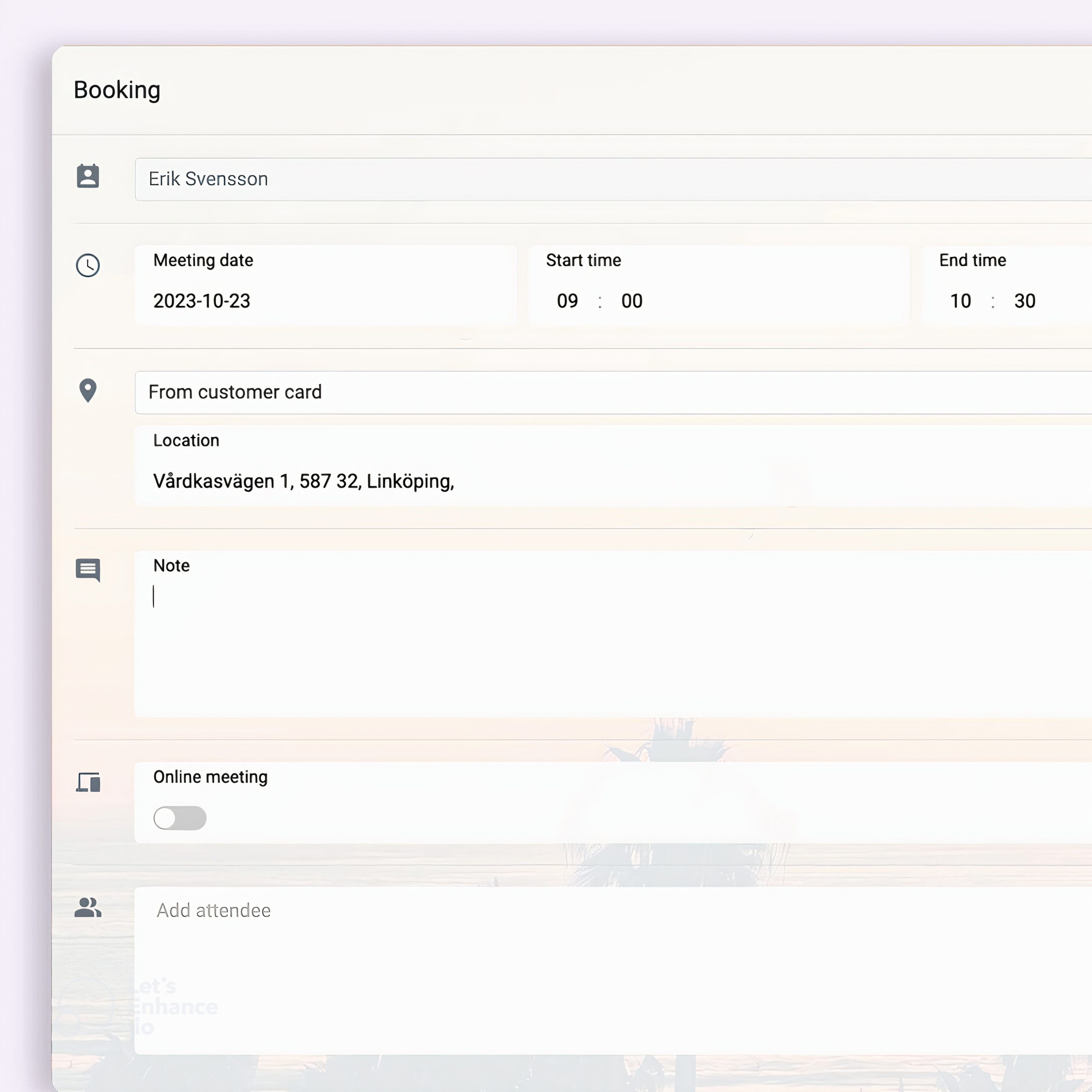
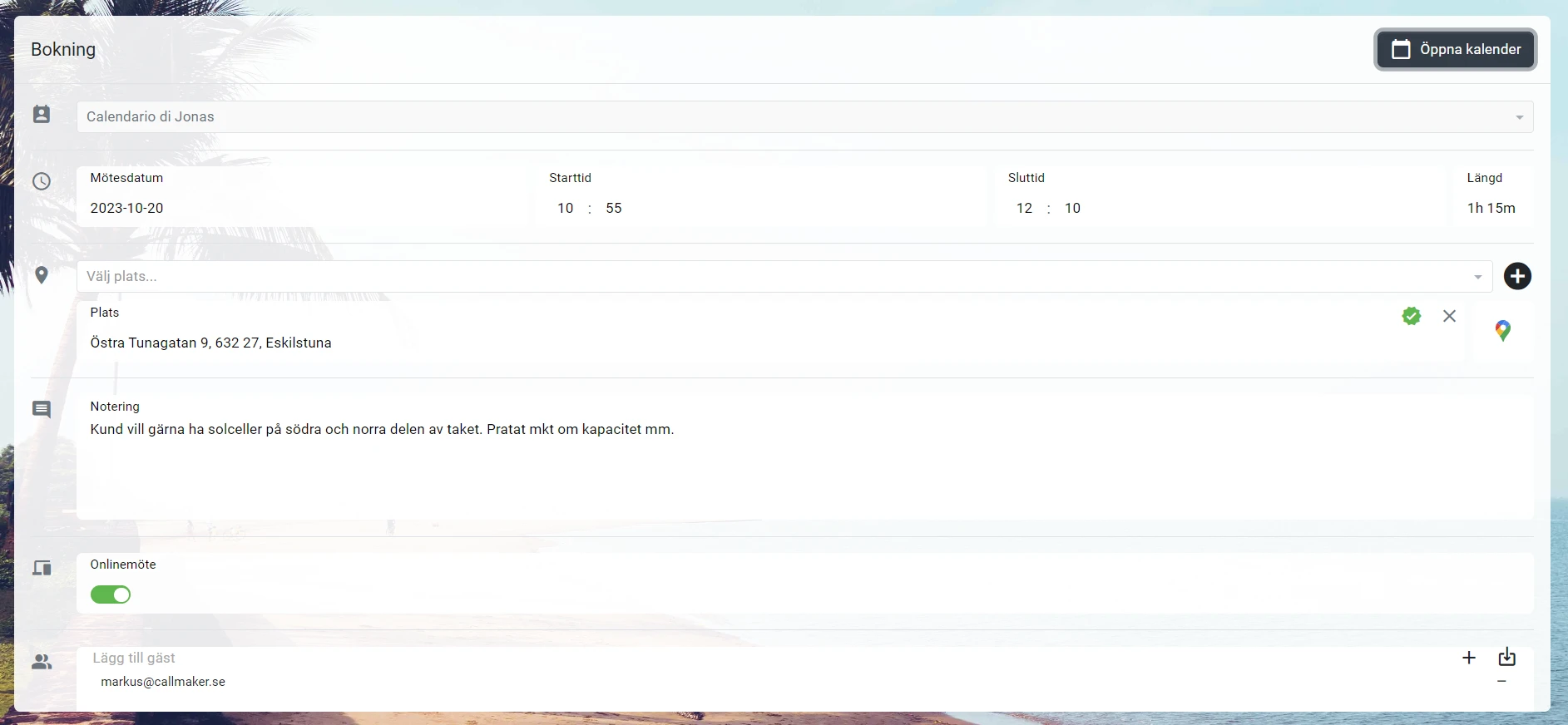
Booking Form in Callmaker – Form for Scheduling a Meeting

More calls and more bookings with features you need

With our uniquely clear interface where your bookers can view all calendars in parallel and find exactly the right time, and a battery of features to maximize uptime, your life will be easier.
  • Email & SMS confirmation
  • Automatically synced to the resource's calendar
  • Remind before the meeting, maximize successful meetings
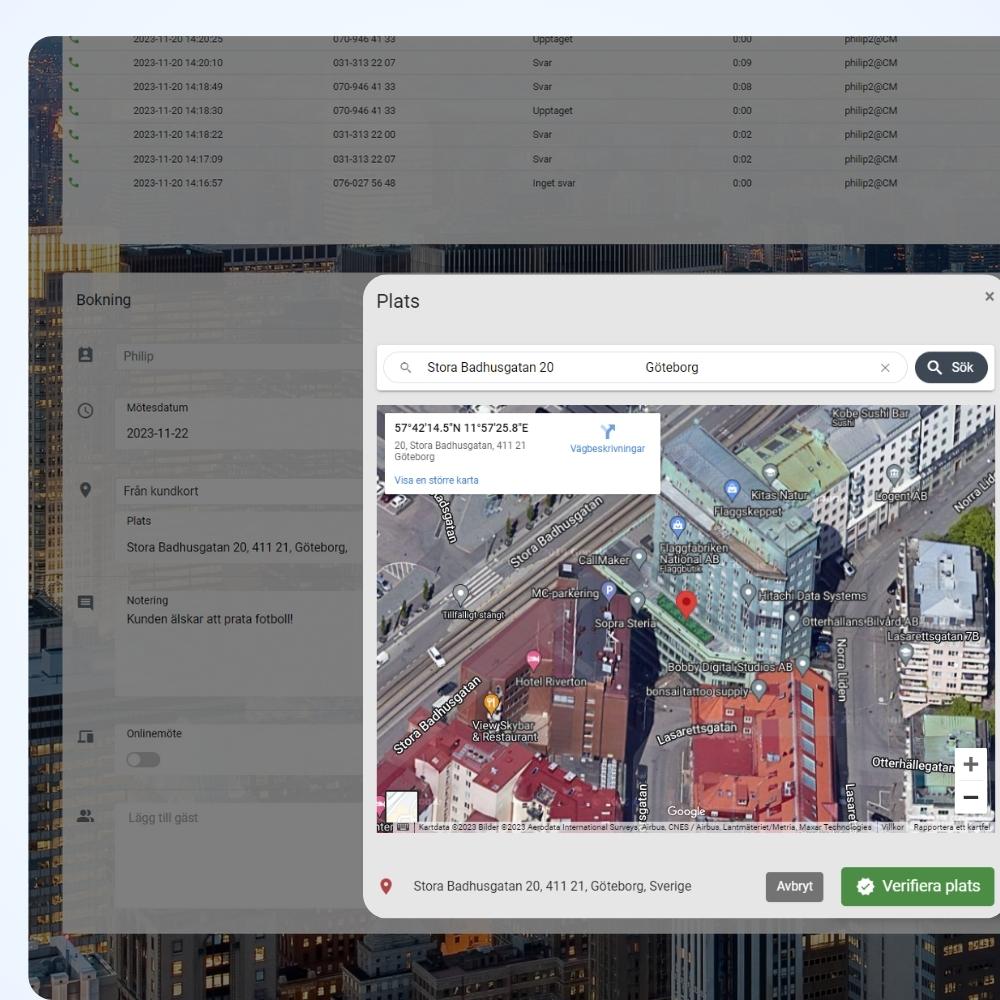
Map showing scheduled appointments in Callmaker
Add a meeting reservation – form in Callmaker

Easily create new meetings in a calendar view

With minimal waiting time to answer, and using automatic time and response interval calculations, the dialer ensures that you reach your goals under optimal conditions.

On-site meeting

Report back meeting outcomes directly in the calendar comment with automatic sync

Online meeting

Book online meetings for Meet or Teams and see instantly if attendees have accepted
With CallMaker Dialer by your side, booking meetings becomes a seamless experience, whatever your purpose. Experience increased productivity and smoother workflows with our powerful tool.

Key features that make booking meetings a breeze

Discover our key features that simplify and improve the whole process, and let you focus on what really matters - creating meaningful meetings.

Multi and single view in the calendar

The booker chooses to view one, several or all calendar resources in parallel in the calendar over a time period of day, week or month.

Confirmations via SMS and email

With our stylish templates with attached calendar events, the customer receives the right information both by SMS or Mail about the meeting, if it changes or must be canceled.

See if the customer accepted the meeting invitation

Once the customer has received their confirmation email with the attached calendar event, you will also see if the customer has accepted the meeting in their calendar.

Sync with Microsoft & Google calendar

Booking appointments directly into the resources' calendar makes life easier for everyone. When appointments are rescheduled, they are synchronized with CallMaker.

Confirm appointments with dynamic lists

Get more people to show up! With ready-made lists of upcoming bookings, you can easily call and confirm appointments days in advance.

Route and time optimizer

Calculate the time between the meeting you are booking and the meetings already in the calendars to easily see where the travel time is optimal for the calendar resource.
Calendar view for scheduling meetings in Callmaker

Report meeting outcomes directly in the calendar

The resource can report back on the outcome of the meeting directly in the calendar event, so you can easily and quickly find out how many meetings were successful and how many had to be rescheduled.

Calculate time for travel

With our route & time optimizer, you can easily see the travel time between the meeting you book and the meetings already in your calendar.

Easy navigation

Easily switch between viewing one, several or all resources in the calendar. See a day, a week or longer. Simple and neat.

Frequently Asked Questions About Scheduling Meetings

Can the person making the reservation view multiple calendars at the same time?

Yes. The scheduler can choose to view one, several, or all calendar resources side by side—by day, week, or month—and find the right time right in the view.

Will the customer receive a confirmation of the meeting?

Yes, via email and text message using templates you create yourself, with a calendar event attached. If the meeting is rescheduled or canceled, the customer is notified in the same way, and you can see whether the customer has accepted the event in their calendar.

Are the appointments synced with the salesperson's own calendar?

Yes. Meetings are scheduled directly in the resource's calendar, and any rescheduling done there is synced back to Callmaker. Callmaker syncs with both Google and Microsoft cloud calendars.

Can I schedule online meetings?

Yes, for Google Meet or Microsoft Teams, and you can see right away if the participants have accepted.

How can we get more people to show up at the meetings?

With automatic reminders before the meeting and ready-made call lists for upcoming appointments, so you can easily call and confirm the meetings a few days in advance.

What does the route and time optimizer do?

It calculates the travel time between the meeting you are about to book and the meetings already on your calendar, so that in-person visits are scheduled where travel time is shortest.

How is the outcome of a meeting reported?

The person who hosted the meeting reports the outcome directly in the calendar event. It syncs automatically with Callmaker, so you can quickly see how many meetings were successful and how many need to be rescheduled.
Callmaker for you

We’ll give you a free tour of the system and walk you through the onboarding process. Take this opportunity to try out the best dialer algorithm on the market!
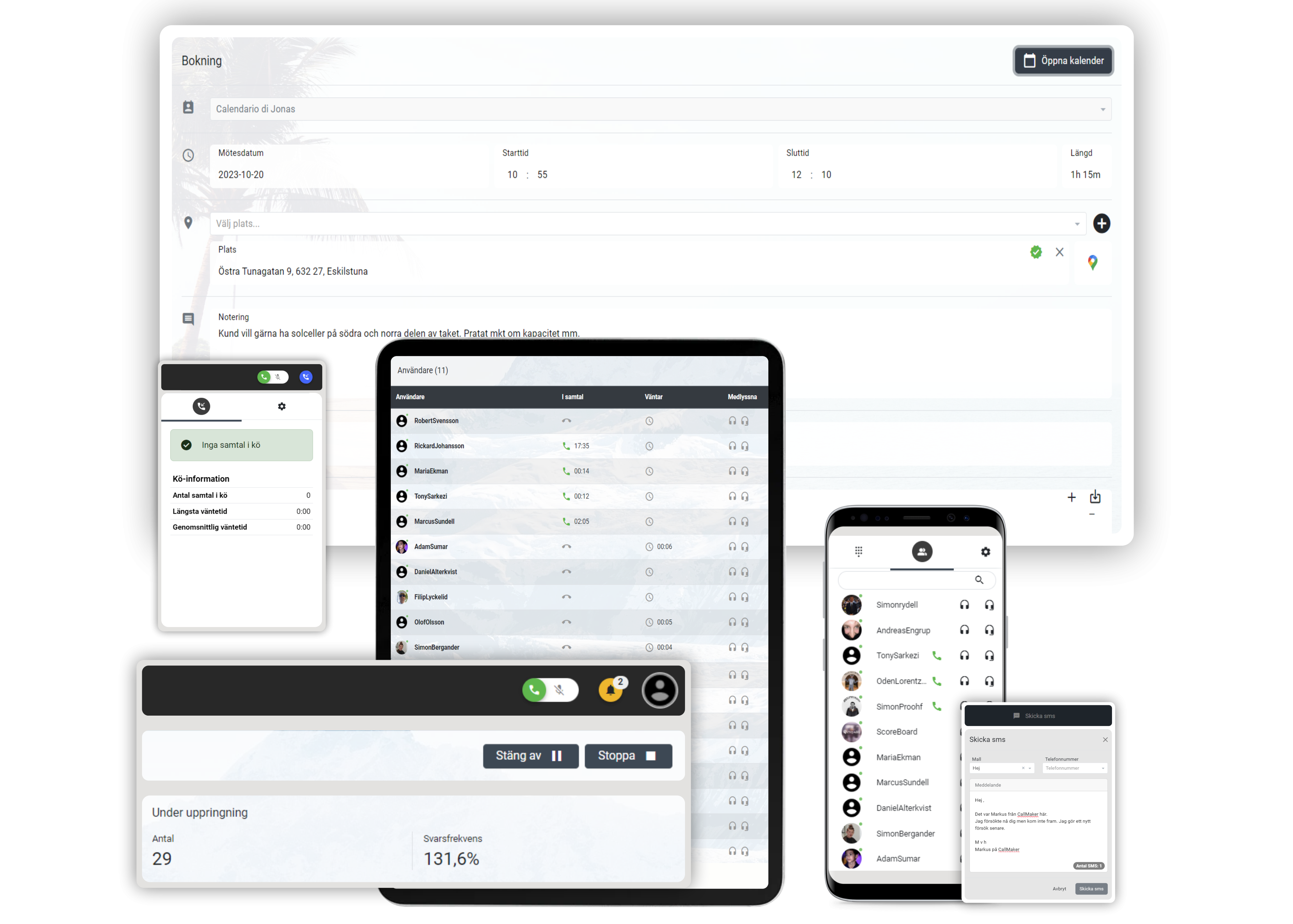
Callmaker on computers, tablets, and cell phones
CM Software Callmaker AB © 2026. Callmaker™ is a registered trademark of CM Software Callmaker AB.

CM Software Callmaker AB
556999-9971
Stora Badhusgatan 18
411 21 Gothenburg
Sweden