Callmaker logo

#1 Outbound Sales Dialer

An intelligent dialer that opens the door to efficient outbound work and maximises the potential of your leads, combined with our user-friendly web platform that gives you full control through an intuitive interface. 
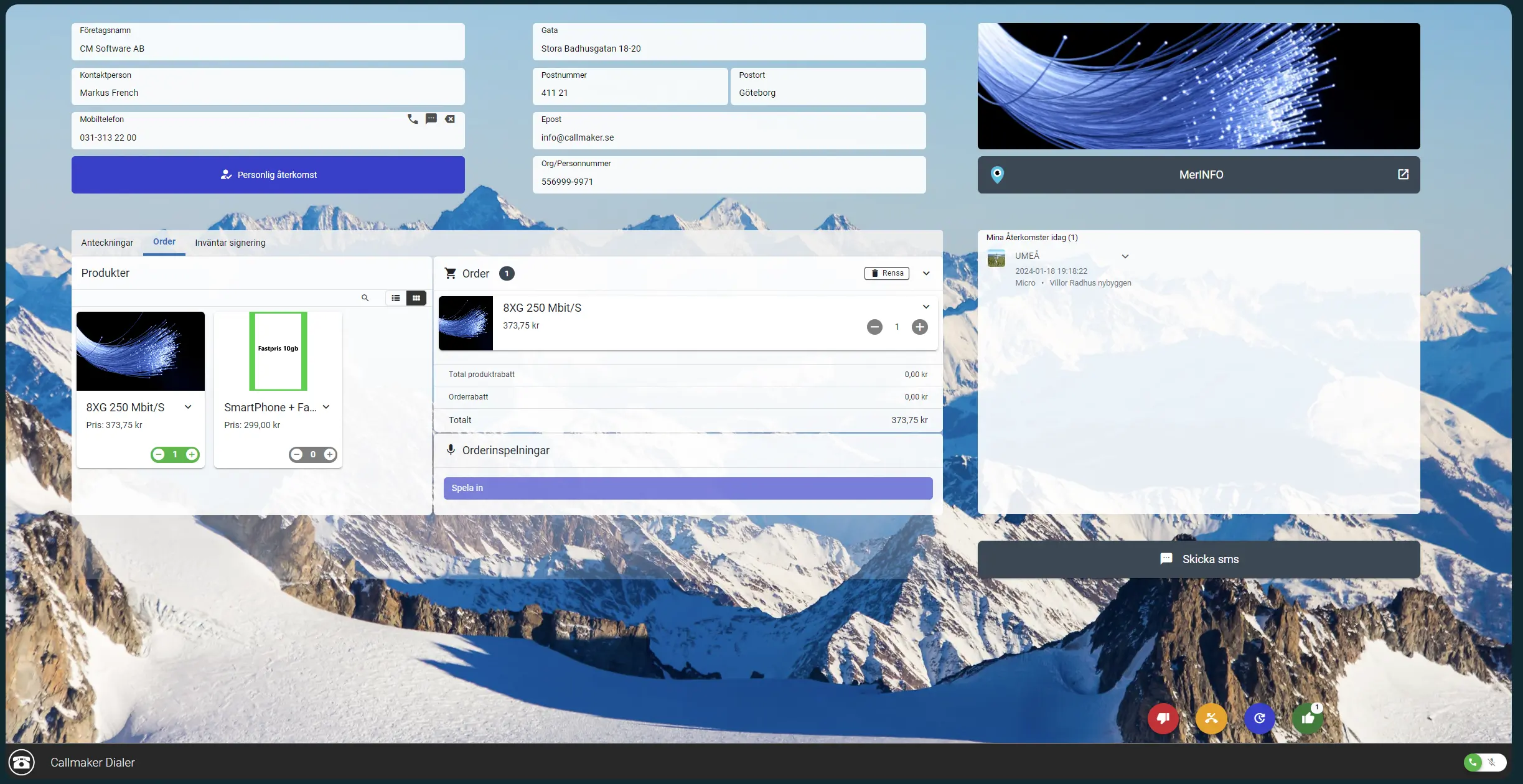
Laptop with Callmaker’s outbound dialer open, against a mountain view

More deals closed – easier than ever

Experience smooth calls, higher productivity and better results with our outbound dialer – no waiting for the next call when the wait is as short as three seconds.
  • Predictive dialer
  • Preview dialer
  • User experience
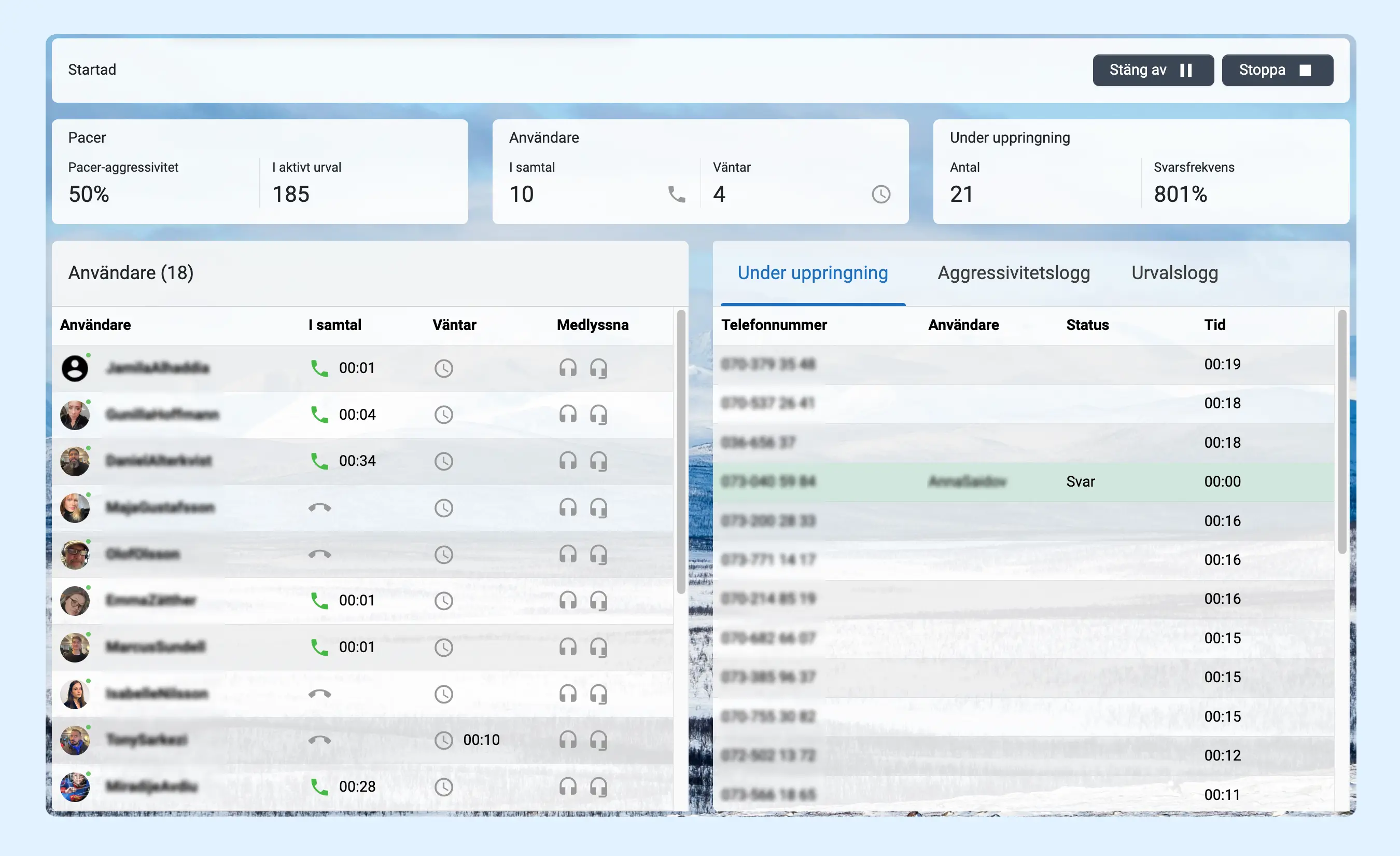
Callmaker’s dialer – list of contacts and calls
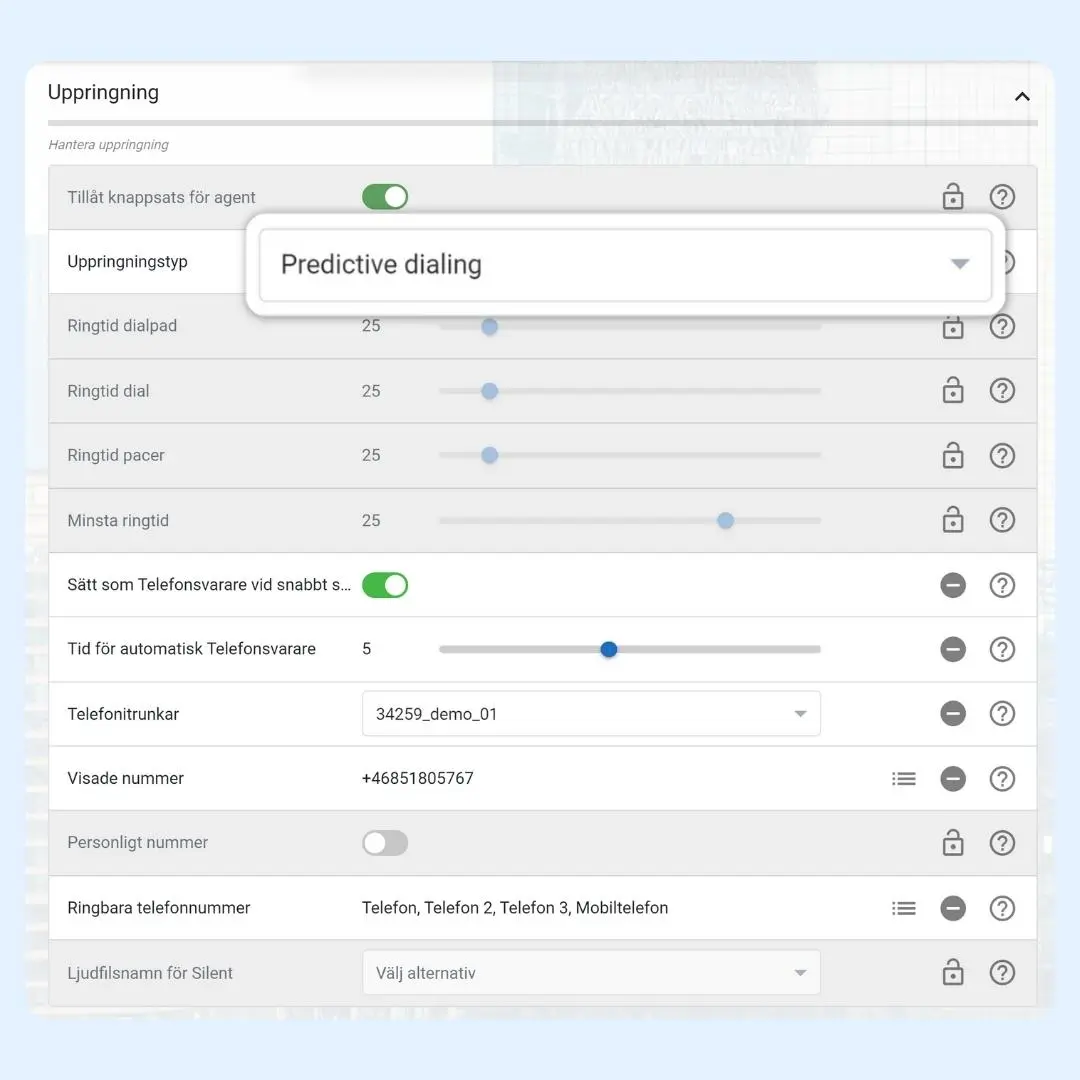
Predictive dialling settings in Callmaker

Predictive dialer

With our sophisticated predictive dialer, your sales reps get exactly the right number of calls. We have no line limits, which means you can use lead lists with low answer rates – the dialer dials exactly what’s needed!

Better answer rate

As the system’s intelligence optimises the contact pattern, you get a better chance of an answer and, ultimately, more leads reached.

Preview dialer

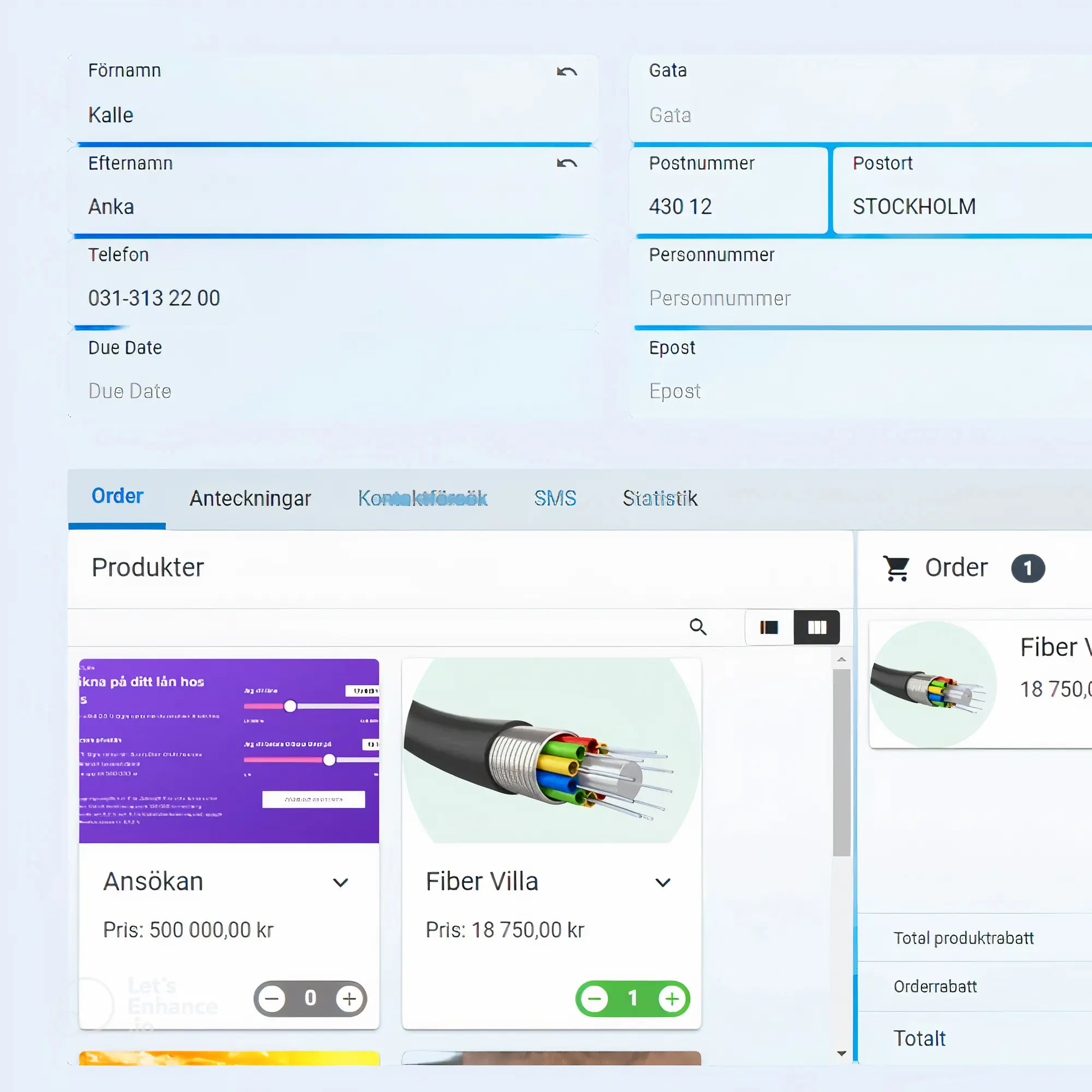
In projects where every call demands more of your sales reps, it helps to be able to review the customer card before the call is connected. If it isn’t answered or the line is busy, the system automatically moves on to the next customer card.
Customer card in Callmaker’s dialer with contact details and history

Monitor & Dashboard

Being able to get an overview of the business, see the number of orders and how your projects are going is a given – even when you’re on the train or on your way into a meeting. And of course you can listen in wherever you are.

Monitor & Dashboard

Being able to get an overview of the business, see the number of orders and how your projects are going is a given – even when you’re on the train or on your way into a meeting. And of course you can listen in wherever you are.

Features included in our Outbound dialer

Predictive dialer.

The number of lines adjusts dynamically using a data model that ensures quick answers and minimal dropped calls.

Preview dialer.

In projects with more demanding calls, it can be valuable to preview a customer card first.

Acceptance via SMS

You decide which reply in the SMS counts as acceptance, and whether the acceptance can arrive after the order has been placed.

Listening in

Listen directly in the system or have the audio sent to any phone number, so you can listen in from wherever you are.

Live statistics

Whether you’re evaluating user statistics or which project is performing best, you always have fully up-to-date data in front of you.

Quality assurance

Listen to entire calls or acceptance recordings. Orders can be held until approved by an admin in projects where quality is critical.

Number management

With our simple graphical overview, you assign one or more numbers to your different campaigns, or share them across many. You can easily change them yourself.

Coaching

Call search is the Swiss Army knife of coaching. For example, find every ‘no’ shorter than 30 seconds or longer than 3 minutes.

Frequently asked questions about the outbound dialer

What is the difference between a predictive dialer and a preview dialer?

A predictive dialer calls several numbers in parallel and connects the call to an available sales rep as soon as someone answers; a data model adjusts the number of lines so that waiting time stays short and few calls are dropped. A preview dialer shows the customer card before the call is connected so the sales rep can prepare – ideal for projects where each call demands more.
How short is the waiting time between calls?

With the predictive dialer, the wait until the next answered call can be as short as three seconds. Sales reps don’t need to dial numbers or wait for ringing.

How few sales reps can you have in a predictive dialer campaign?

One. But we usually recommend at least two or three, to get a good balance between waiting time and dropped calls.

Is there any limit on the number of lines?

No. The dialer dials exactly what’s needed to keep your sales reps busy, which means you can work efficiently even with lead lists that have low answer rates.

Can sales reps take calls from several outbound campaigns at the same time?

Yes. With outbound blend you group campaigns so that the predictive dialer delivers calls from the whole group to one user. Normal permissions still apply, so a user only receives calls from campaigns they have access to.

How do I follow up and coach my sales reps?

You can listen in directly in the system or via any phone number, record calls and search for calls by outcome, length and rating (1–5). Calls can also be transcribed with an AI model trained on Swedish and summarised automatically, so you can quickly see the gist of a call without listening to all of it.

Does the dialer work in a noisy call centre?

Yes. Callmaker has a module with built-in AI noise reduction from IRIS Clarity that filters out background voices and noise in real time.

How do we get started?

Book a demo and we’ll go through the system together. It usually takes a few hours from becoming a customer until you can start taking calls in the system.

Callmaker for you

We’ll give you a free walkthrough of the system and onboarding. Take the chance to try the best dialer algorithm on the market!
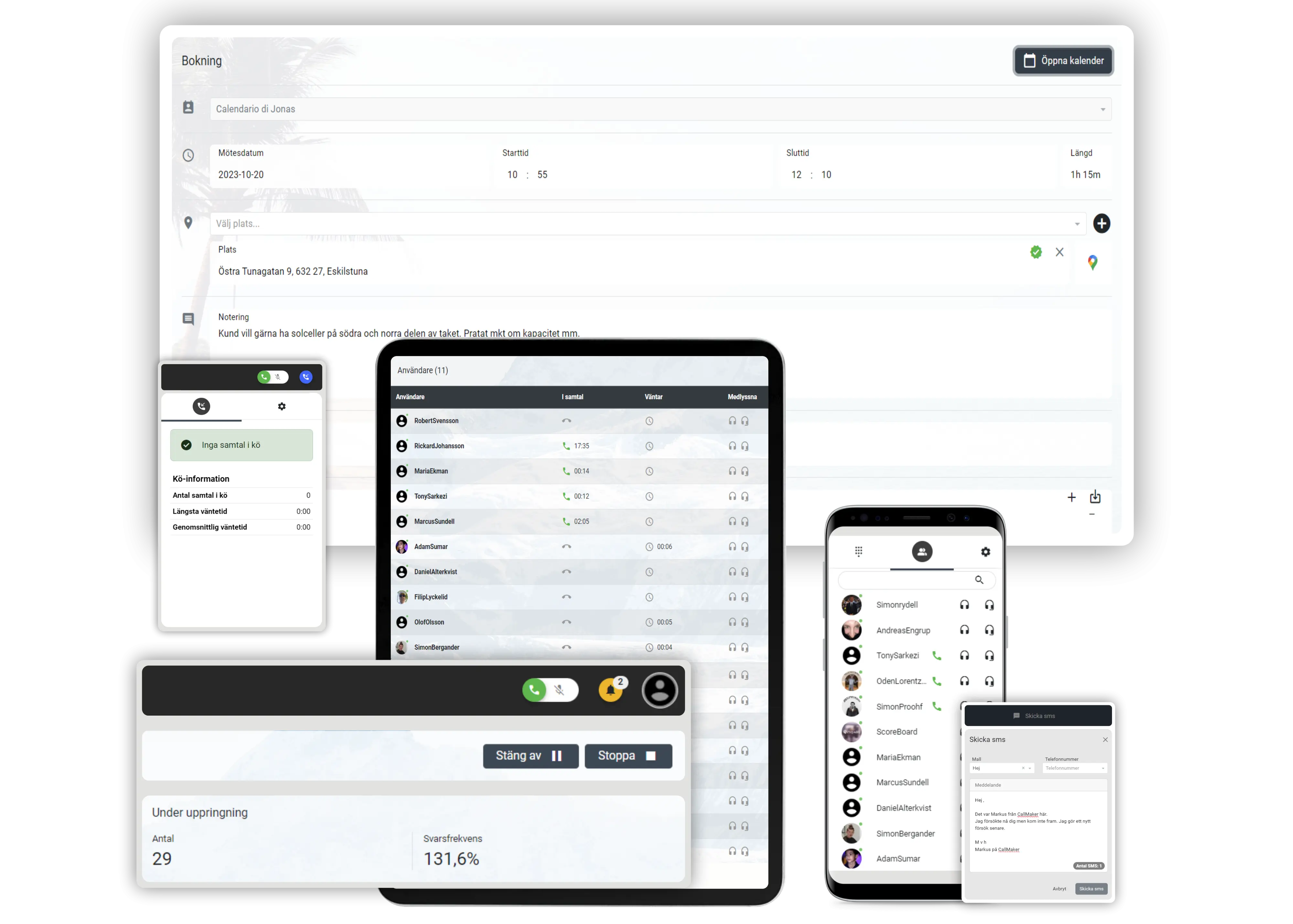
Callmaker on computer, tablet and mobile
CM Software Callmaker AB © 2026. Callmaker™ is a registered trademark of CM Software Callmaker AB.

CM Software Callmaker AB
556999-9971
Stora Badhusgatan 18
411 21 Göteborg
Sweden